Important changes to horstFX
1 Logical structure

In general, horstOS is divided into** 3 phases** in order to reflect the real commissioning process as closely as possible. The phases are Project Setup, Programming and Process Control.
The phase in which the user is currently operating is indicated by a highlighted symbol in the middle left-hand corner of the screen.
Phase 1: Project Setup
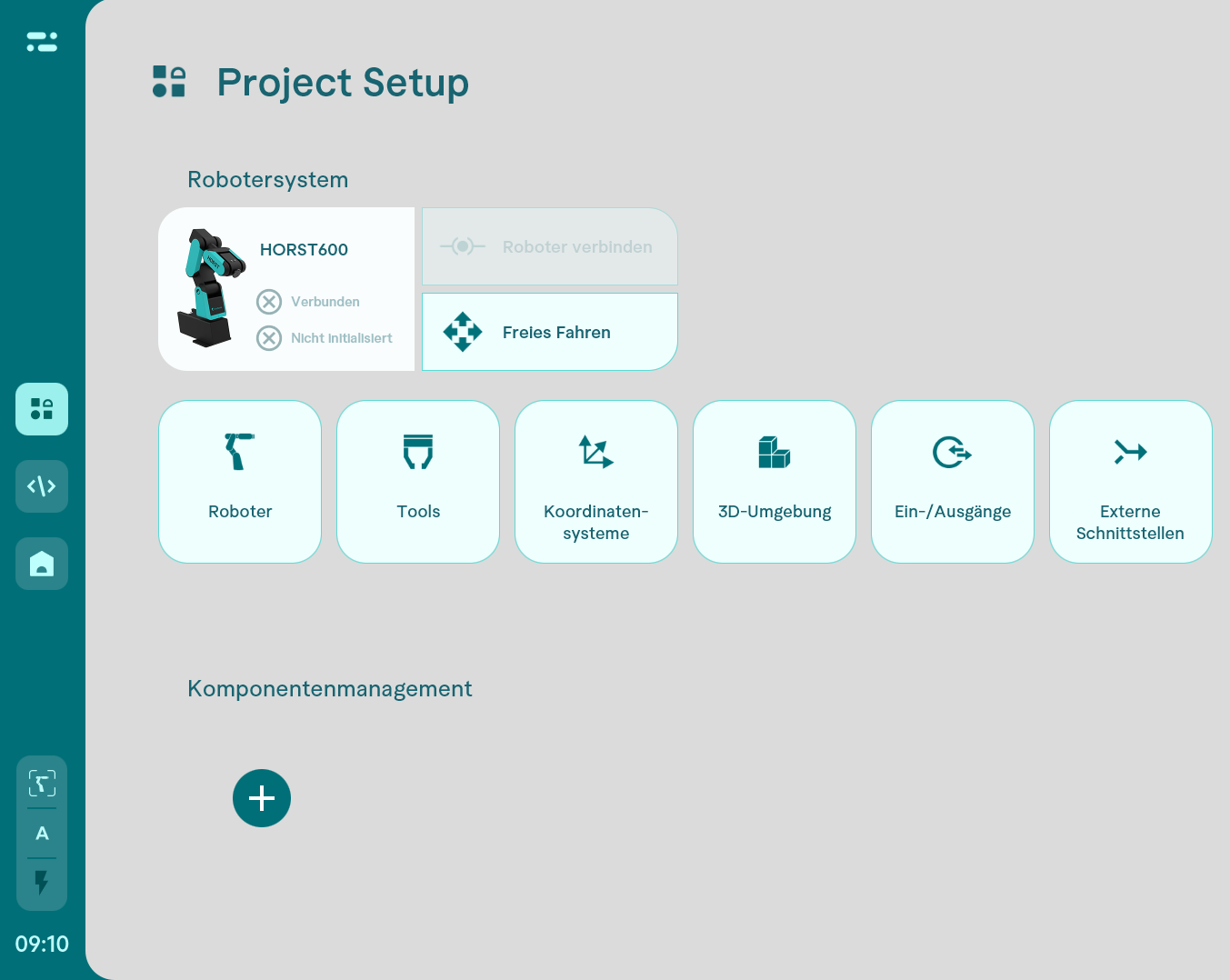
All settings that form the basis for programming are made in this phase.
In addition to the robot model, the working environment and the robot's coordinate system are set here, as are the tool settings and the configuration of inputs and outputs. In addition, components such as cameras and safety technology can now be integrated extremely conveniently directly via their web interface.
Phase 2: Programming
In the second phase, programming is carried out as usual.
Phase 3: Process Control
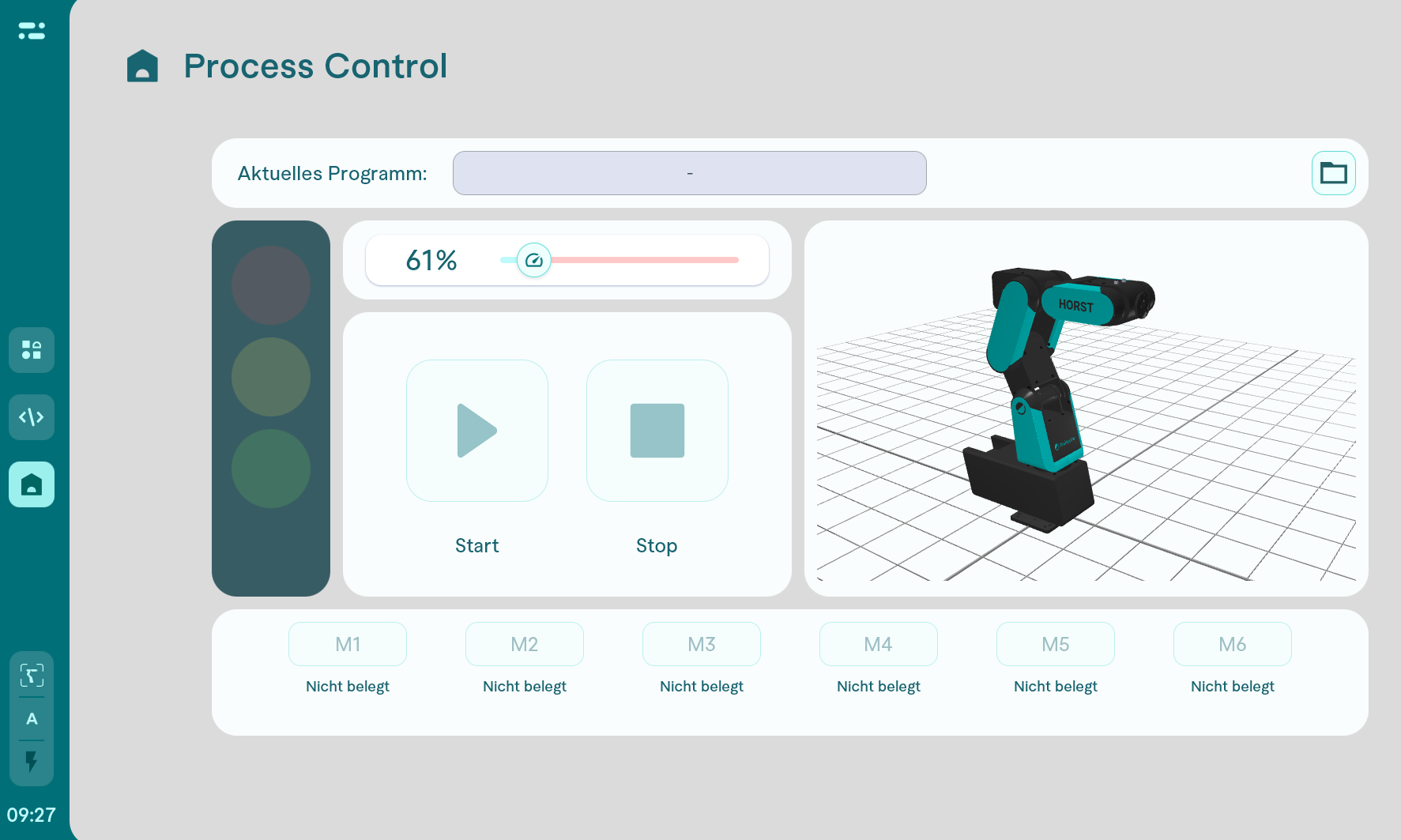
The third phase is the production monitoring phase. All the necessary information and functions are clearly displayed and made available to the operator of the system in order to properly monitor production. In horstFX, this was the user-specific operating view.
2 Visual structure
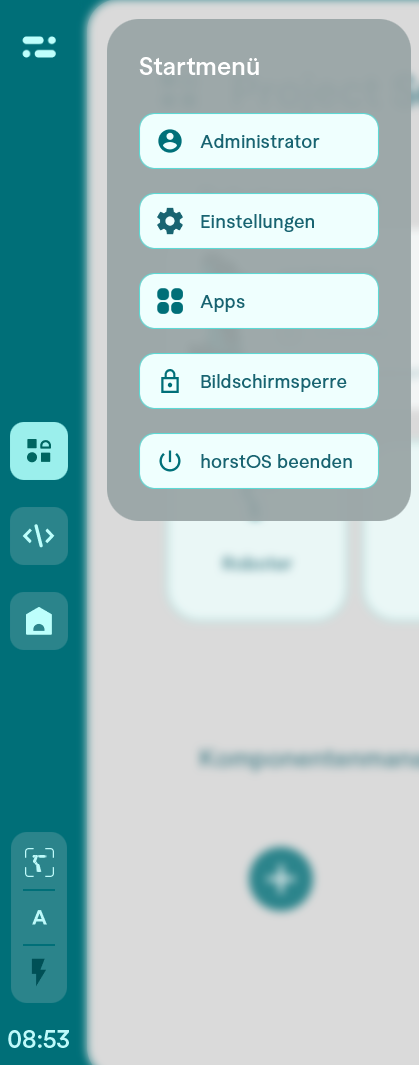
The ubiquitous menu bar is no longer located at the top of the screen, but on the left-hand side. Functions such as changing the user role, switching to the settings or exiting horstOS can be selected here.
You can also switch between the 3 phases of the project.
3 AI Copilot
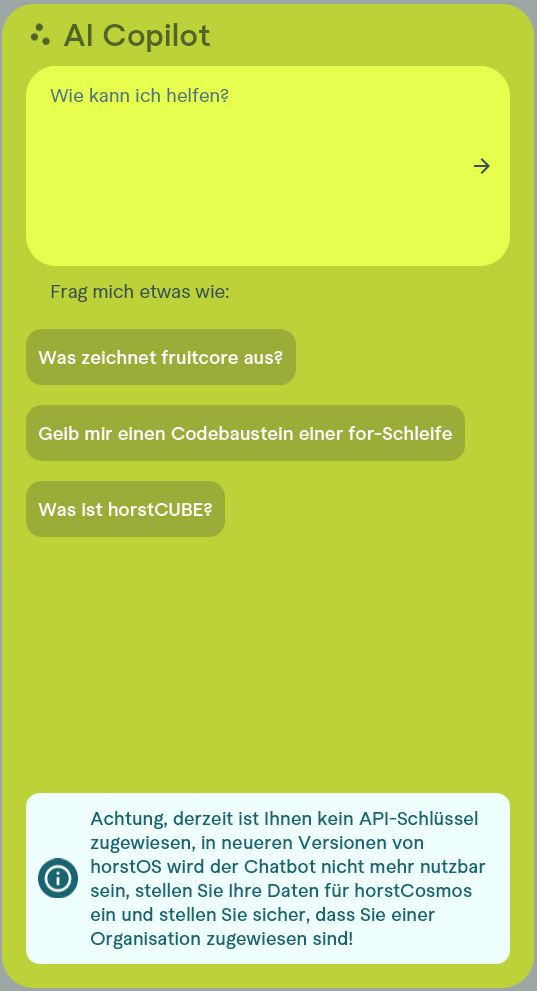
In the form of a chatbot (powered by ChatGPT), the AI Copilot offers the option of being asked for help at any time. After formulating a question in the input field, it provides precise answers to the questions asked. The subsequent feedback function helps to continuously improve its answers.
The AI Copilot can be accessed via the following icon on the right-hand side of the screen.

4 Settings
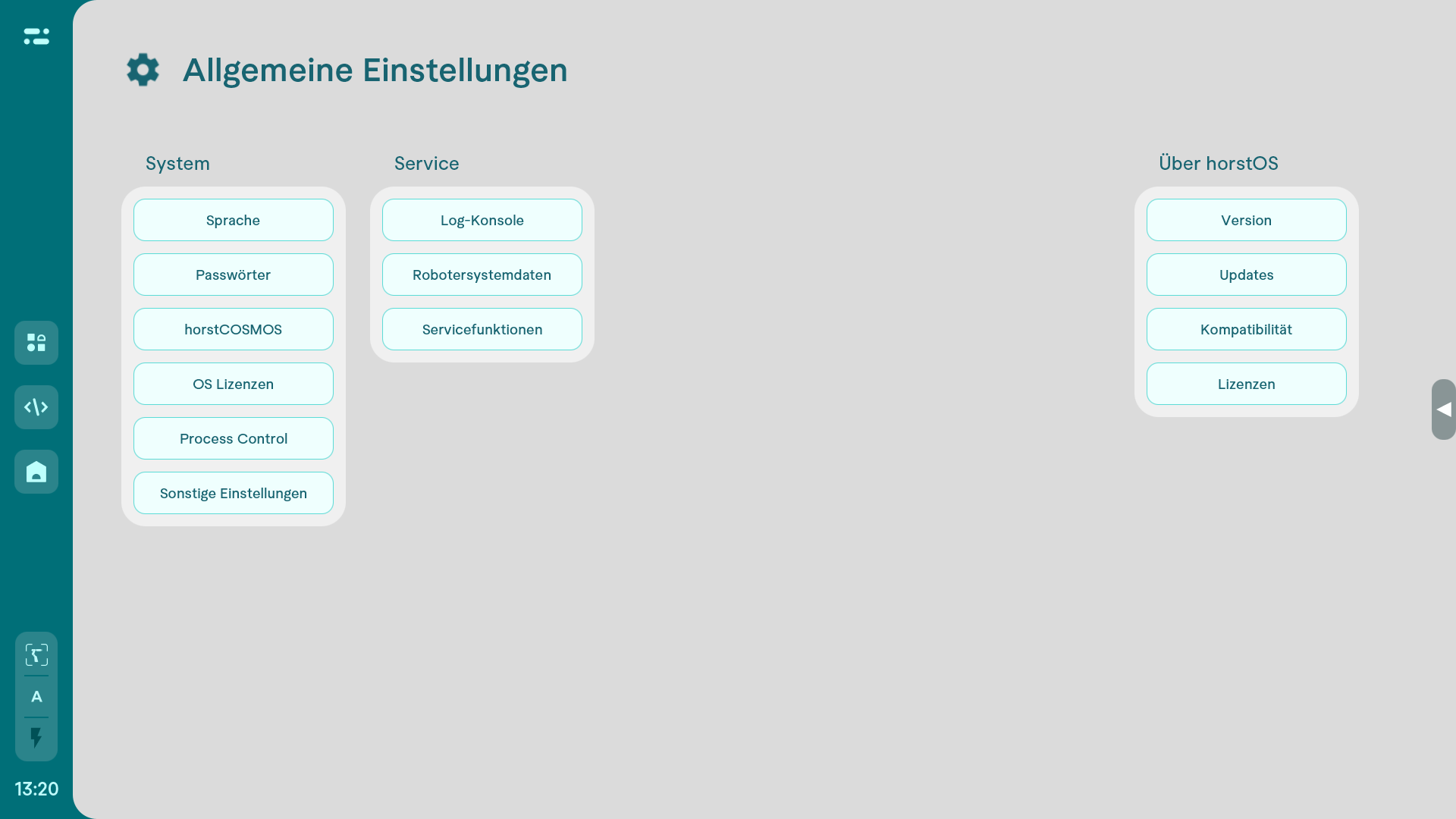
The settings are now organized differently to follow the idea of setting up the robot chronologically. They are now divided into system, service and horstOS settings.