
Robot hardware & peripherals
An application controls a robot system, not an arm in isolation. Its robot model, mounting, tool, sensors, and peripheral devices determine which frames, joints, signals, and capabilities the software must handle. Keep the Robot Runtime boundary explicit when adding hardware.
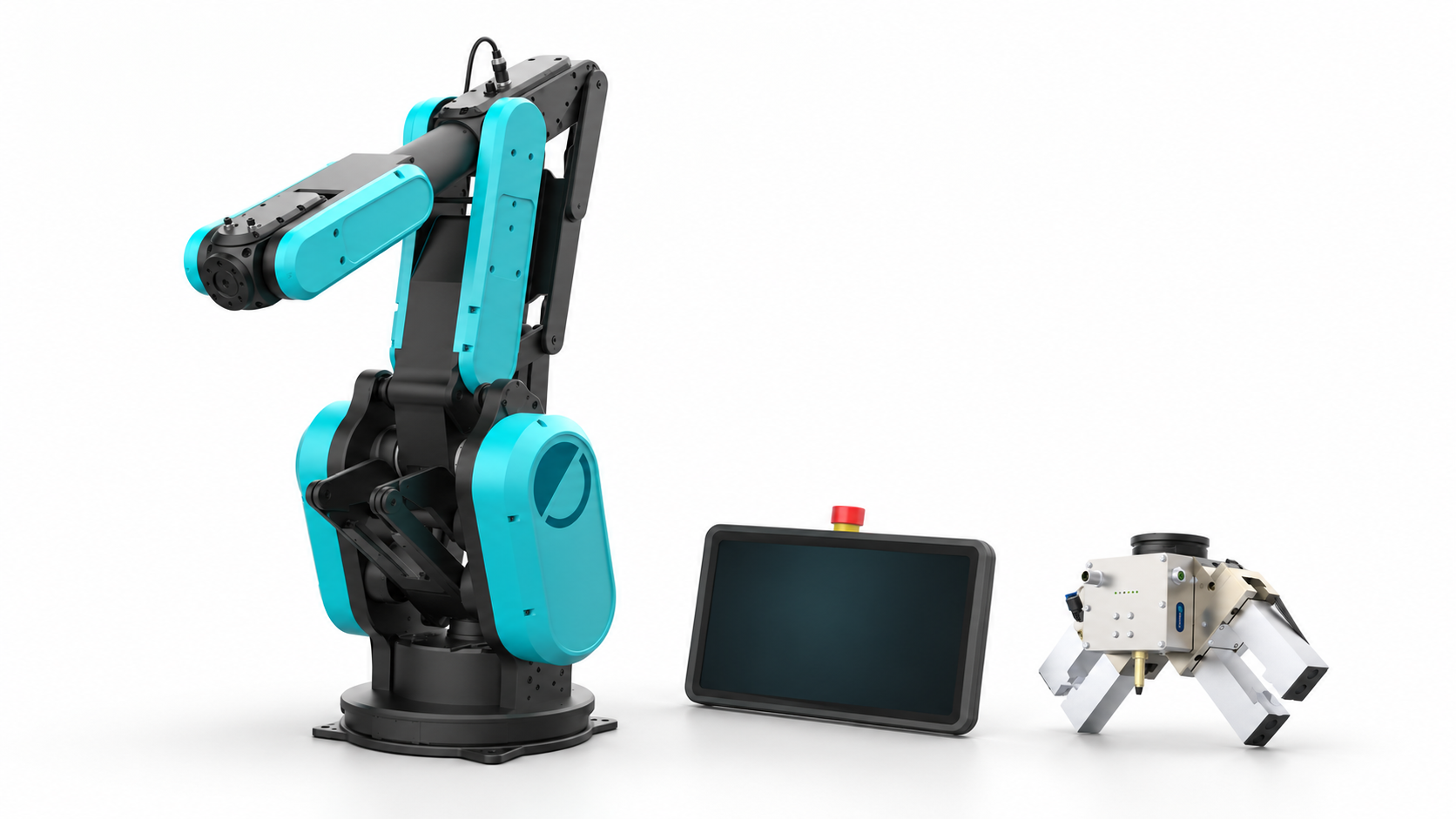
fruitcore robot systems
For a prepared robot, matched peripherals and PC environment, see the Physical AI Readiness Kit. Its delivery inventory and software versions determine which guides apply to your configuration.
HORST industrial robots form the manipulator family. fruitcore also offers the Mobile Robot Base (MRB), robot bases, and horstCUBE as physical platforms for robot cells. The MRB can be repositioned and fixed at a workstation; mobile here describes the movable base, not autonomous navigation. A driving AMR has a separate navigation and control boundary, as the FABA and AMR guide explains.
For an application, record the mounted robot, base frame, tool frame, reachable workspace, and any station-specific offsets. Read the selected robot and its measured state through the Control API before using kinematics or motion preview. Match the base and cell configuration to the robot model; kinematics and motion preview use the same Control API.
Tools, grippers, and robot hands
End effectors include parallel and double grippers, vacuum tooling, and multi-finger robot hands. The fruitcore accessories range includes component kits from manufacturers such as SCHUNK and Zimmer alongside fruitcore platforms. A robot hand is a richer end effector: it may expose several actuated joints and tactile observations in addition to a grasp state.
Describe a tool integration by its mounting and tool frame, actuation and feedback signals, units, fault states, and ownership of each command. Simple binary signals can use the Runtime's digital I/O operations · Coming soon when wired and configured for the cell. A device-specific controller needs a separate adapter; the Control API does not itself define a universal gripper or robot-hand protocol.
Other kinematics
Linear axes and gantries add motion axes and frames to a robot system. Other industrial arms, mobile manipulators, and humanoid robots bring different joint layouts and control constraints. Integrating any of them starts with an explicit robot model: joint order, limits, coordinate frames, tool offsets, units, and the controller that owns each axis. The robot kinematics guide covers model-based state checks and motion preview.
Choose a Runtime-supported robot-system profile and target. Check its model identity, axis mapping, mounting and tool configuration. Motion planning and ordinary control run through Robot Runtime. An external controller that sends joint targets every cycle uses the Real-Time Control Interface only after Runtime admission, with RT validation and embedded safety controls still active.
Sensors and cell peripherals
Vision systems, tactile sensors, feeders, safety devices, and factory signals complete the cell. The fruitcore ecosystem lists examples including cameras, safety scanners, and part-feeding kits. For software, distinguish observations from commands: align sensor data with robot state and timestamps, map permitted device signals through I/O or an adapter, and validate a resulting motion through Runtime. The vision and touch guide and industrial fieldbus guide develop those boundaries.
The integration catalog records the implementation state of software adapters. Product availability and mechanical compatibility belong to the linked fruitcore product information and the configuration of the specific robot cell.