Component management
Component management opens the web interfaces of connected peripheral devices directly in horstOS. These include cameras, grippers and feeders from other manufacturers.
Open the component overview
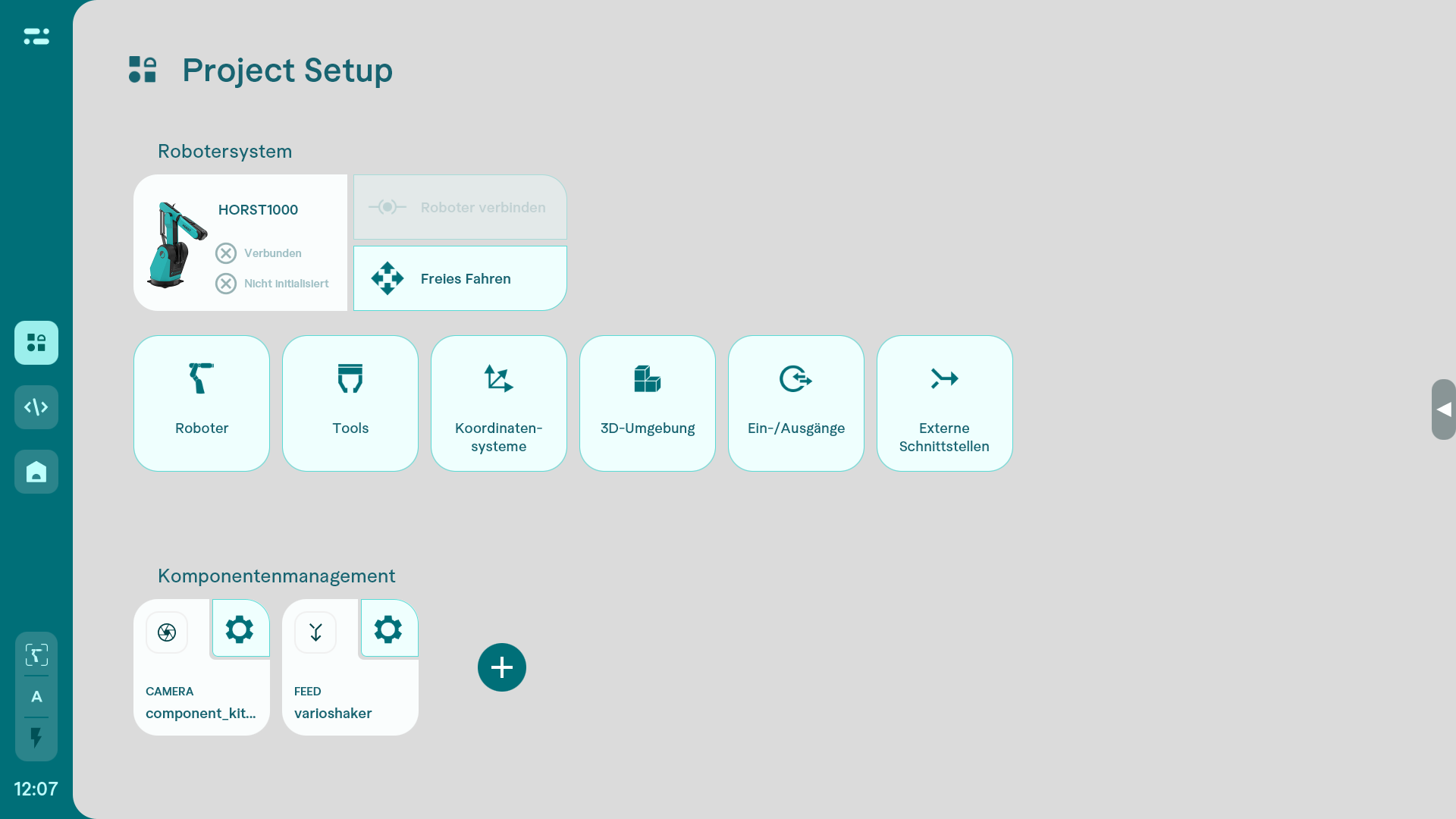
Add a device
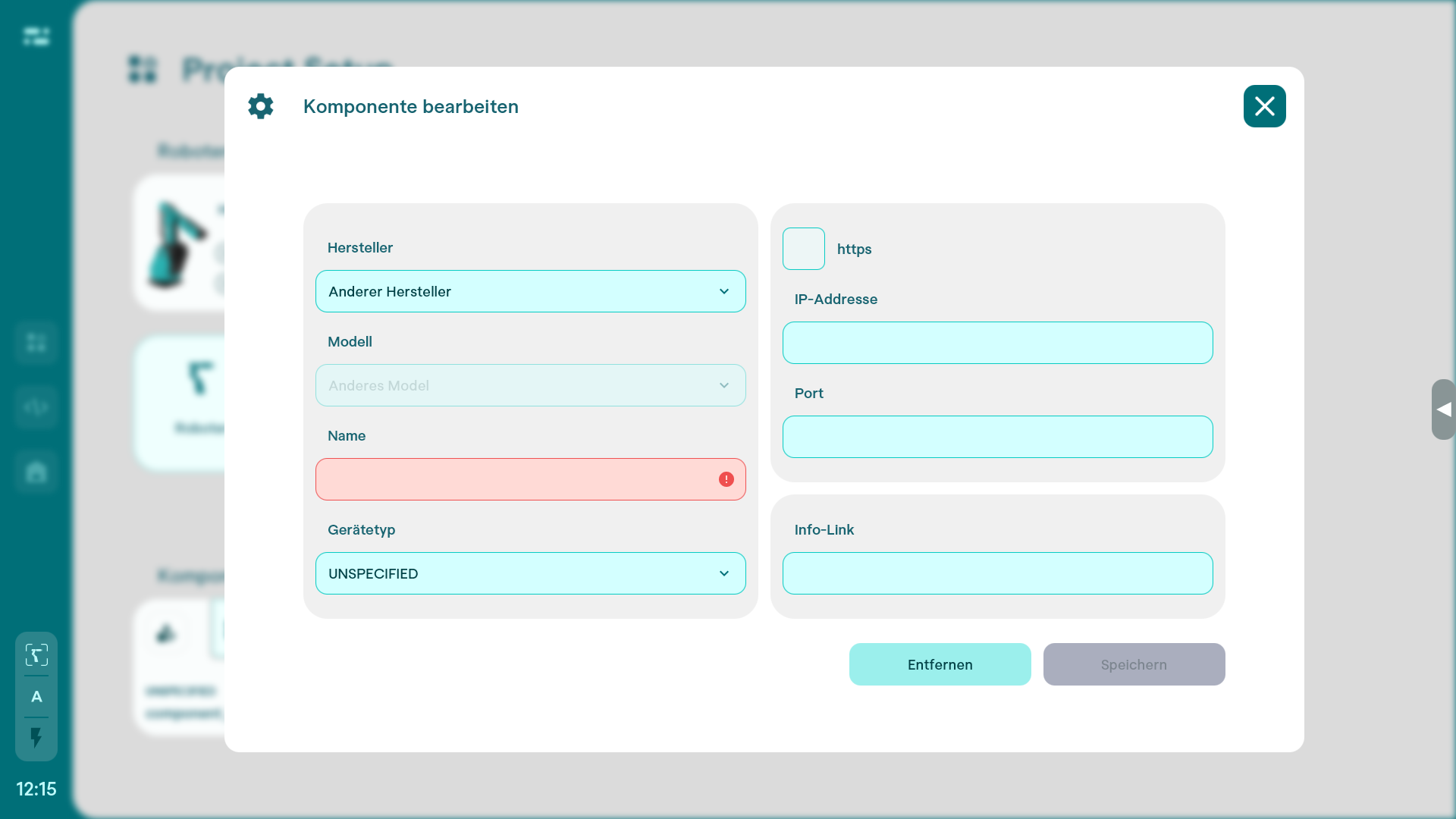
- Select + to add a device.
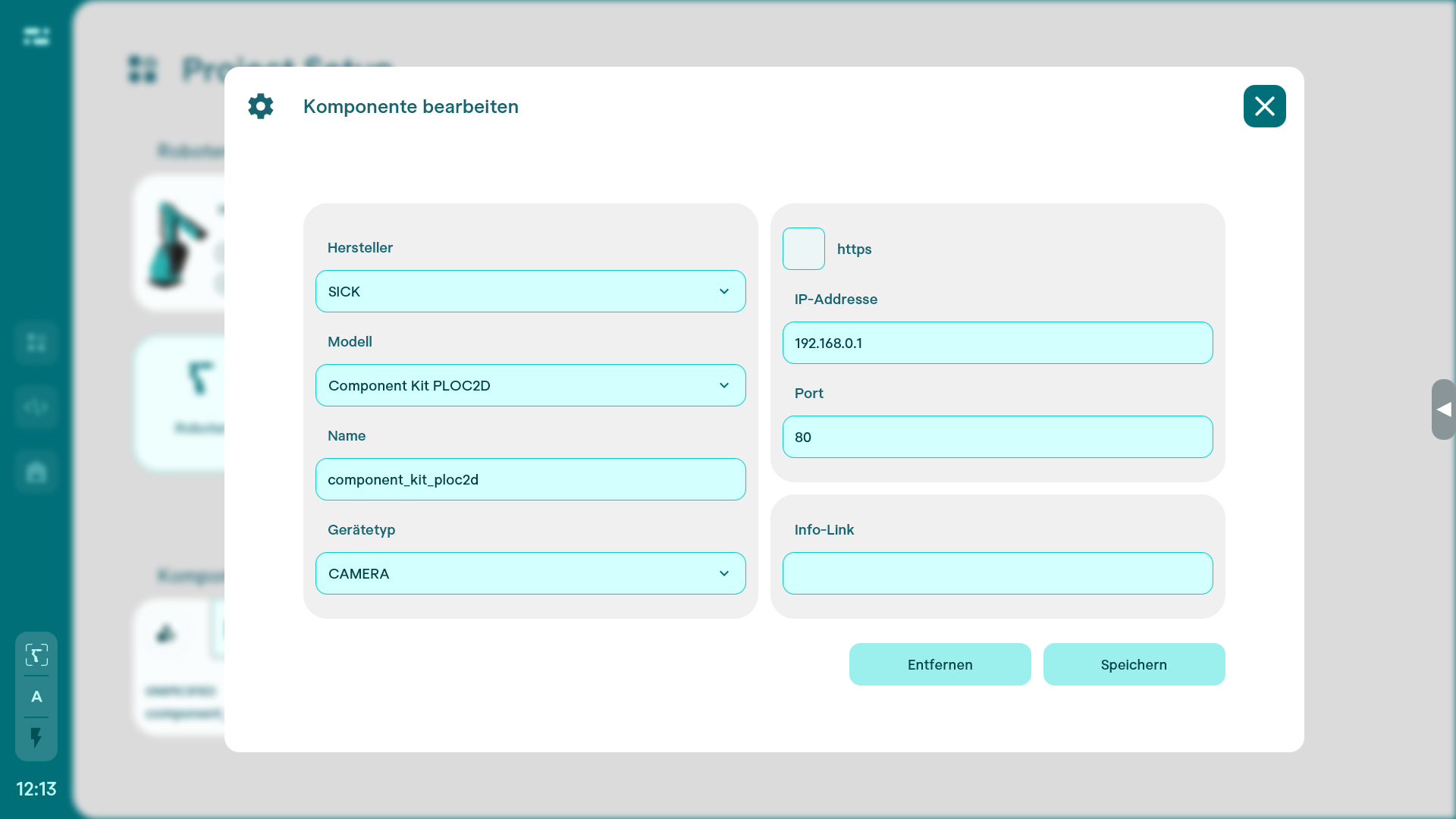
- Select the manufacturer and the required component. For known devices, the required information is often pre-filled.
- Check the device's IP address and port. These settings determine whether horstOS can access its web interface.
The following example shows the pre-filled settings for a SICK PLOC2D camera.
Add an unknown device
For devices without a matching template, enter the required connection settings manually.