
 Robotics & hardware

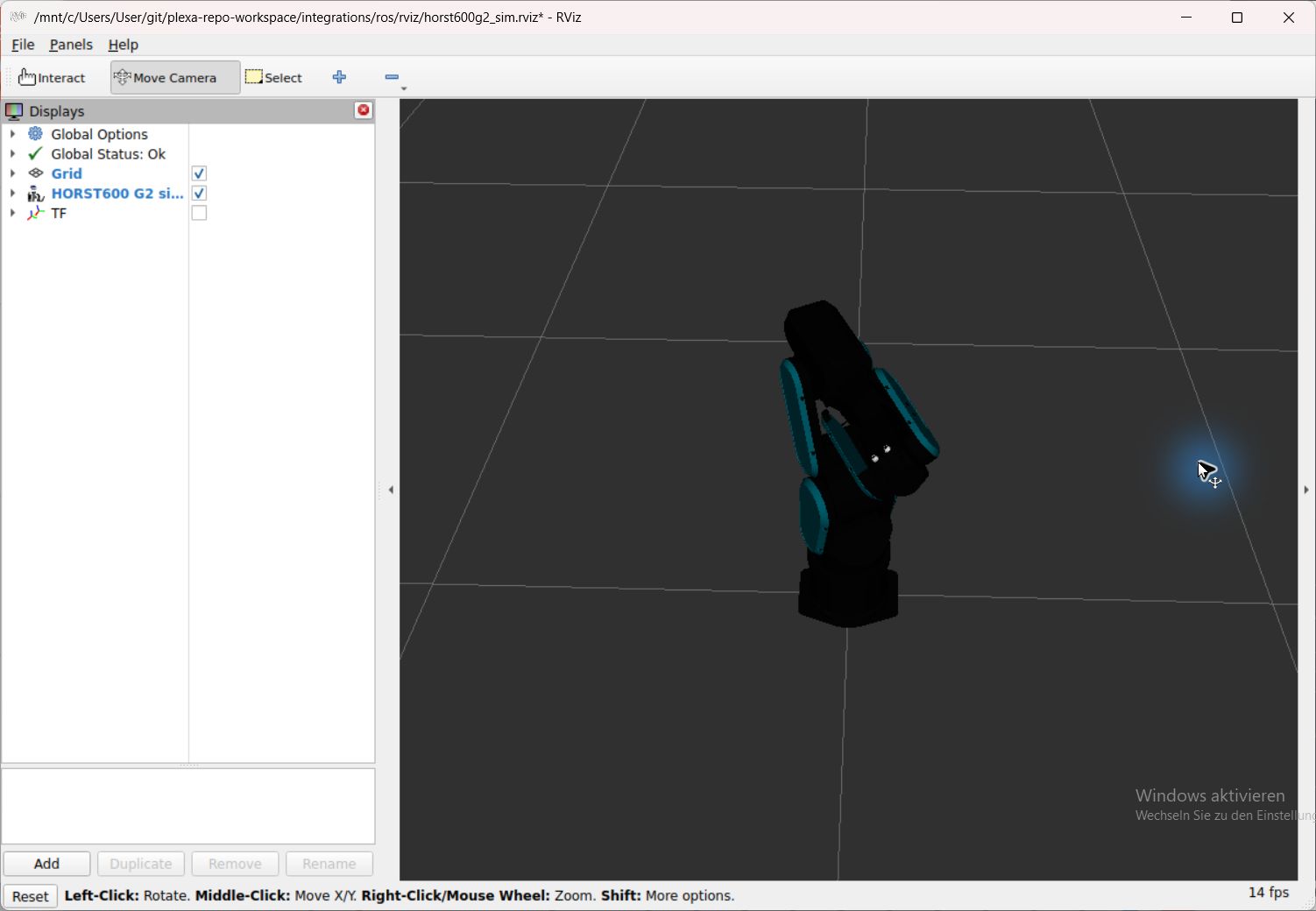
ROS 2, RViz, MoveIt and Gazebo
Middleware · Offline preparation
Scope and prerequisites
Display simulator joints and frames in RViz, or prepare a local G2 planning and Gazebo view.
Find a guide by task or tool. The four topic filters match the integration overview. Expand a card when you need its scope, then use the guide for prerequisites, an exercise, sources and limits.
Choose the question you want to solve. Follow its role in industrial robotics, then narrow the catalog below.
ROS 2 connects joint state, reference frames and robotics tools through an explicit adapter. Start with a read view, then choose the separately documented planning or command path.
19 / 19 tools · Each guide owns its versions, sources and remaining boundaries.
Robotics & hardwareMiddleware · Offline preparation
Display simulator joints and frames in RViz, or prepare a local G2 planning and Gazebo view.
 Simulation & visualization

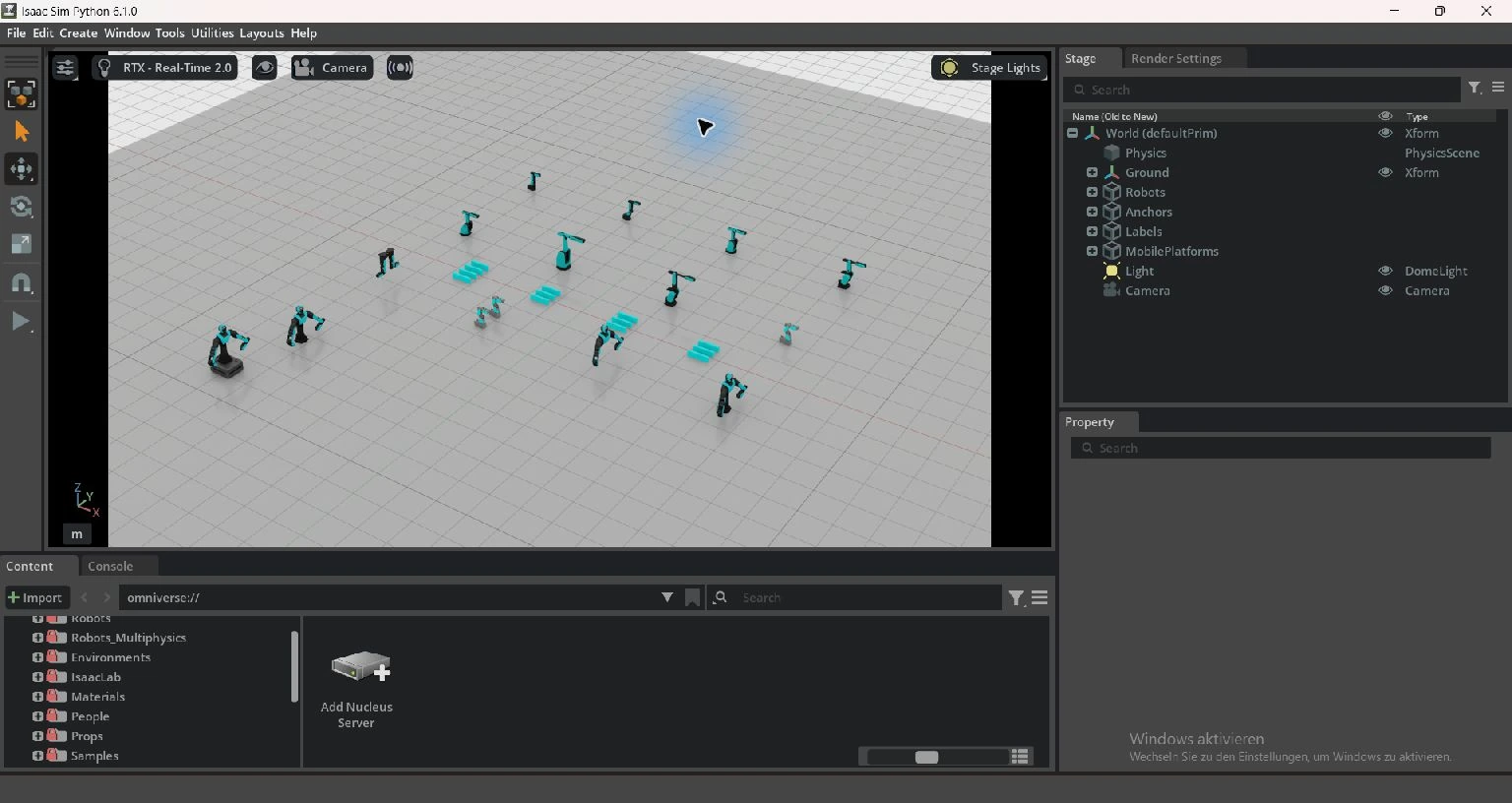
Simulation · Experimental
Open shared USD assets, compare models in a robot portfolio and inspect local scenes.
Simulation & visualization
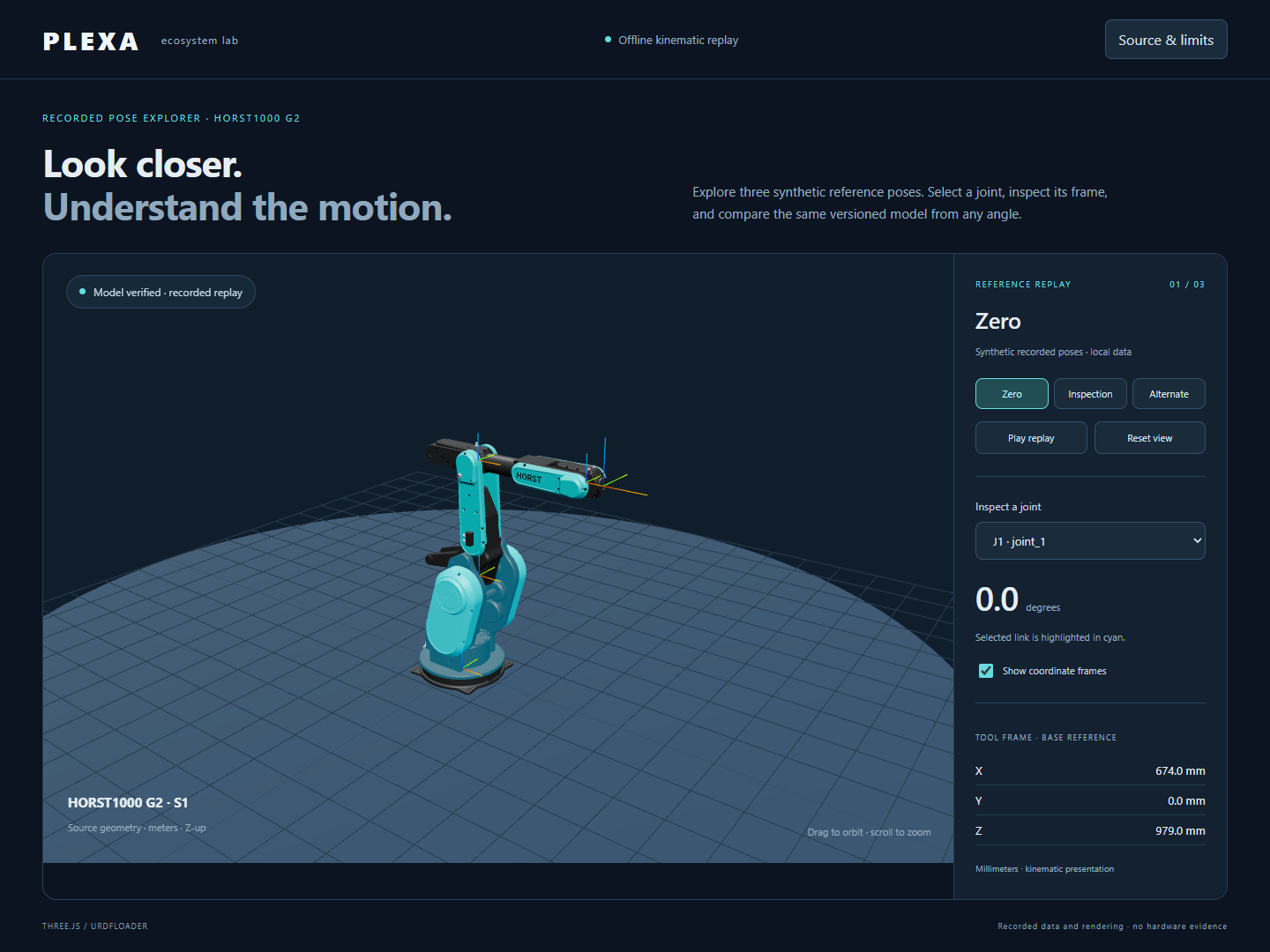
Browser · Recorded poses
Compare G2 poses in the browser, select joints and read tool frames on desktop and mobile.
Simulation & visualization
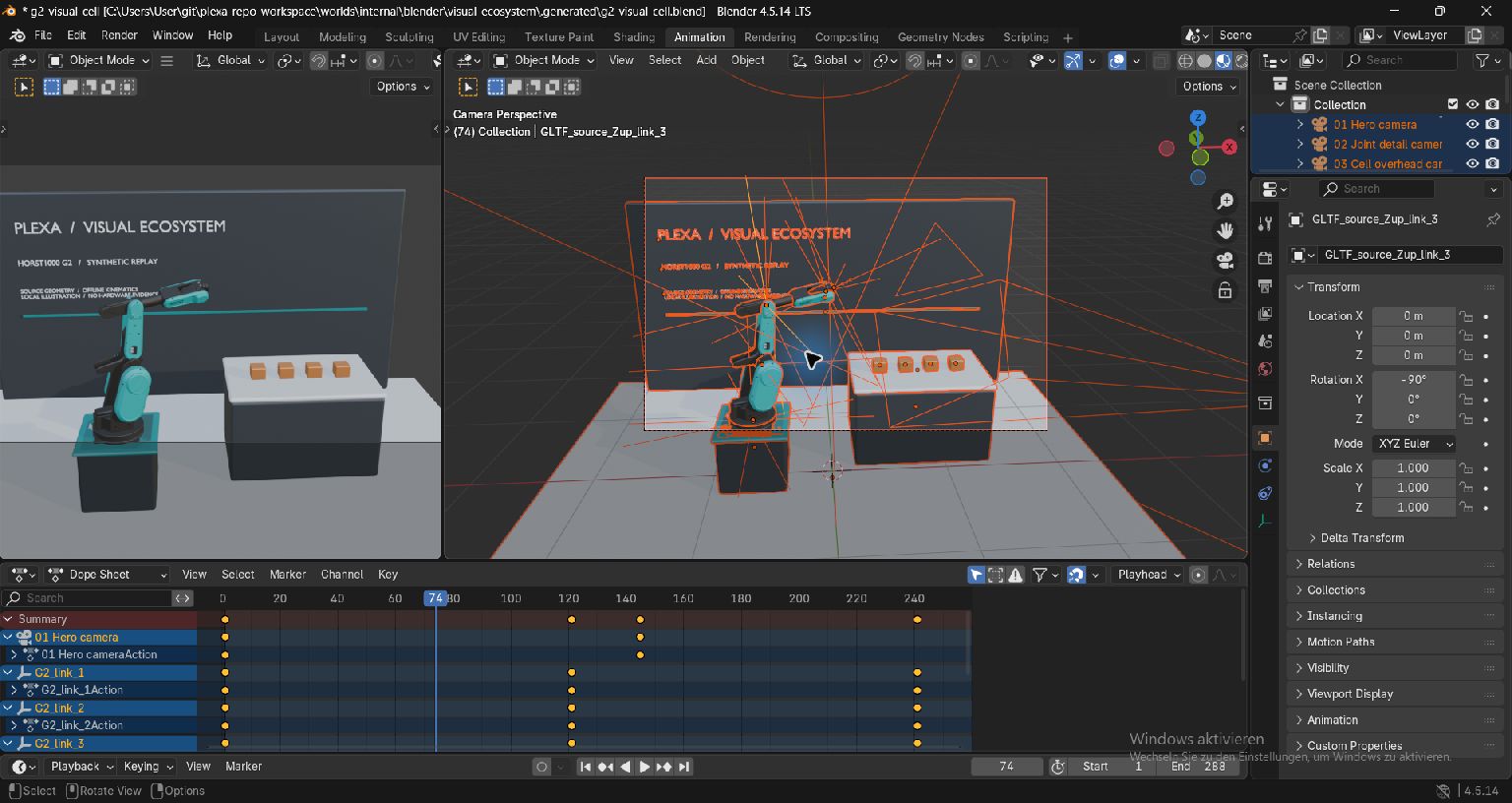
Blender · Offline cell
Build an editable G2 cell and inspect joint and camera keyframes in the native timeline.
Simulation & visualizationWebots · Native checks
Prepare a source-bound G2 cell for local kinematic preview with meshes and frames.
Simulation & visualizationUnreal · Editor gate
Compose a USD scene from shared assets. Native Editor use requires the launcher and an eligible license.
Simulation & visualizationRoboDK · License gate
Prepare G2 geometry and kinematics in a local station. Saving and reopening require the appropriate license.
Simulation & visualizationCoppeliaSim · License gate
Prepare an adapter from shared model data. Native execution requires an activated eligible commercial license.
 Data & diagnostics
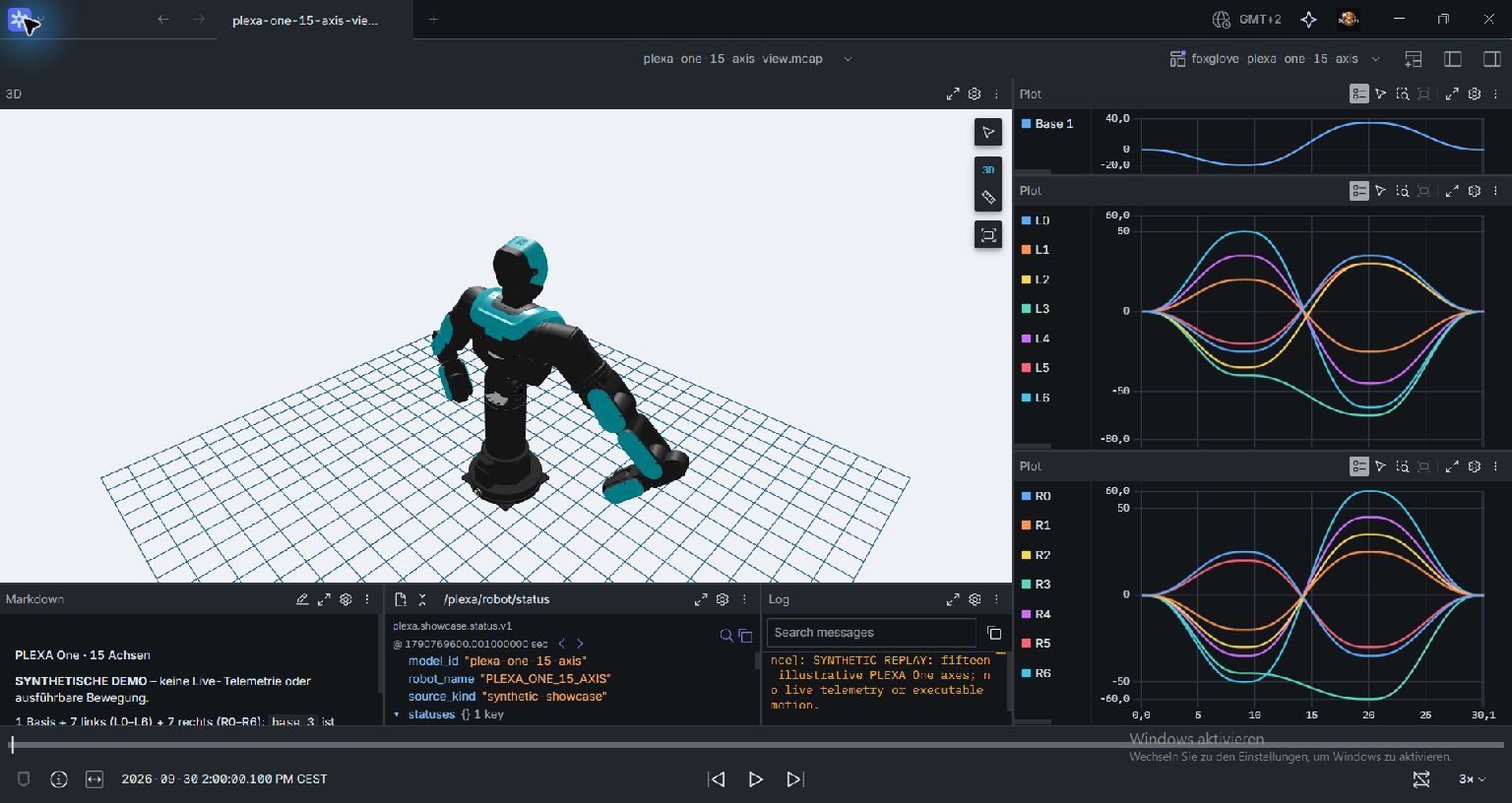
Data · Experimental
Read HORST and PLEXA telemetry, record MCAP and inspect signals with Foxglove, Parquet and DuckDB.
Data & diagnostics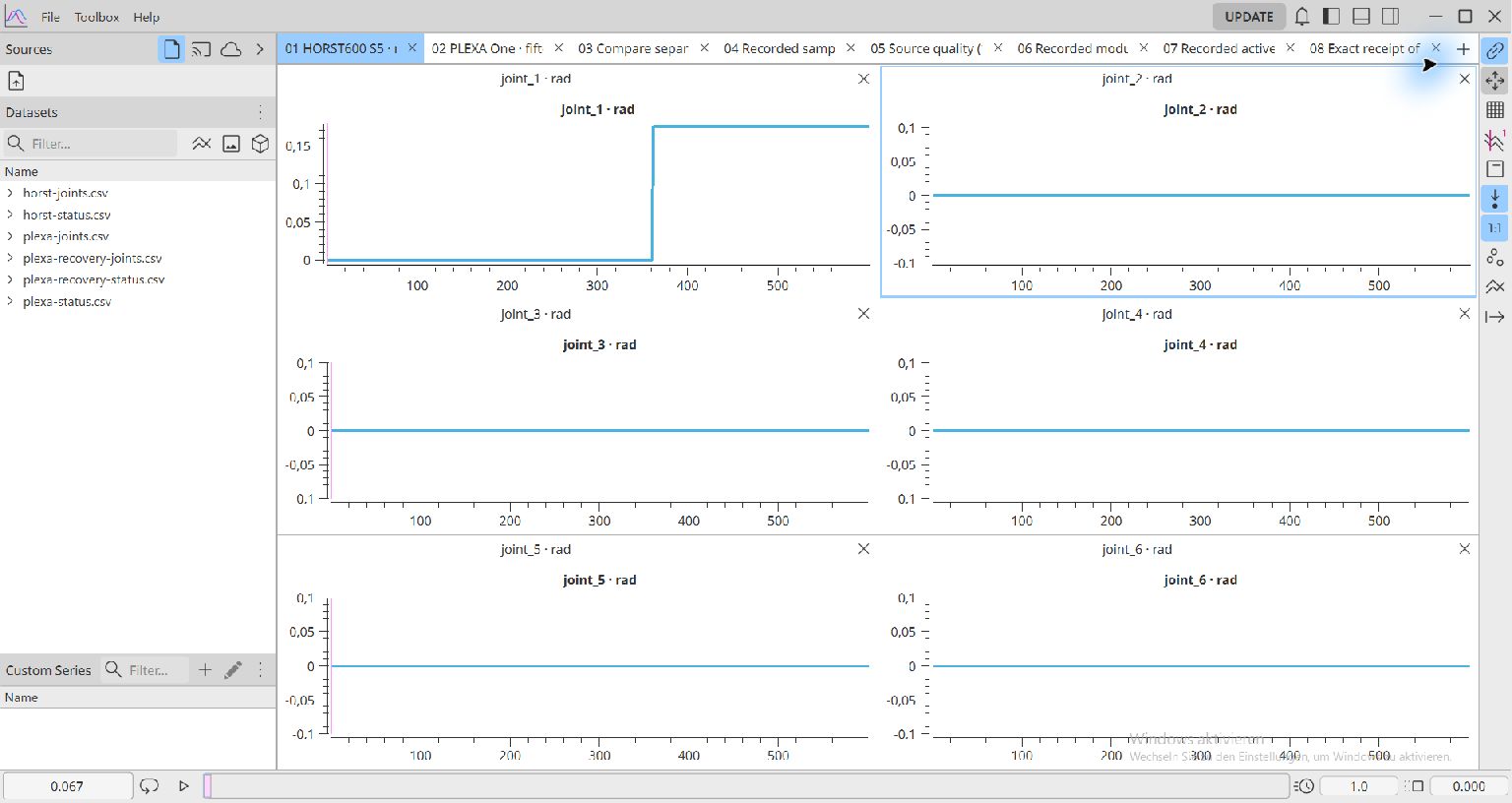
PlotJuggler · Saved signals
Export saved S5 and PLEXA signals to CSV and compare joints, time gaps, source quality and module ages.
Systems & processes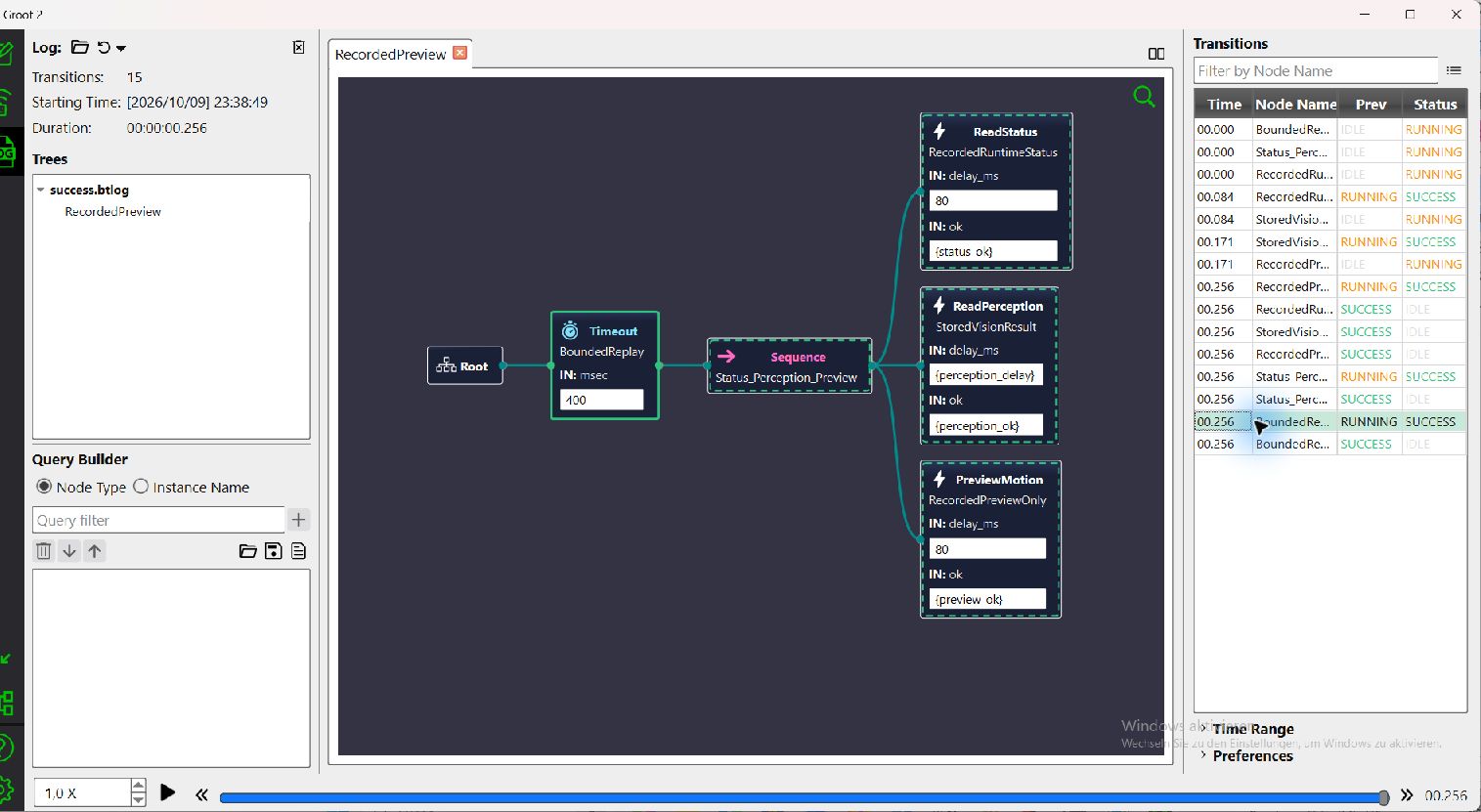
BehaviorTree · Recorded orchestration
Replay status, stored perception and planning preview as a tree. Compare success, failure, timeout and cancellation in Groot2.
Systems & processes

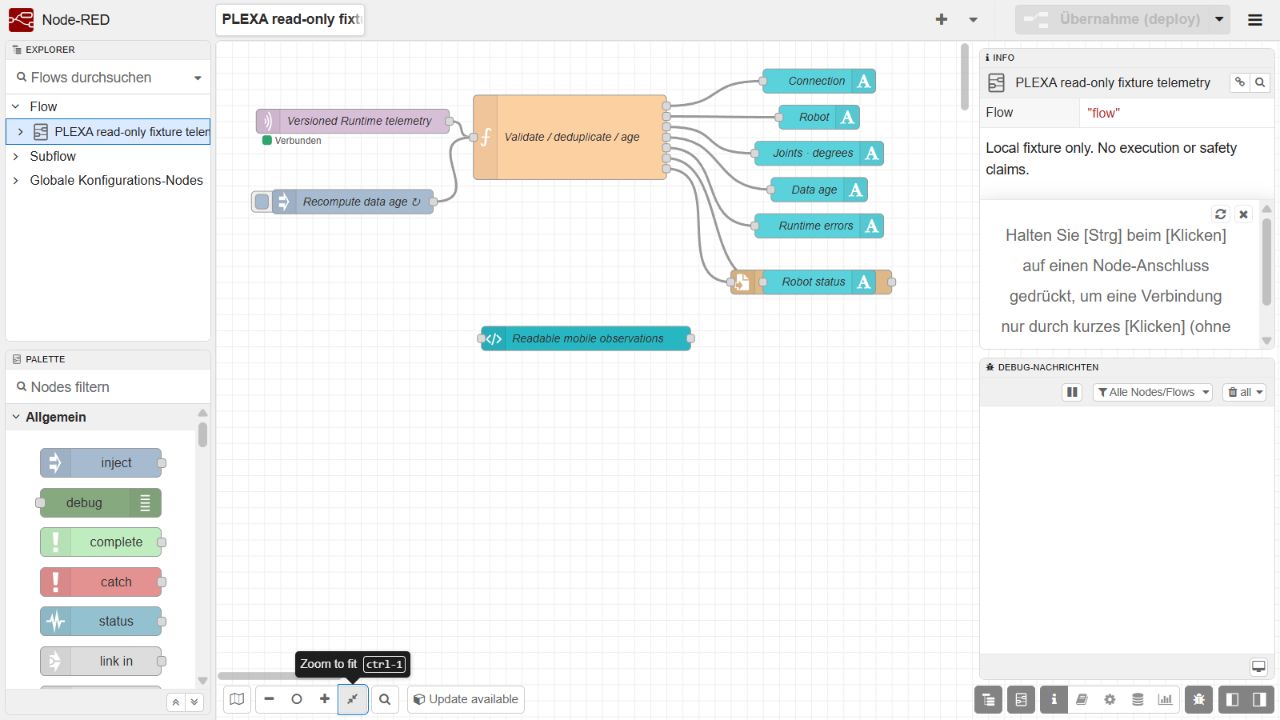
Industrial · Telemetry & commands
Browse Robotics types, display telemetry quality and age, or explicitly set up the separate command path.
Systems & processes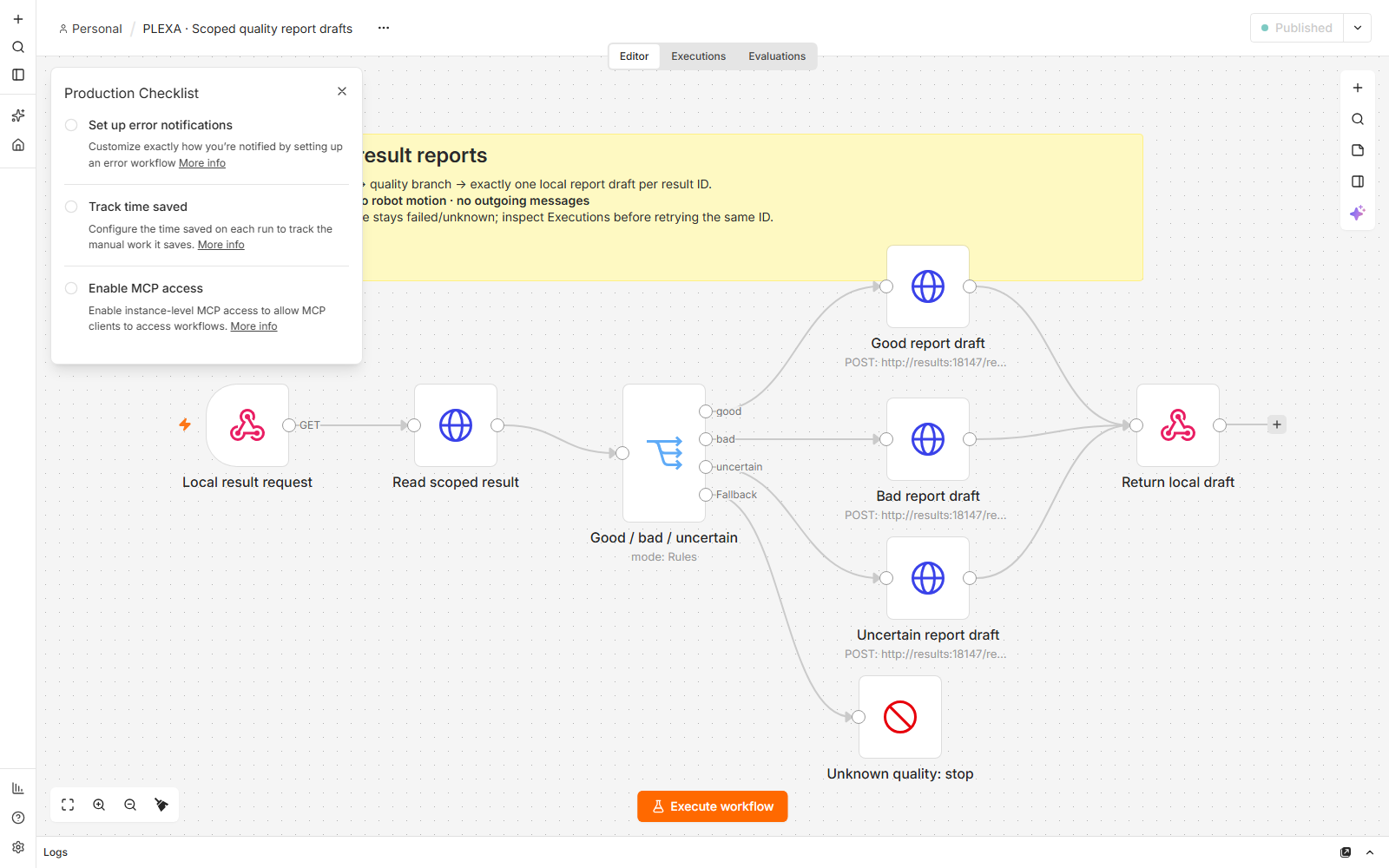
n8n · Local reports
Branch synthetic quality results on good, bad or uncertain and maintain one local report draft per result identity.
Systems & processes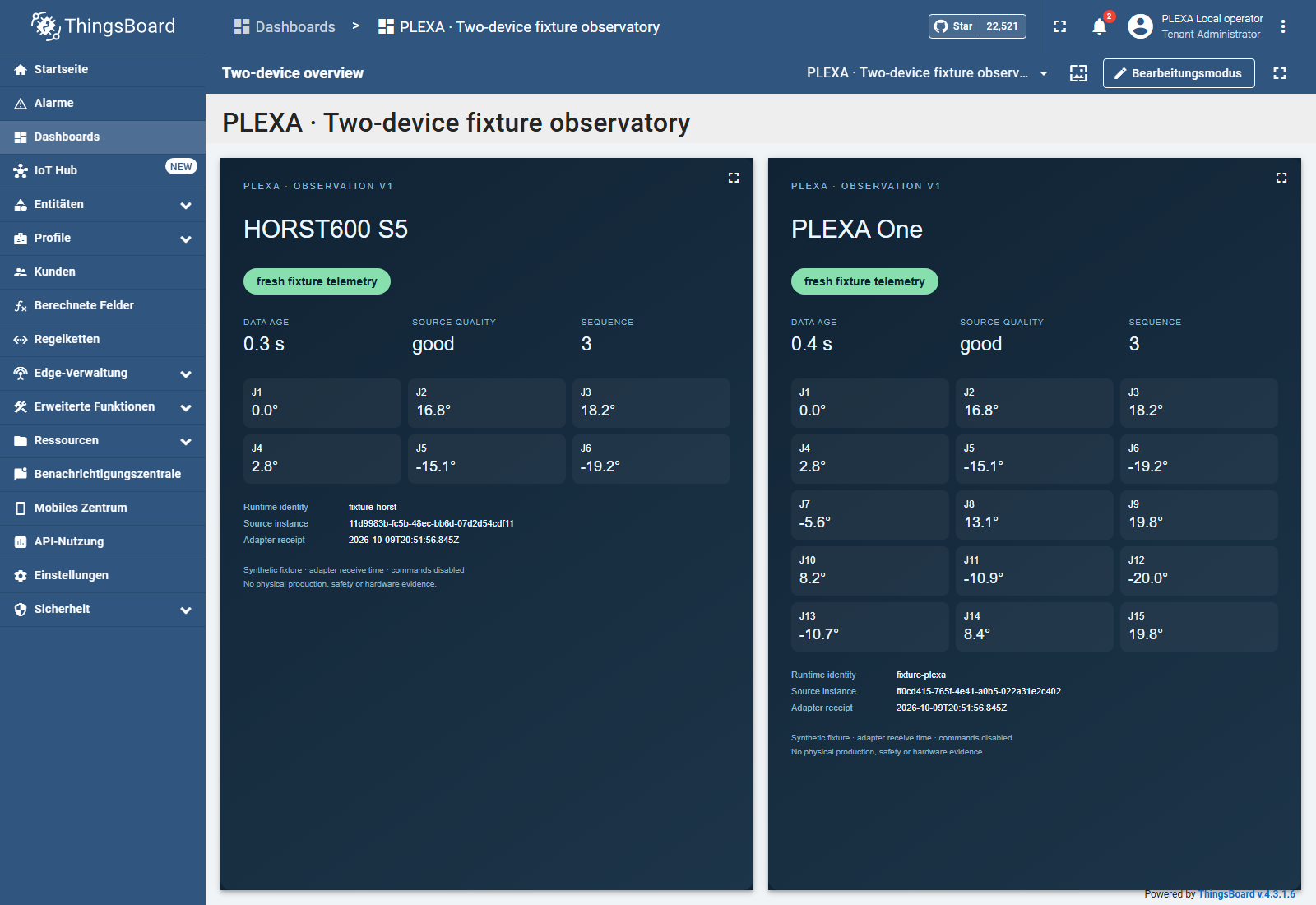
ThingsBoard · Two devices
Display S5 and PLEXA as distinct devices and follow axis values, source quality, data age and recovery.
 Simulation & visualization
Research · bounded native checks
Compare MuJoCo, Genesis, Newton/Warp, Playground, ManiSkill and cuRobo for source-bound local research workflows.
Data & diagnosticsNative episodes · offline learning
Export native simulator episodes to HDF5, read them with SequenceDataset and compare offline predictions.
Data & diagnosticsZenoh · local synthetic fixture
Start two local peers, query last state and inspect freshness and new startup instances using synthetic S5 data.
 Systems & processes
Odoo · Orders and results
Map an order to a registered robot recipe and return its result as a traceable journal entry.
 Systems & processes
Grafana · Process history
Bring stored order results and telemetry together in a diagnostic view.
For your application code: Python or TypeScript / Node.js. Compare the SDKs.
Application guides have their primary home in Develop.
Read typed Runtime state, select the exact reference model and inspect a labelled preview in a notebook.
Coming soonLearn part classes and quality decisions locally; calibrate a known table plane and return typed target proposals.
Vision Studio and tutorialsCompare reviewed labels and actual stored predictions with preserved IDs, grouped splits, revision lineage and persistent saved views.
Coming soonEdit original images in local CVAT, inspect a revision-bound change preview and explicitly apply accepted corrections to existing captures.
Coming soonEach tool guide states prerequisites, software versions, inputs and operating limits. Choose the workflow first, then the appropriate tool. Simulator results remain separate from physical safety and hardware compatibility.
Imported directories contain provenance.json with repository, exact source revision and included files. A documentation build does not rerun every integration.
The following upstream tools provide context. Their availability does not imply an implemented PLEXA adapter, supported environment or runnable PLEXA tutorial.
| Area | Upstream references | Implemented adapter here |
|---|---|---|
| Policy research | Isaac Lab, LeRobot | No |
| Inference | ONNX Runtime, TensorRT | Local CPU ONNX pilot; no TensorRT adapter |
| Additional replay | Rerun · Coming soon | Local MCAP replay and native camera-frame import; stored sources |
| Perception | OpenCV, PCL | RGB/calibration pilot · Coming soon; no PCL adapter |
| Teleoperation device input | SteamVR | No |
Begin with prerequisites, run the bounded fixture or simulator exercise and compare its result with the expected observations. Preserve source, units, time basis and permissions in each adaptation. See the testing guide · Coming soon. For physical system context, open robot hardware and peripherals.
Icon sources and attribution · Coming soon.
