
Update horstOS/FX
- Visit horstCOSMOS and download the latest update file (.fcu). Save the update file on a USB stick and insert it into the control cabinet.
- The control must be connected to the Internet for the update, so that the licenses can be retrieved.
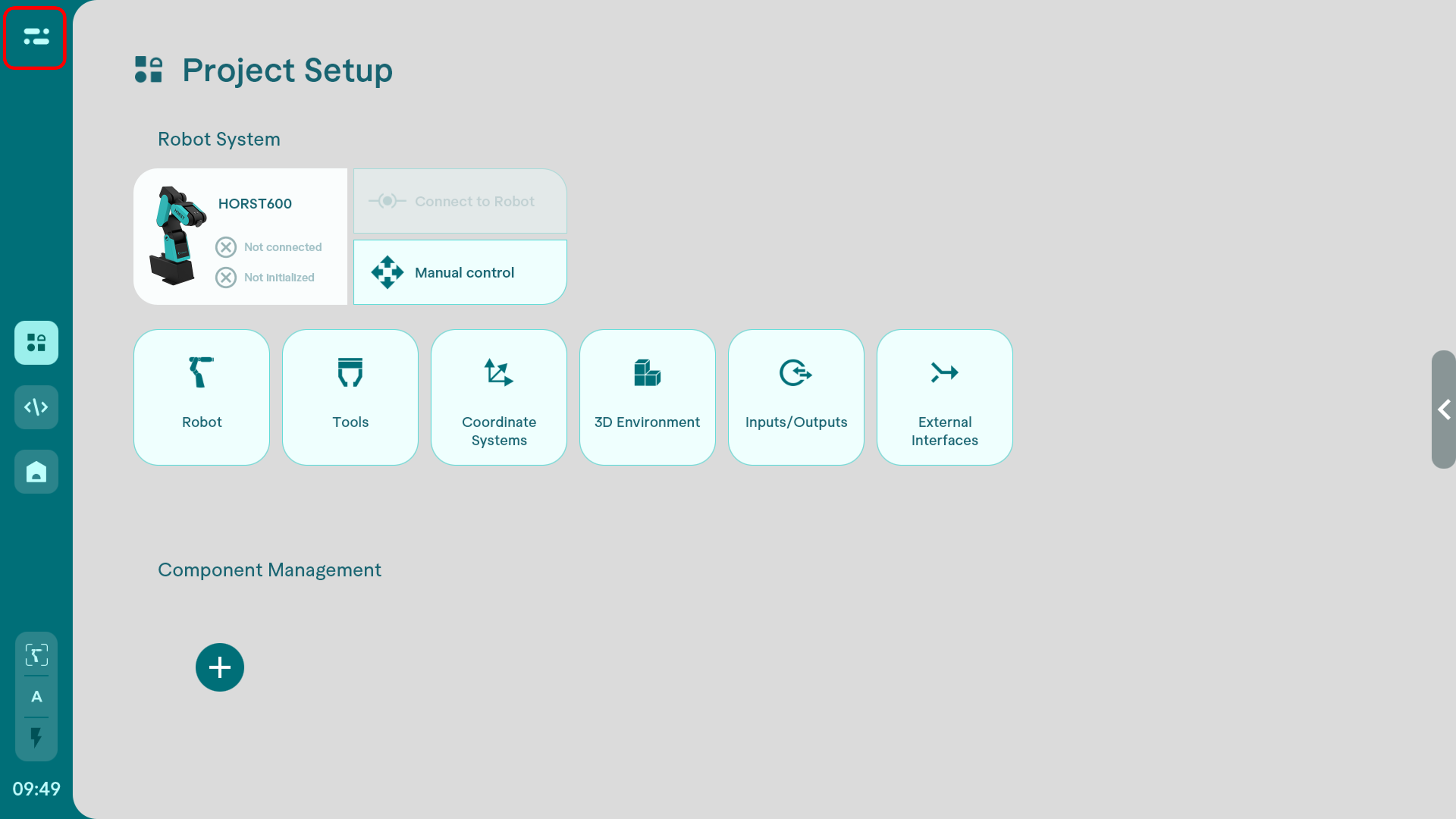
- In the Project Setup in horstOS, click on the menu bar in the top left-hand area.
- In horstFX please click on "Settings & Info" in the main menu
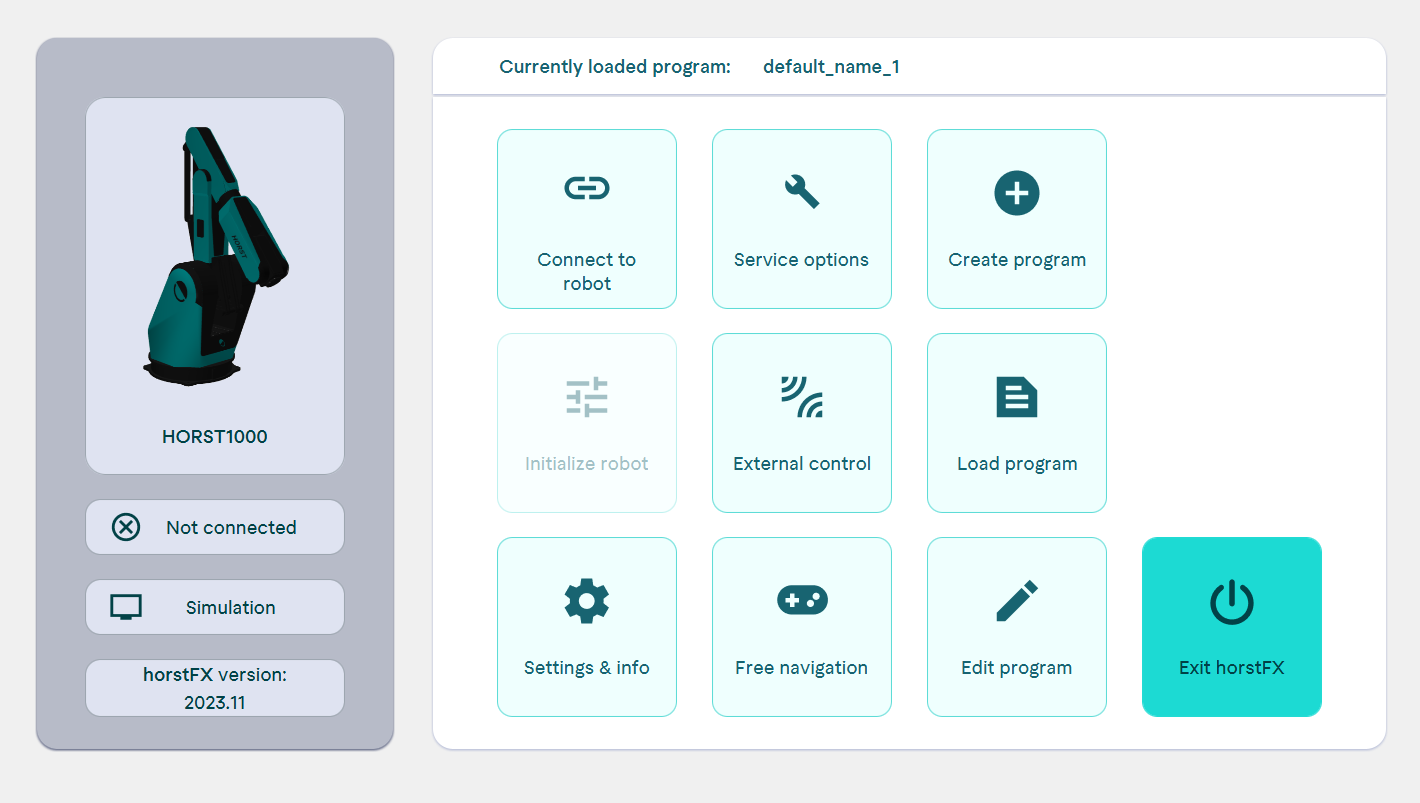
- In horstFX please click on "Settings & Info" in the main menu
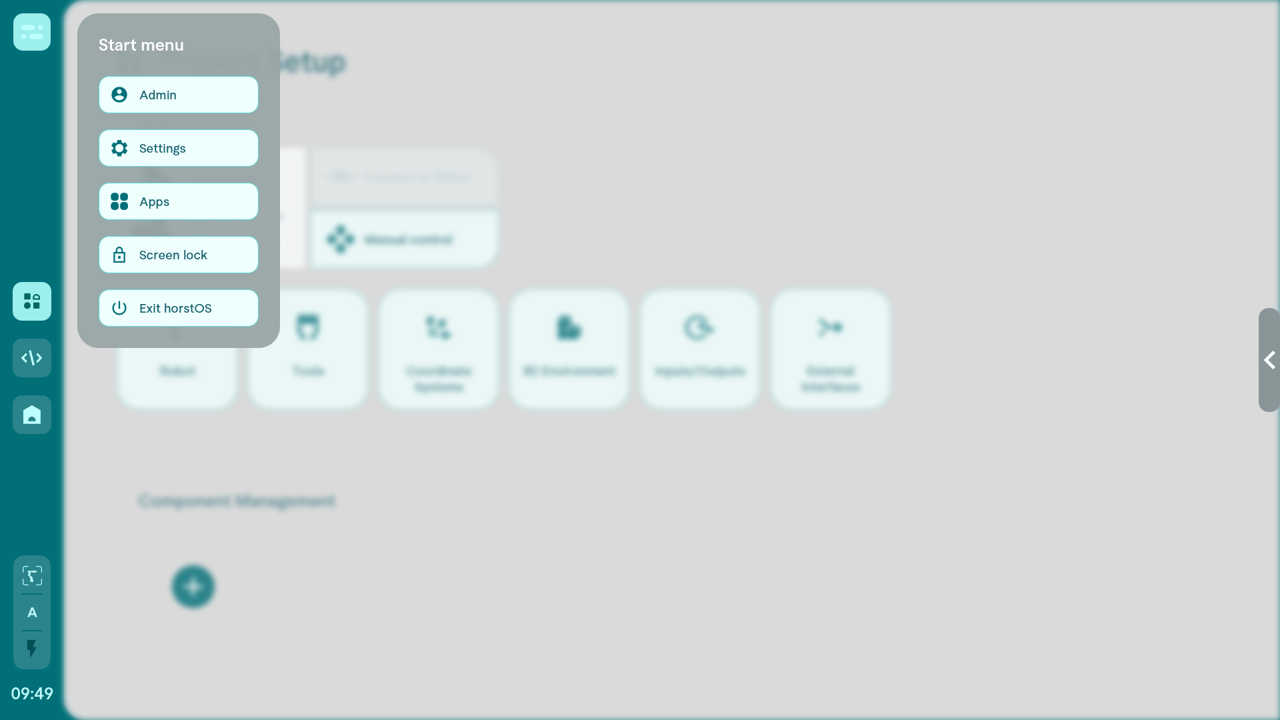
- Then click on "Settings" in horstOS and the window for the general settings will open.
- In horstFX click on "horstFX info"
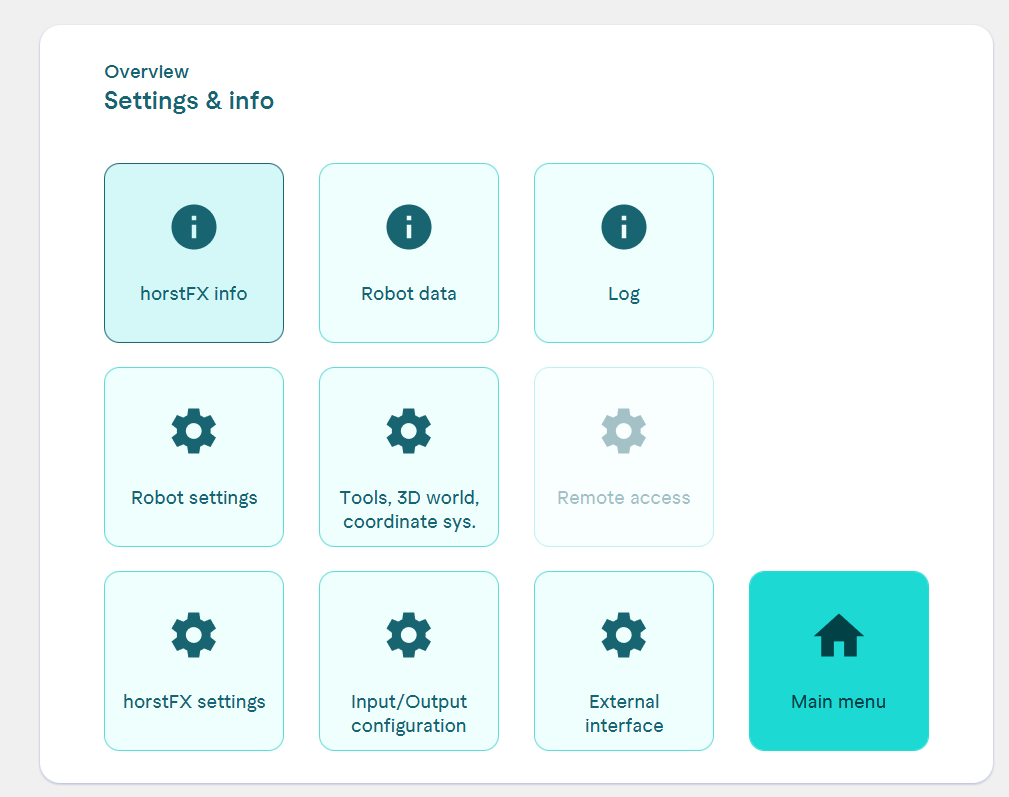
- In horstFX click on "horstFX info"
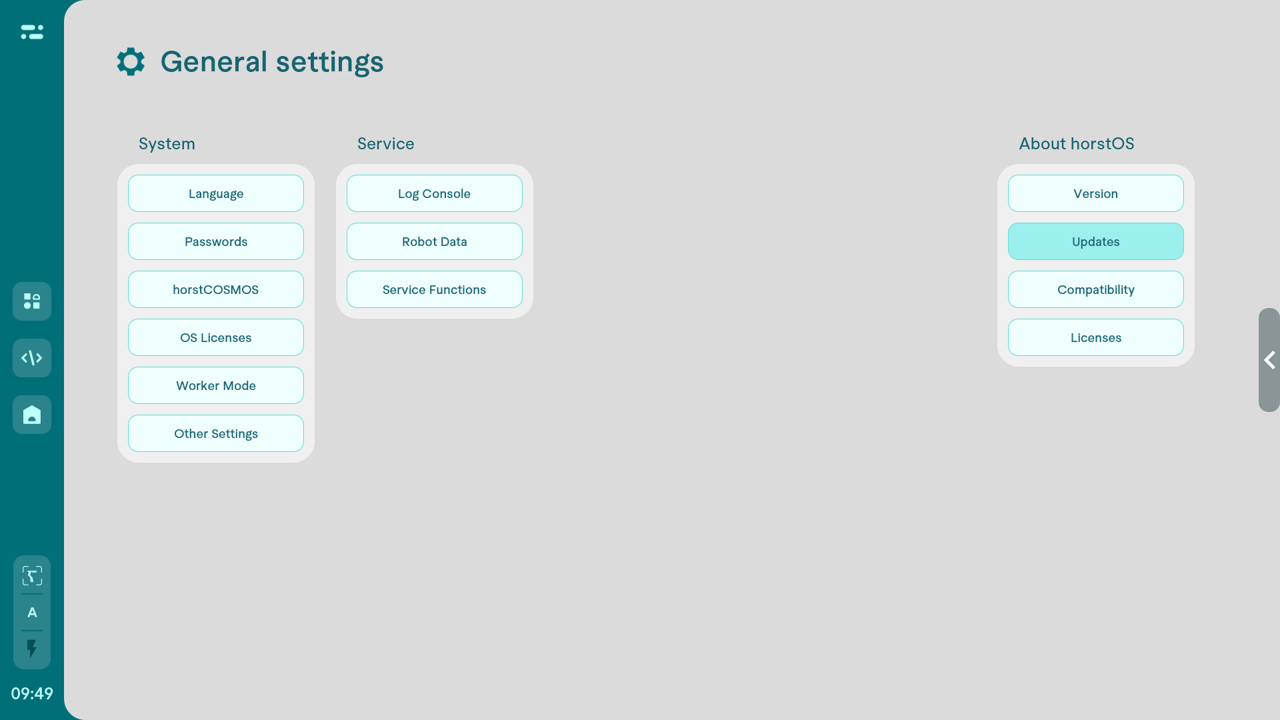
- Click on "Updates" under "About horstOS" and select the .fcu file from your USB stick.
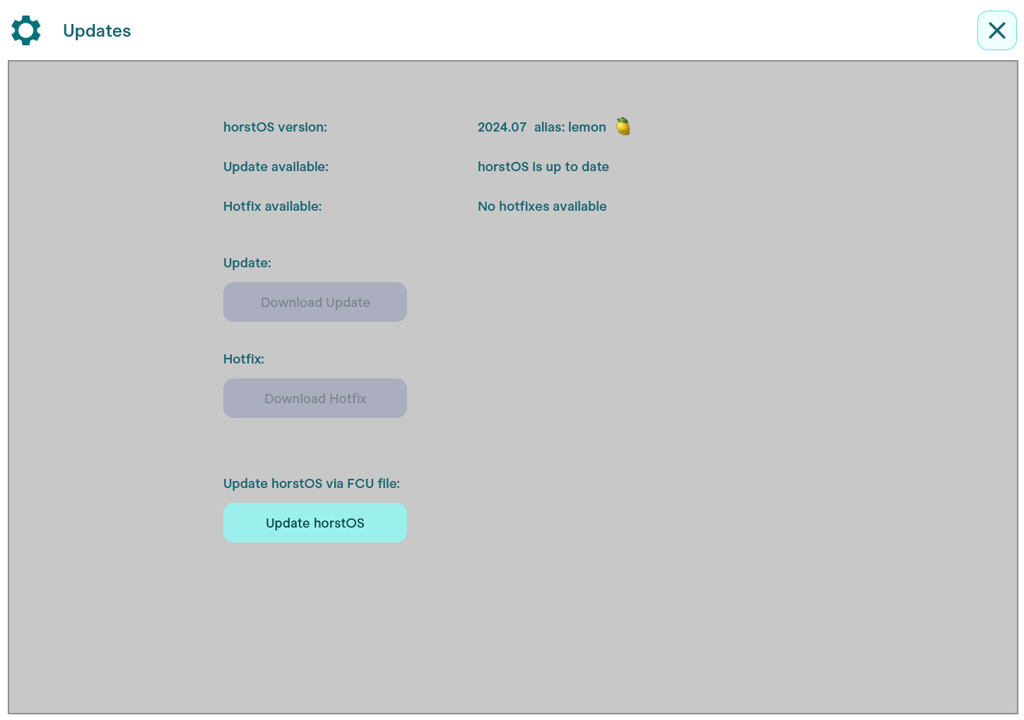
- In horstFX click on "Update horstFX" and select the .fcu file on your USB flash drive.If you have not booked any software updates, this button will be grayed out.
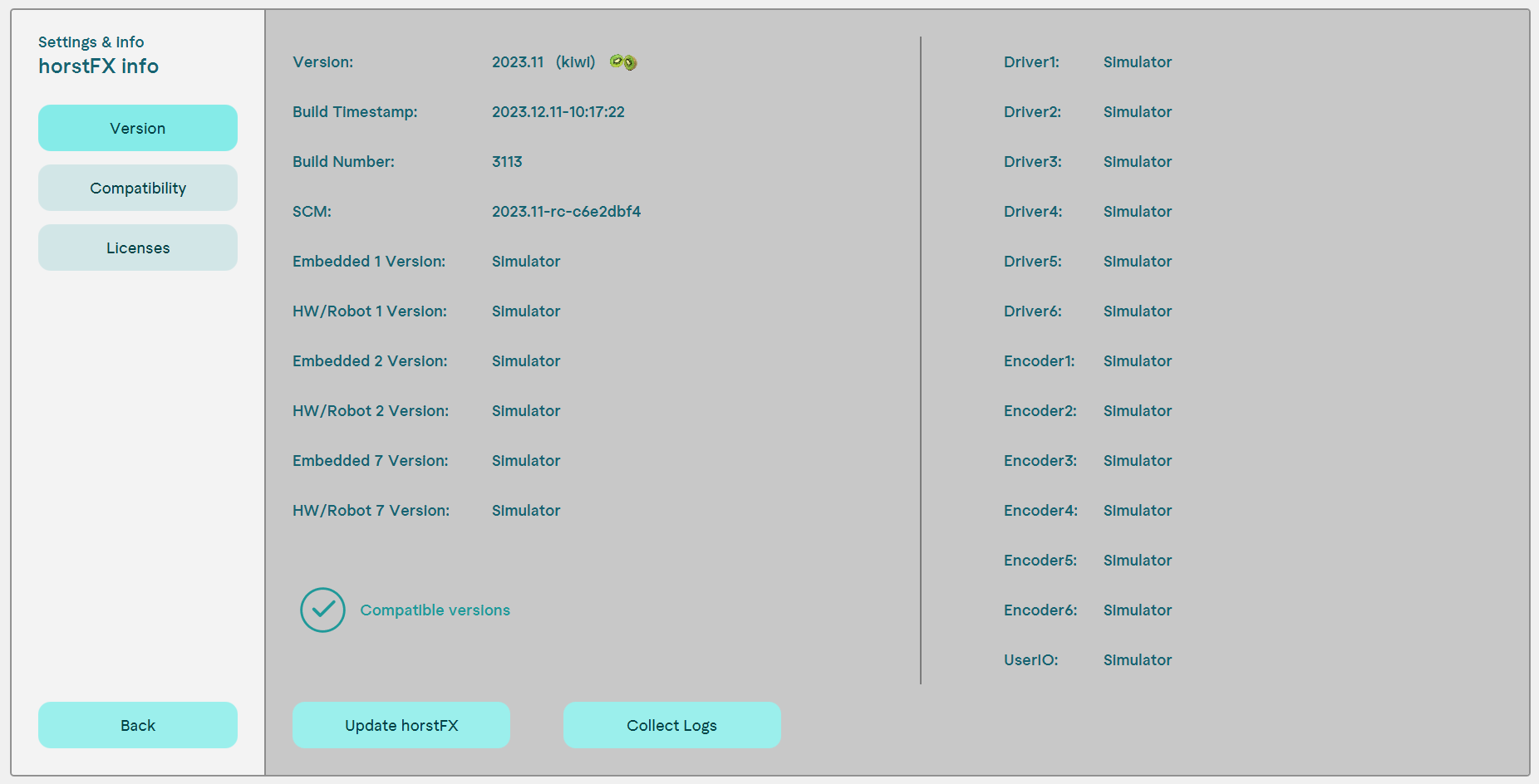
- In horstFX click on "Update horstFX" and select the .fcu file on your USB flash drive.If you have not booked any software updates, this button will be grayed out.