
Component Kit Schunk EGK 25 flexible small-parts gripper
This article describes communication between Schunk EGK PN-series grippers and the HORST robot system.
1. Introduction
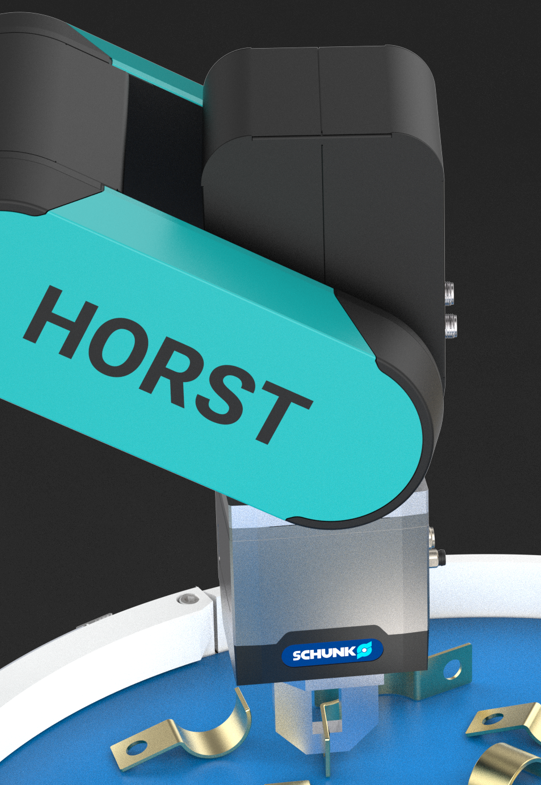
EGK-series grippers handle a wide range of small workpieces. Gripping width and force can be adjusted continuously. SoftGrip mode grips fragile workpieces without impulse forces. The spur gear with rack-and-pinion drive provides constant gripping force over the full finger length and allows continued regripping. Integrated gripping-force retention prevents workpiece loss and maintains finger position during an emergency stop.
EGK PN-series grippers communicate using PROFINET or Ethernet. PROFINET communication requires a PROFINET master such as a PLC.
This guide describes direct communication between the robot and gripper. A Python script controls the gripper over Ethernet/IP and is started directly from horstFX.
2. Version information
- Robot control software version 2023.11.01
- Python 3.7
- Schunk BKSTools V0.0.2.31_2024-06-24
3. Setup
A Python script acts as an intermediary between the robot and gripper. Schunk's Python-based BKSTools provide the Ethernet/IP gripper commands. The robot program can start the required script automatically from horstFX.
3.1. Initial gripper setup
The robot and gripper must be in the same IP address range. For the robot's settings, see Change the robot's IP address.
Use the Windows application Schunk Control Center to configure and test the gripper from a PC.
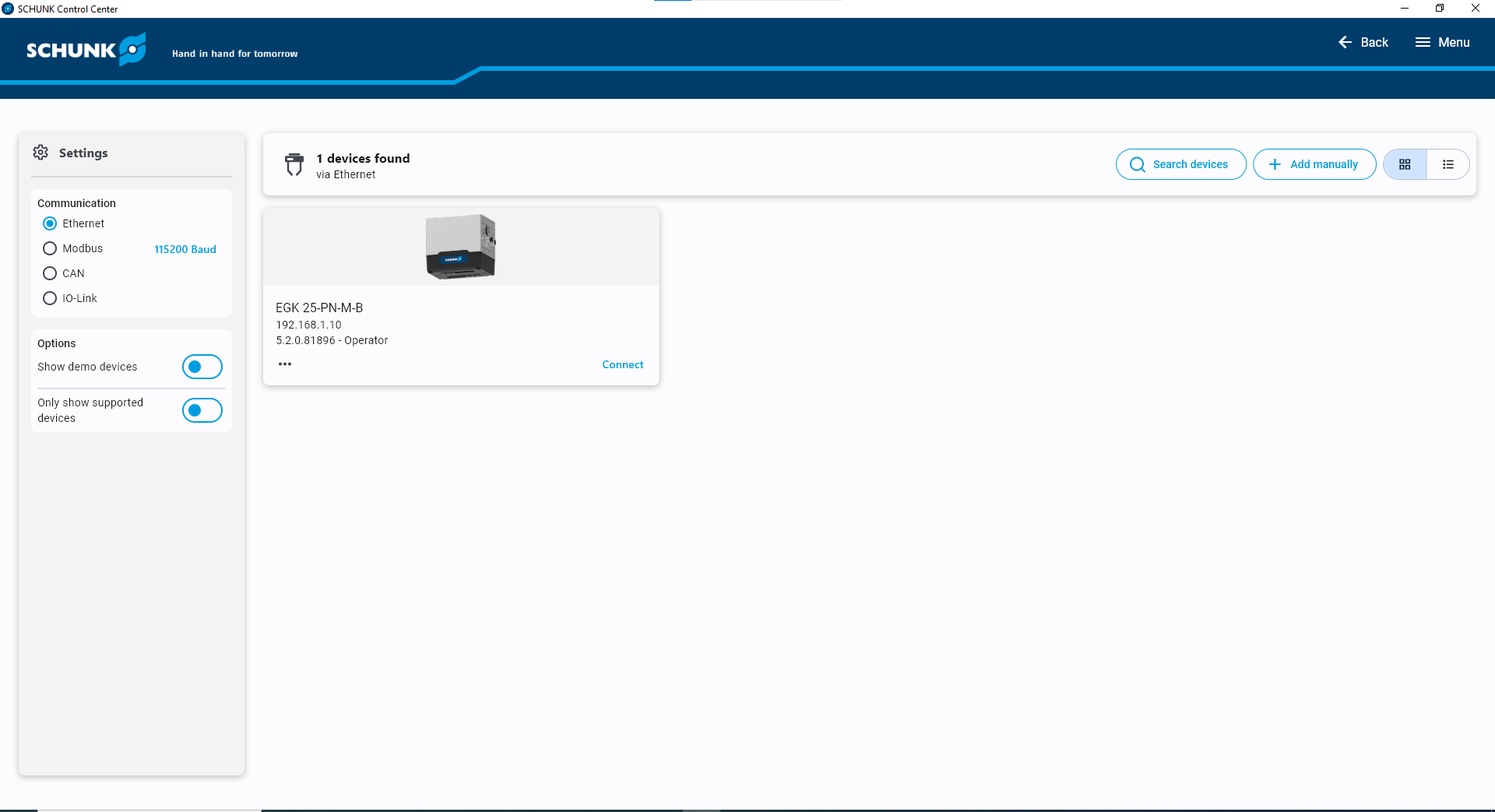
Select Search Device to find connected devices. A detected device is listed with its IP address. If the device and PC are in the same address range, select the device to connect. The overview shows its status; buttons and sliders allow direct gripper operation and testing.
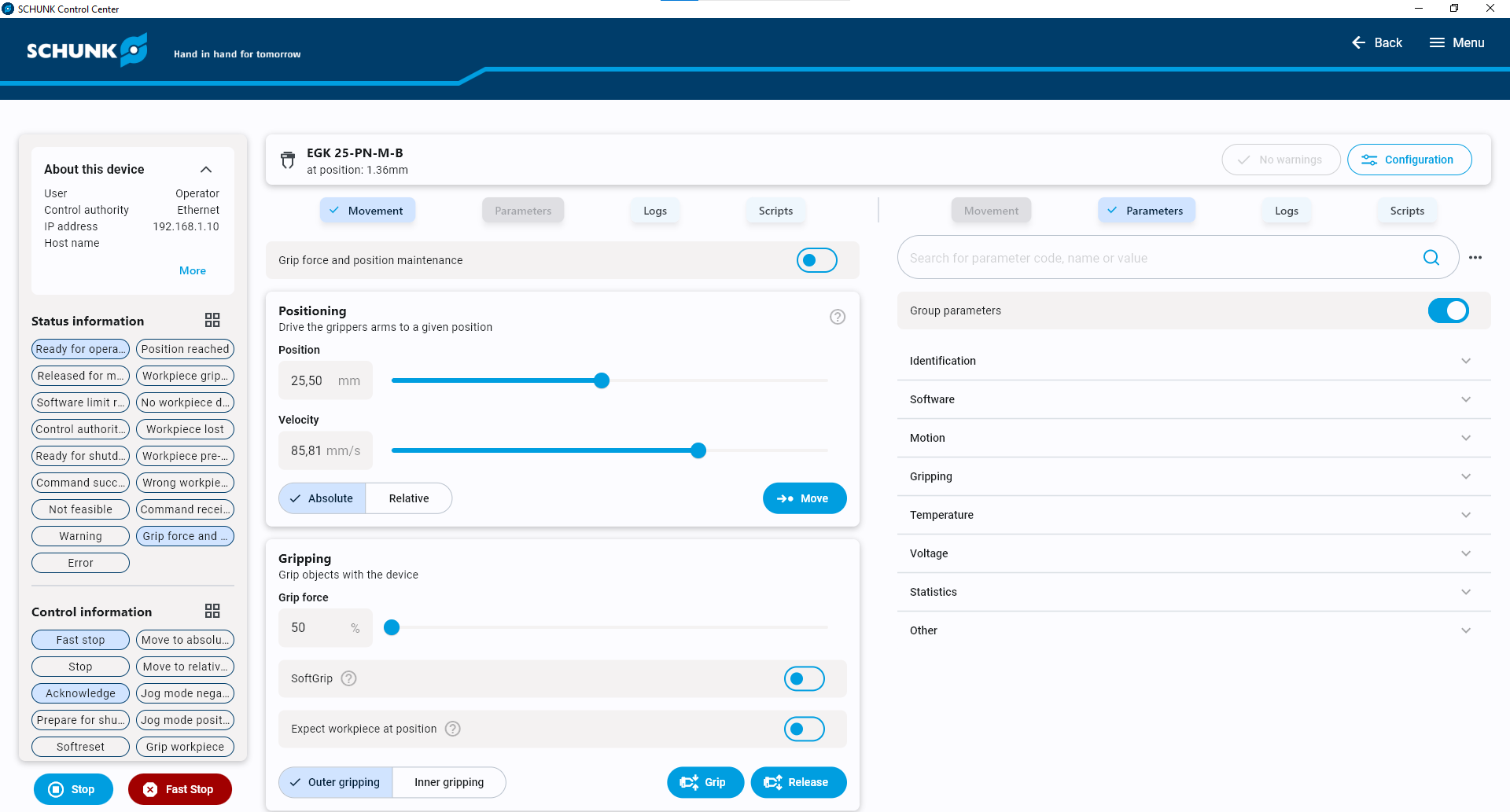
To change the gripper's IP address, open Configuration → Settings → Network settings. The Python example script in section 5 uses the address 192.168.0.5 for the gripper.
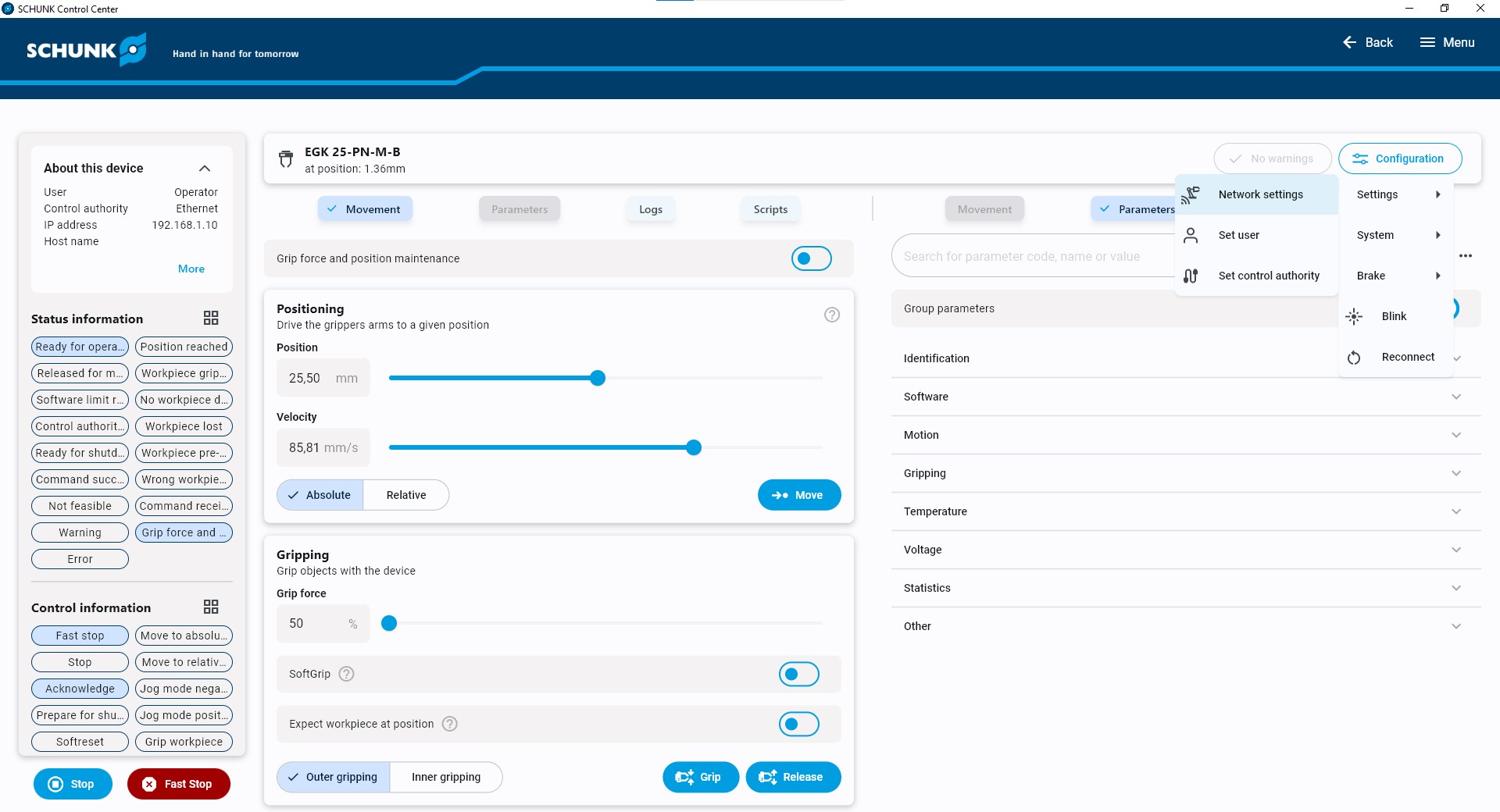
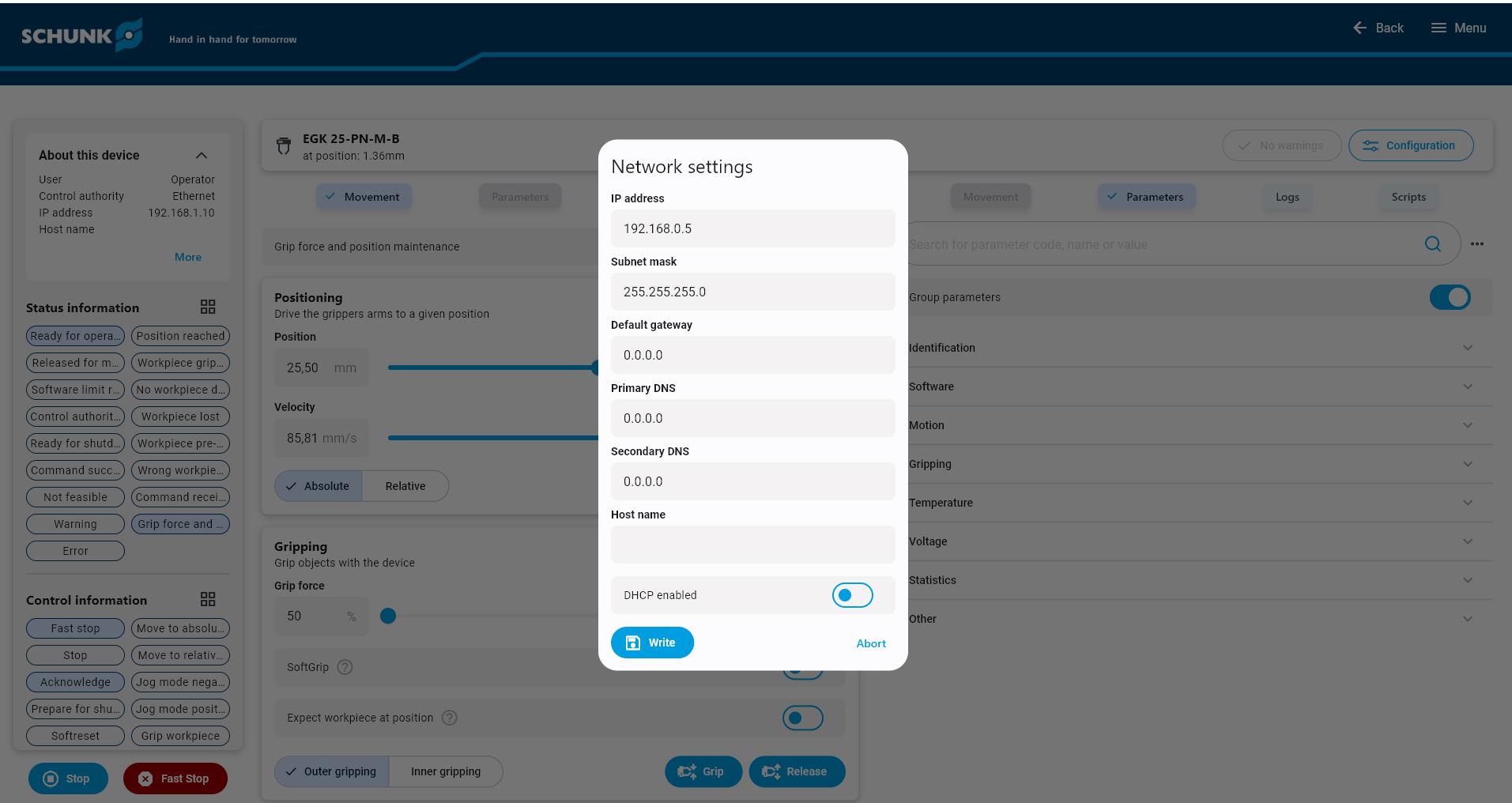
After changing the gripper's address, ensure the PC is again in the same address range before reconnecting. In the address arrangement described by the source guide, the first three address blocks must match.
3.2. Install the Python packages
Direct robot-to-gripper communication requires the Python script and its packages. BKSTools, supplied by Schunk, contains the gripping commands.
Connect the robot control cabinet to the internet for installation. On the Linux desktop, open Applications → Terminal Emulator.
Check the Python version; the source example requires Python 3.7 or later:
python3 --version

The package installer pip3 is required. Check whether it is installed:
pip3 --version
If the terminal reports pip3: command not found rather than a version, install it using the commands below. The root password is required; request it from fruitcore.
su -l root
sudo apt install python3-pip
The source guide also recommends the Python idle3 development environment for opening and editing scripts:
sudo apt-get install idle3
Install the Schunk package:
pip3 install bkstools
If an older BKSTools version is already installed, upgrade it with:
pip3 install --upgrade bkstools
The required packages are now installed and the terminal can be closed.
3.3. Store the Python script
Download the communication script from section 5.1 and copy it to the following directory on the robot's Linux system. The global functions from section 5.2 can then be used.
home → fruitcore → fruitcore → SchunkEGK25
4. Communication and gripper control
4.1. Python script
The script runs on the control cabinet alongside the robot program. It acts as an intermediary and is started automatically from horstFX as described in section 4.2.
The script communicates with horstFX through TCP/IP sockets. The robot sends gripping commands and parameters such as gripping width and force. The script creates the corresponding gripper commands and sends them to the gripper over Ethernet/IP using BKSTools.
Changes to the Python script may also require changes to the horstFX example functions. Only the gripper's IP address is intended to be adjusted in the script header:
# IP adress EGK Gripper
IPAdressEGK = '192.168.0.5'
import sys
import os
import time
import socket
import subprocess
import logging
sys.path.insert(0, "..")
# cocket connection
HOST = "0.0.0.0" # IP HORST
PORT = 3100 # Port HORST
# IP adress EGK Gripper
IPAdressEGK = '192.168.0.5'
# logging
logging.basicConfig(filename='EGK-Log.log', level=logging.DEBUG)
logging.info('Start script')
# connect to horstFX via Socket
s = socket.socket() # Create socket object
s.bind((HOST, PORT)) # Bind port
print("socket listen for client")
s.listen(5) # Wait for client connection
c, addr = s.accept() # Establish connection to client
print("socket accepted by client")
s.setblocking(True)
# program
while True:
msg = c.recv(1024) # Read HORST message via socket
msg = msg.decode()
if msg == "": # Check if client has interrupted the connection
print("Socket was closed by client")
sys.exit()
print("Message: ", msg);
# check connection to EGK gripper
if "ping" in msg:
response = os.system("ping -c 1 " + IPAdressEGK) # for windows use -> ping -n
if response == 0:
print("Connection to gripper active")
c.sendall("Ping success".encode('utf-8'))
else:
print("No connection to gripper possible")
# move gripper fingers
if "move" in msg:
split = msg.split("; ")
stroke = str(split[1])
# Windows
#result = subprocess.run(["bks_move.exe", "-H", "192.168.1.20", "--pos=10.5,20", "--vel=100"],shell=True, capture_output=True, text=True)
# Debug
#result = subprocess.run(['bks_move -H ' + IPAdressEGK + ' --debug' +' --pos=' + stroke + ' --vel=100'],shell=True, capture_output=True, text=True)
result = subprocess.run(['bks_move -H ' + IPAdressEGK + ' --pos=' + stroke + ' --vel=100'],shell=True, capture_output=True, text=True)
print(result.stderr)
print(result.stdout)
logging.info('move EGK')
logging.info(result.stderr)
logging.info(result.stdout)
if (result.returncode == 0): # Check if gripper has recieved the command
c.sendall("Success".encode('utf-8'))
msg = c.recv(1024) # Read HORST message via socket
msg = msg.decode()
if ("Timeout!" in result.stdout): # Check if gripper fingers successfully moved to target position
#if ("finally reached" in result.stdout): # Check if gripper fingers successfully moved to target position
print("Gripper fingers were not moved to specified position!")
c.sendall("Fingers were not moved to position!".encode('utf-8'))
else:
print ("Gripper fingers moved to position")
c.sendall("Fingers were moved to position!".encode('utf-8'))
# grab object
elif "grab" in msg:
split = msg.split("; ")
grippingDirection = str(split[1])
force = str(split[2])
result = subprocess.run(['bks_grip -H ' + IPAdressEGK + ' --dir=' + grippingDirection + ' --force=' + force],shell=True, capture_output=True, text=True)
print(result.stderr)
print(result.stdout)
logging.info('grab EGK')
logging.info(result.stderr)
logging.info(result.stdout)
if (result.returncode == 0): # Check if gripper has recieved the command
c.sendall("Success".encode('utf-8'))
msg = c.recv(1024) # Read HORST message via socket
msg = msg.decode()
if ("No workpiece detected!" in result.stdout): # check if object was gripped correctly
print ("No workpiece detected while gripping!")
c.sendall("No workpiece detected!".encode('utf-8'))
elif ("not feasible!" in result.stdout):
print ("Not able to pick an object")
c.sendall("Grab not feasible!".encode('utf-8'))
else:
print ("Object was grasped")
c.sendall("Workpiece was detected!".encode('utf-8'))
# release object
elif "release" in msg:
split = msg.split("; ")
force = str(split[1])
result = subprocess.run(['bks_grip -H ' + IPAdressEGK + ' --release --force=' + force],shell=True, capture_output=True, text=True)
print(result.stderr)
print(result.stdout)
logging.info('release EGK')
logging.info(result.stderr)
logging.info(result.stdout)
if (result.returncode == 0): # Check if gripper has recieved the command
c.sendall("Success".encode('utf-8'))
msg = c.recv(1024) # Read HORST message via socket
msg = msg.decode()
if ("no workpiece gripped" in result.stdout): # check if object was gripped correctly
print ("No workpiece detected before releasing it!")
c.sendall("No workpiece detected!".encode('utf-8'))
elif ("not feasible!" in result.stdout):
print ("Not able to release an object")
c.sendall("Release not feasible!".encode('utf-8'))
else:
print ("Object released")
c.sendall("Object released!".encode('utf-8'))
time.sleep(0.1)4.2. horstOS global functions
Global functions provide communication between the robot and the Python script. Download them from section 5.2. The horstFX functions expose the following gripper operations:
EGK_connect: Starts the Python script and connects to it and the gripper.EGK_closeConnection: Closes the connection to the gripper and Python script, and terminates the script.EGK_moveFingers: Moves the gripper fingers to a specified position.EGK_grabFromOutside: Grips an object externally.EGK_grabFromInside: Grips an object internally.EGK_releaseObject: Releases an object after gripping.
Each function checks whether the Python script is already running and connected. If necessary, it starts a script and opens a local connection, then closes that connection at the end of the function. This allows the functions to work individually and to be called from macro buttons.
4.2.1. Reduce gripper control time
When the functions operate individually as described in section 4.2, each call may start the Python script, connect to the gripper and close the connection again. To avoid repeated connection setup and reduce cycle time, start the script and establish the connection once in the program.
First create the following global variables in the graphical program, using the names and data types shown:
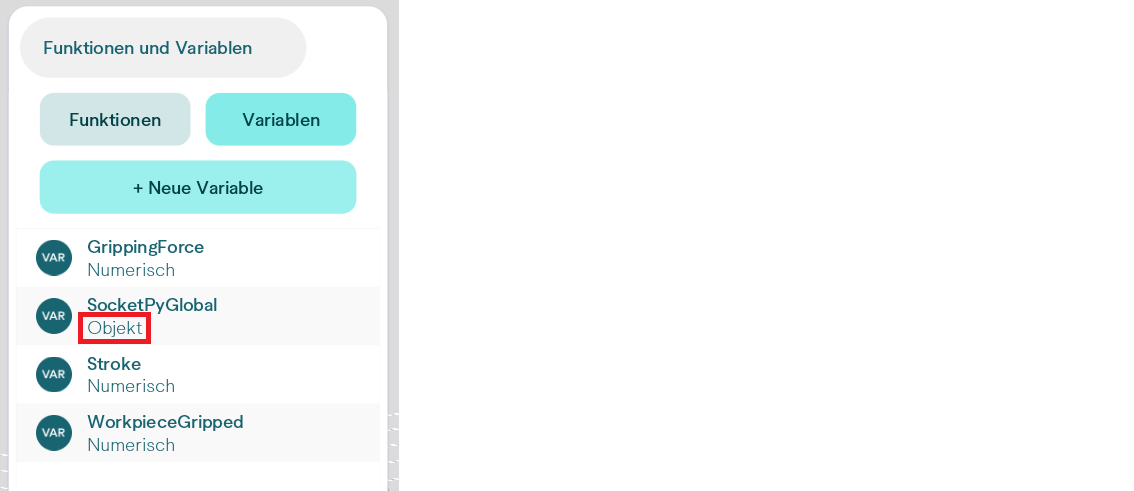
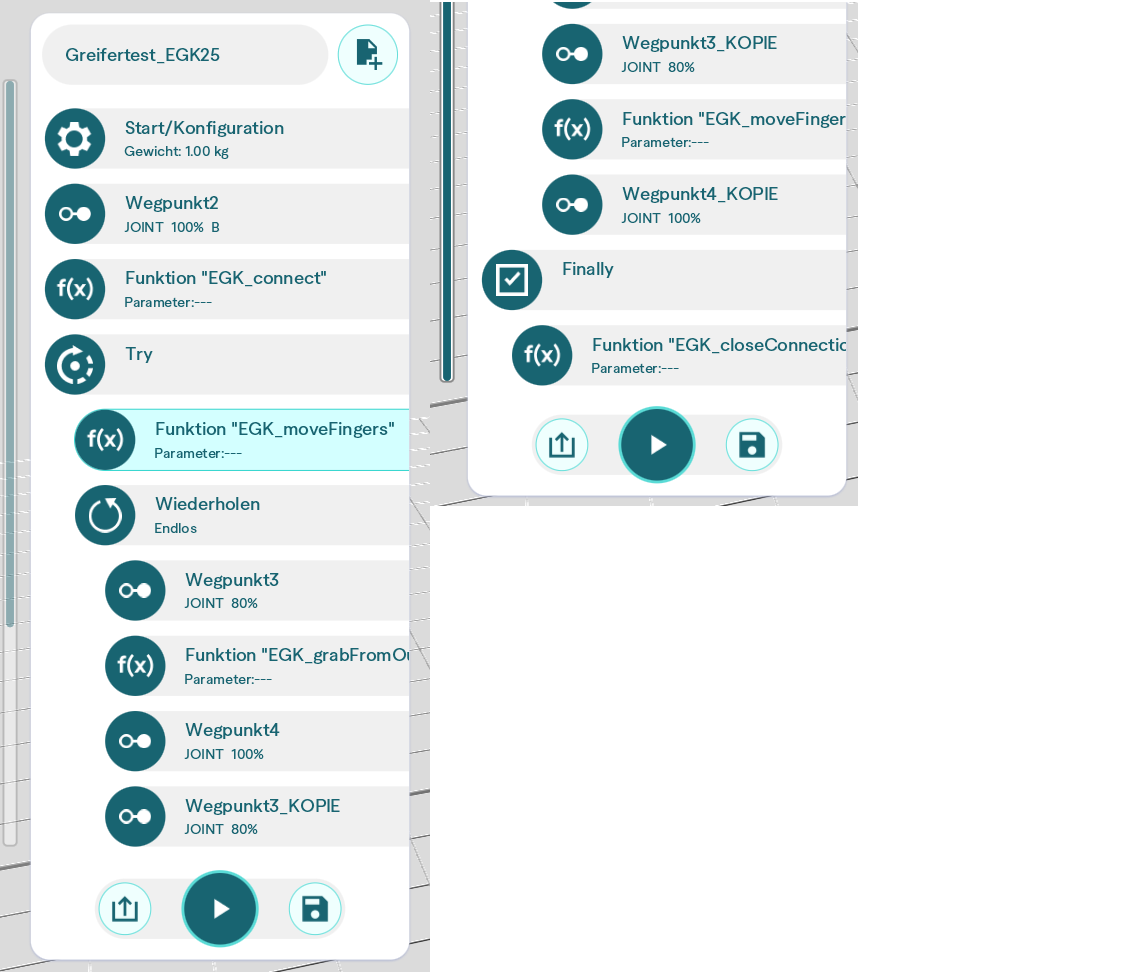
Call EGK_connect once to connect to the gripper. The other global gripper functions can then be called as needed. Set the gripping width with Stroke and the gripping force with GrippingForce.
Close the connection at the end of the program and when an error occurs. The source example uses a Try-Catch action: after calling EGK_connect, place the remaining program actions in the Try block and EGK_closeConnection in the Finally block. If an error occurs inside the Try block, the Finally block closes the connection to the EGK gripper.
5. Example programs
5.1. Python script
5.2. horstOS global functions
horstOS global functions — ZIP
Troubleshooting
“cannot add item to database”
This error appears in the terminal or, when the script runs through idle, in the idle console. It can occur when a movement command is sent to the gripper and is caused by a corrupt parameter database.
The source guide resolves it by removing the database files in the Linux terminal:
rm -f ~/.bks3.*
The files are recreated automatically. They cache parameters to reduce program startup time on repeated calls.