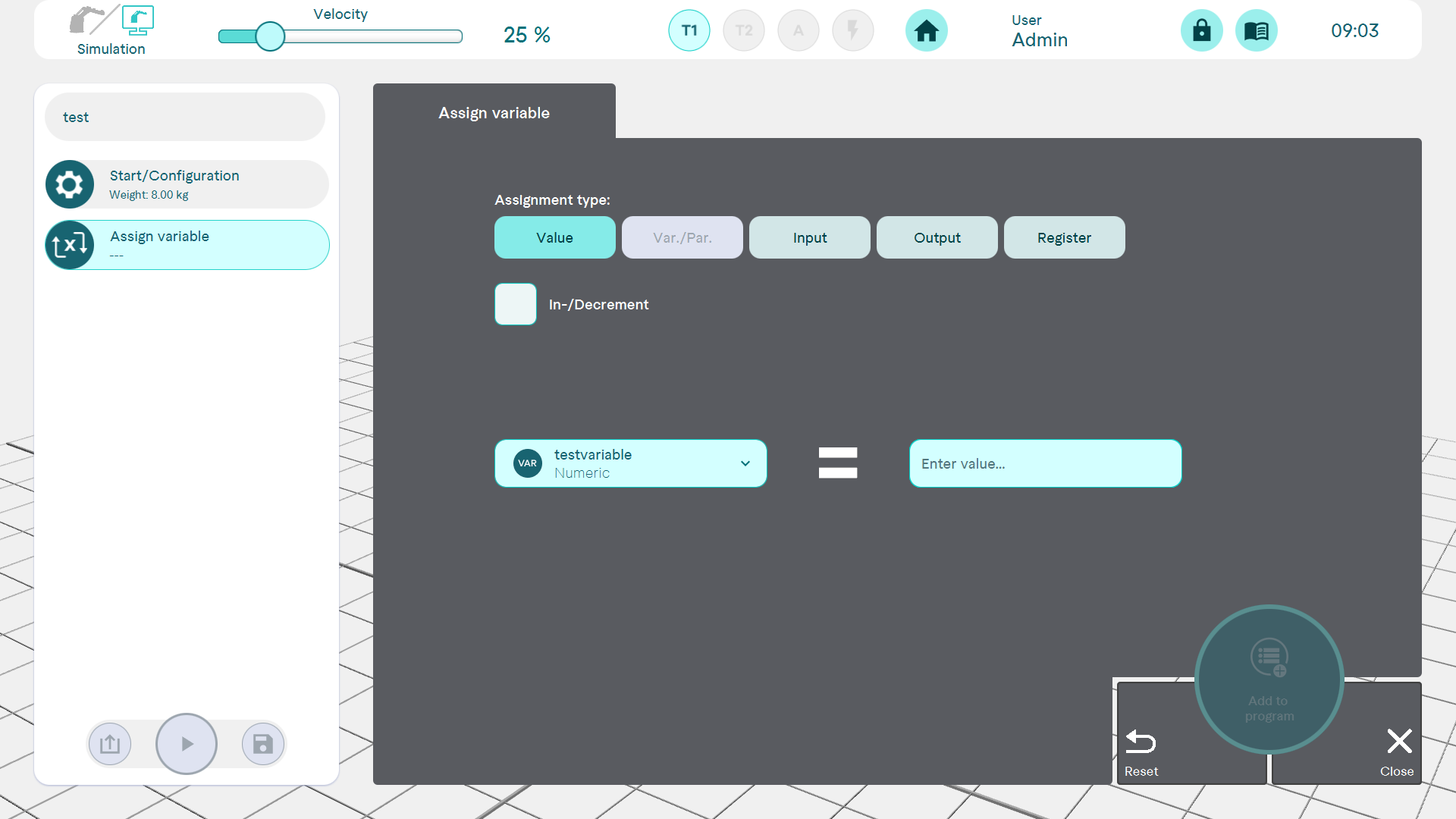
Command: Assign variable
It is possible to change an existing variable by defining a new value or assigning it the value of an input or output, a register or another variable.
Depending on the data type of the selected variable, different assignment types appear for selection:
The following applies to the Variable assignment type: A variable can only ever be assigned to a variable of the same data type and never to itself.
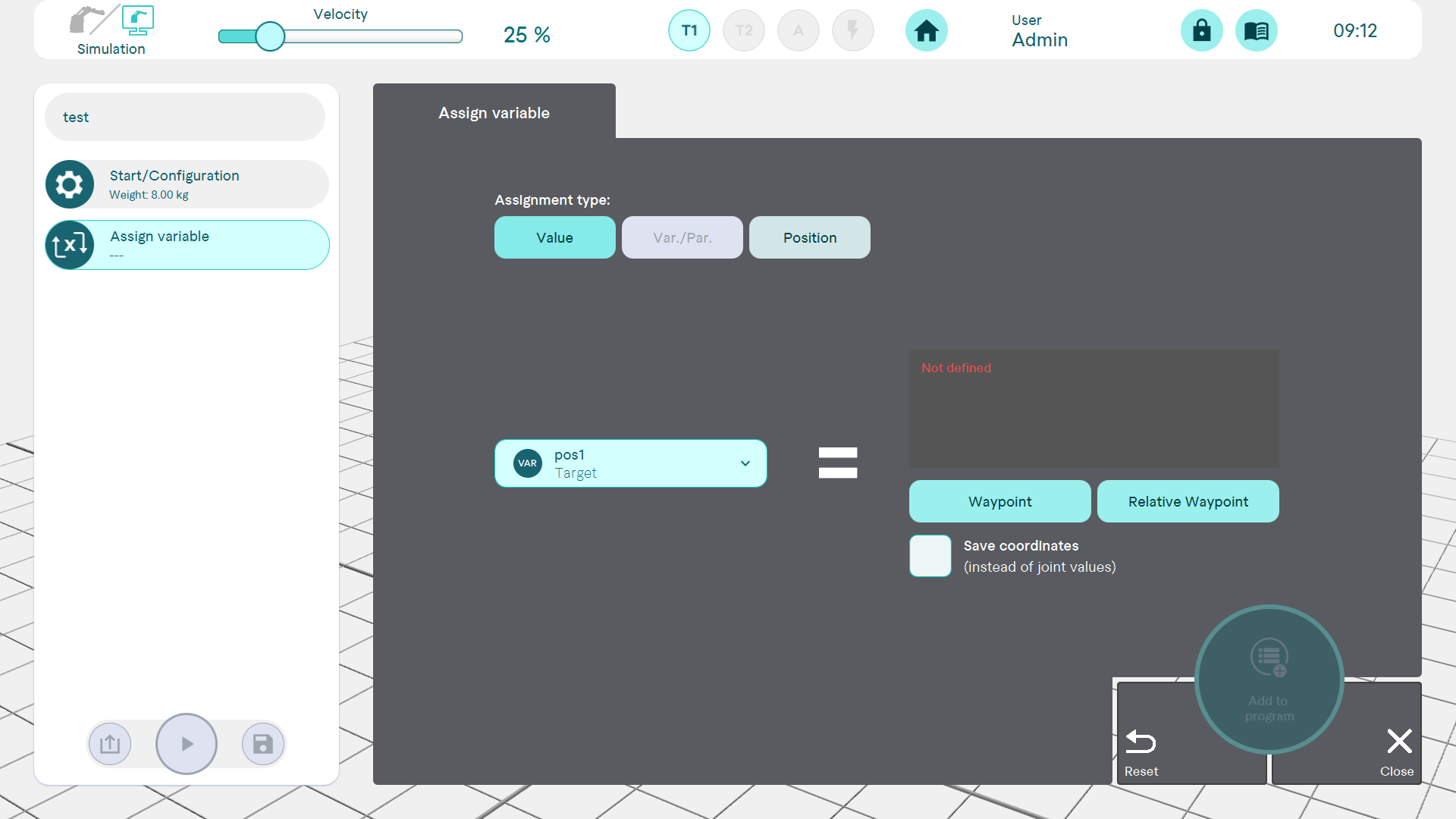
Target position data type
horstFX version: from 2022.07
Variables of the target position data type can be assigned newly defined values, the value of another variable or the current position of the robot. In the first case, they are defined as the target points of the Waypoint command or the relative waypoint. In these two commands, the target position variables can be used in the program sequence.
As soon as a target position is defined, the corresponding values are displayed.
The value of a target position variable is defined by default in the form of axis values. Optionally, this can be done in the form of coordinates with orientation if this is required for further use of the variable.
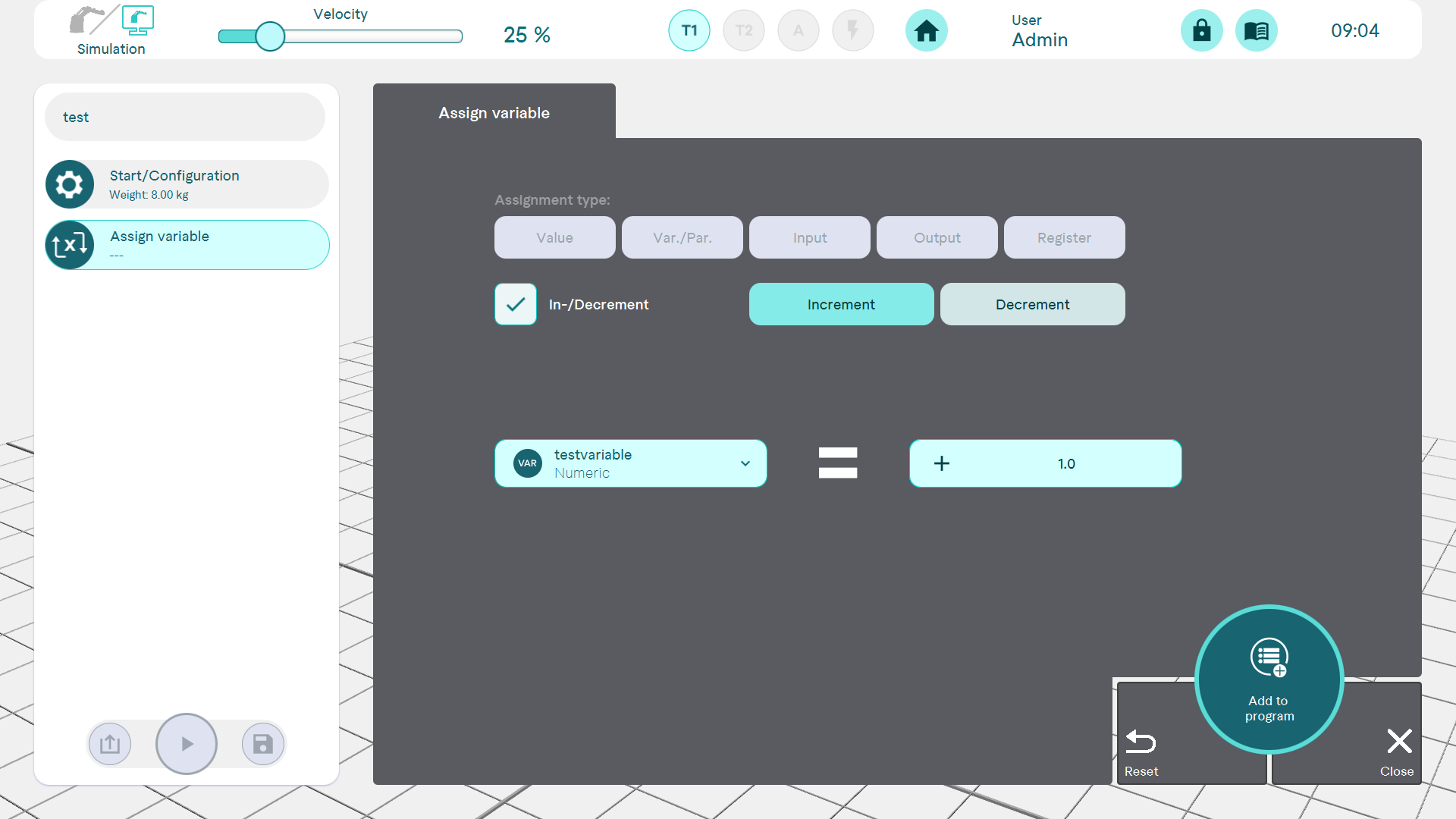
Incrementing/decrementing variables
Numerical variables can be incremented or decremented. Each time the command is executed, the current variable value is increased or decreased by the specified value. Consequently, incrementing/decrementing makes the most sense when used within loops.