
MRB accessories: Floor docking station
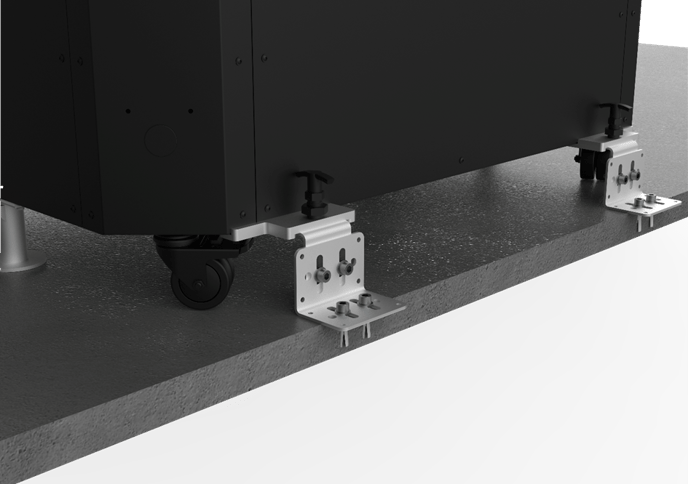
General Information:
Note
This document is intended to provide support for setting up the application. It does not constitute a traditional assembly instruction manual.
Safety notice
Seek professional assistance if necessary to avoid dangerous situations and injuries.
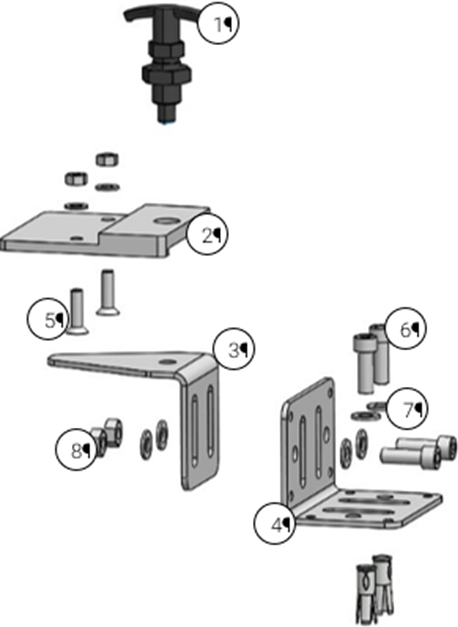
Assembly Parts
Nr. | Quantity | Description |
|
1 | 2 | Locking Pin | |
2 | 2 | Plate Docking Station MRB | |
3 | 2 | Metal Centering Angle | |
4 | 2 | Sheet Metal Angle Floor Fixing | |
5 | 4 | Screw DIN 7991 M8x30 | |
6 | 8 | Screw DIN 912 M10x30 | |
7 | 16 | Washer DIN 125 M10 | |
8 | 8 | Nut DIN 4032 M10 | |
9 | 4 | Anchor bolt Fischer EAII M10x30 |
Required Tools:
Allen key 5 mm, 8 mm
Wrench 17 mm
Hammer, Concrete drill
Assembly Procedure:
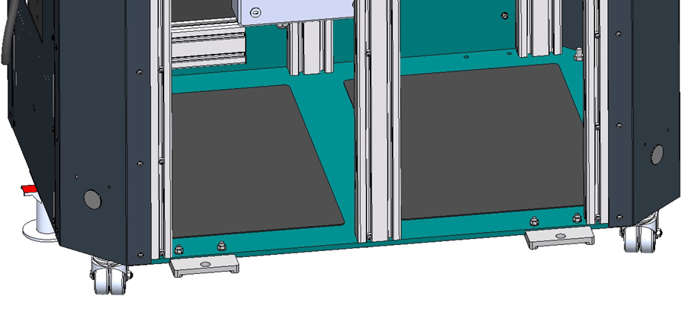
Step 1: Mounting the Plate Docking Station on the MRB
In the first step, attach the docking station plates to the MRB floor plate using countersunk screws (Screw DIN 7991 M8x30) and secure them from the inside with washers (DIN 125 M10) and nuts (DIN 4032 M10).
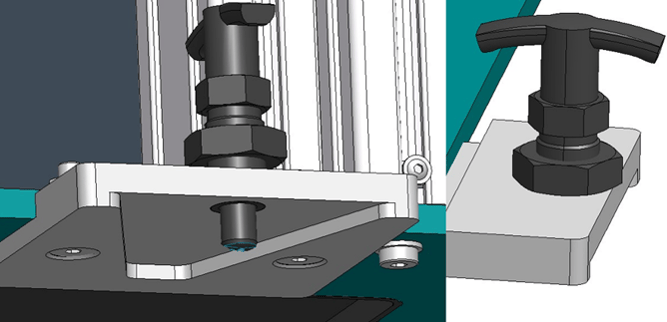
Step 2: Installing the Locking Pins
Next, screw the locking pins into the plates. Make sure to screw the locking pins 10 mm deep into the M20 thread (the thread of the locking pin should not protrude) and then secure them with the pre-assembled nut on the locking pin.
Floor Anchoring Assembly
In the final step, the floor anchoring is assembled. To ensure proper use, it is recommended to first preassemble the entire docking station on the MRB.
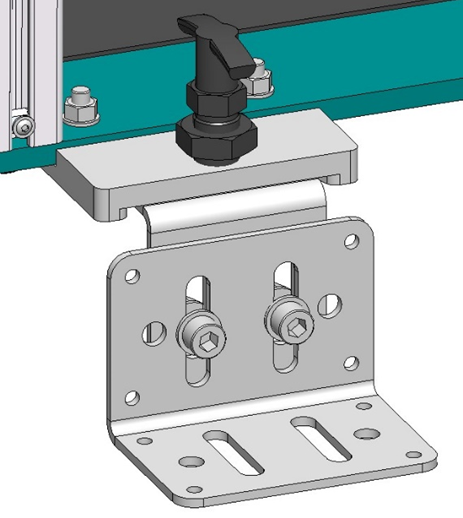
Finally, secure the floor fixing angle using the anchor bolts into the ground with concrete drills.
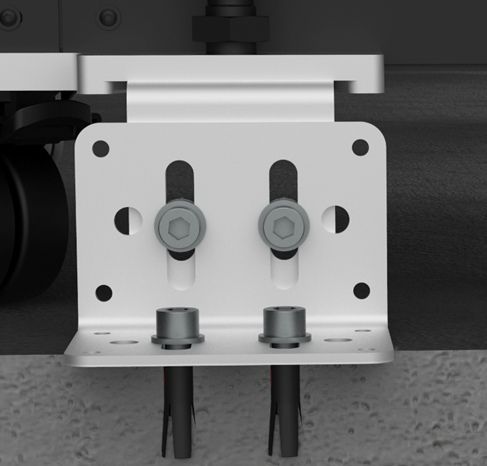
Afterwards, the application can be set up.