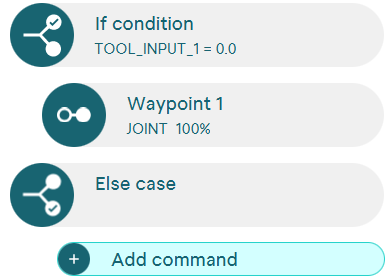
Command: If-condition
Execute actions when a condition is met and optionally add an else-case.
The If-condition command can be used to combine commands that are only executed during program execution if a correspondingly defined condition is met. If this is not the case, all included commands are skipped or only the commands in a possibly added else-case are executed.
To define a condition, an input, a variable or an output, an operator and a value must always be set. You can choose between an input, a variable, a register or an output as the value. In addition, the values 0 and 1 (false/true) can be selected for inputs and outputs and any numerical value can be selected for variables.
Please note the following for a condition that compares an input or output value with a variable value: Variable values not equal to 0 are always interpreted as value 1.
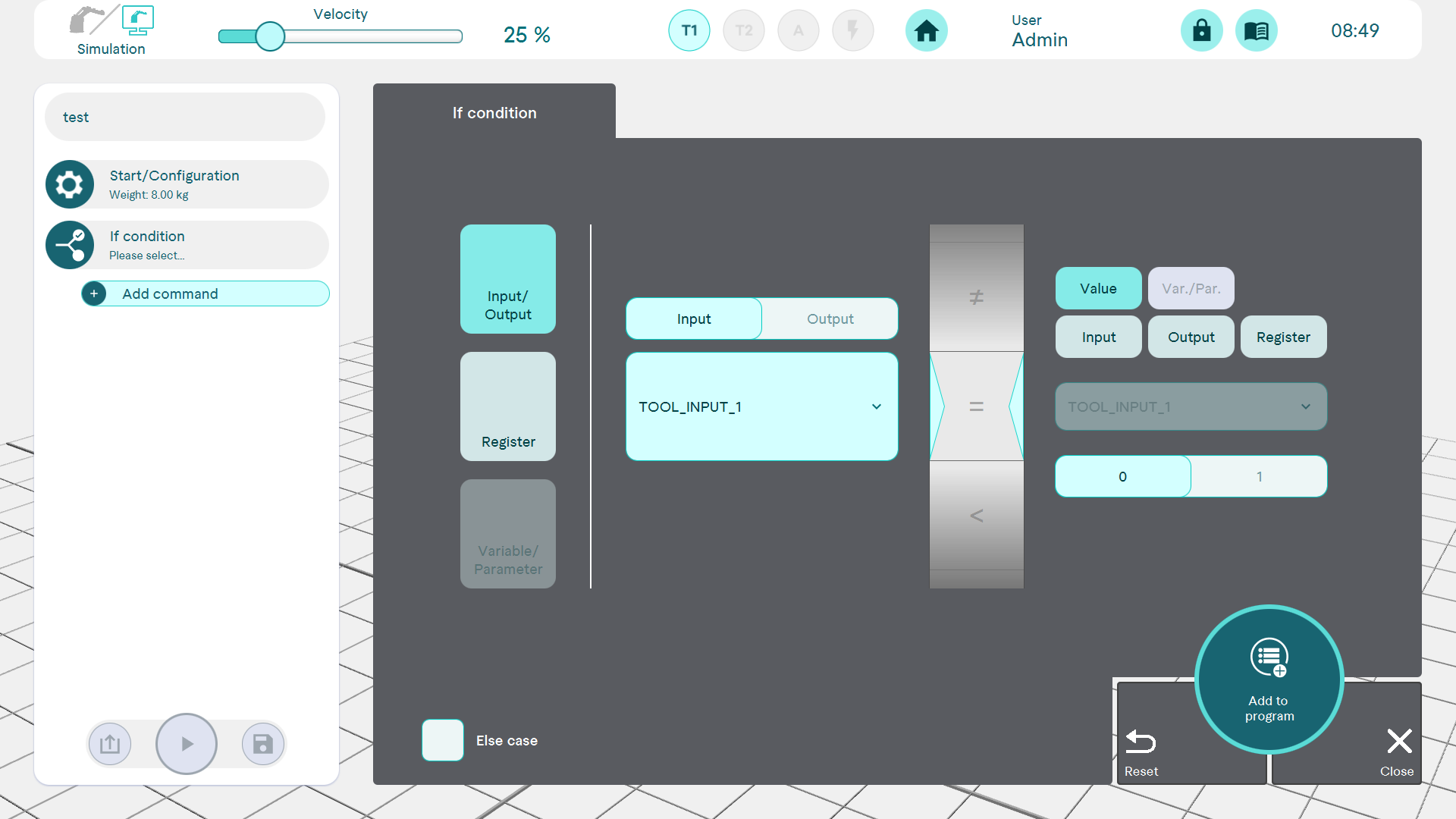
Else-case
If the else-case checkbox is activated, an else-case command is attached to the If condition command. The two commands are permanently linked. The else-case is executed if the condition is not fulfilled.