
Software integration
Your software owns perception, grasp planning and task logic. Choose request-based operations or a buffered joint path, then use the matching client.
Robot access and offline API
Requests and complete trajectories
Your application requests an operation. Runtime owns execution; your application observes status and faults.
/ws/runtime- Read state
GetCurrentRobotJoints · GetMotionStatus- Preview
PreviewMotion → MotionPlan- Move
MoveToJoints · MoveLinear- Trajectory
ExecuteTrajectory- I/O
SetOutput- Stop
StopRobotMotion
A grasp cycle follows observe → choose → request → assess. Pass sensor identity, timestamps, frames and validity into the decision, and inspect execution status before continuing.
Prepared development environment
The supplied Python and Node.js projects contain SDK packages, Runtime Testkit, lockfiles and VS Code run/debug profiles. Open the prepared project; its tasks start the matching local fixture before the example.
Four Python examples and four Node.js examples demonstrate status, streams, preview and opted-in fixture commands across all 48 RPCs on the HORST600-S5 fixture. The dashboard also offers PLEXA One S1/L1/X1 profiles for synthetic HDK state and API experiments.
Local quickstart · Python SDK · Node.js SDK · Prepared PC and tools
Simulator and ecosystem workflows
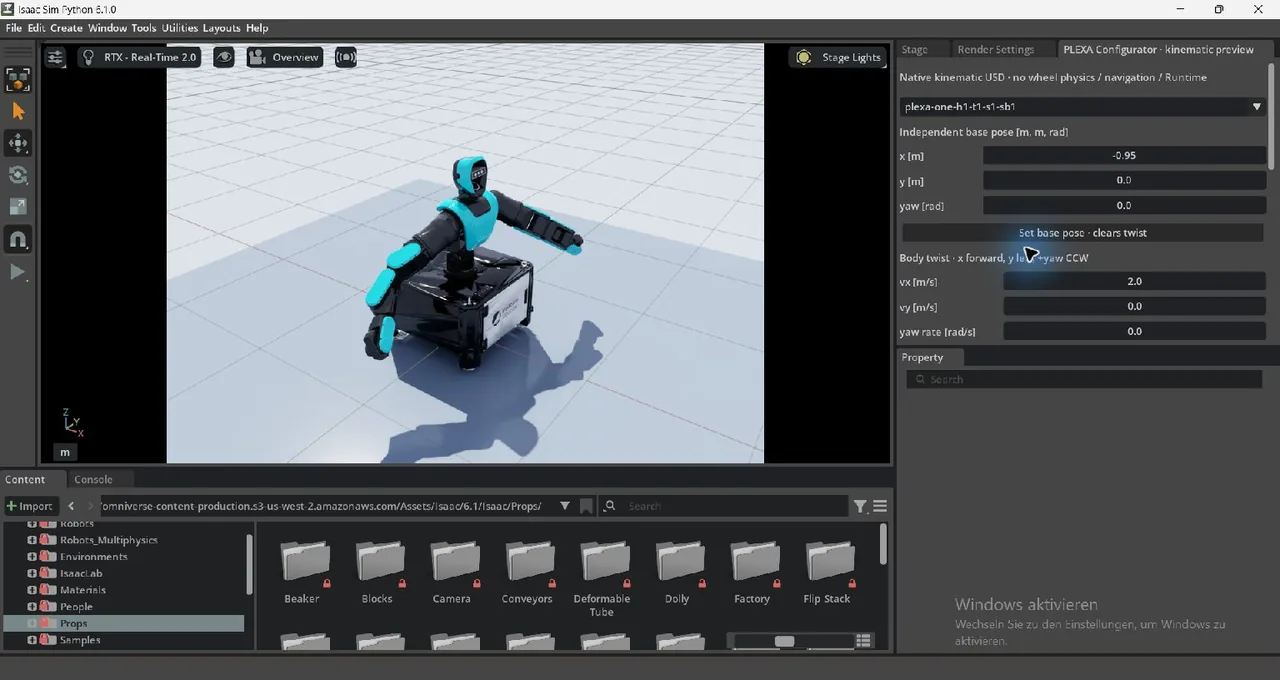
Use the Testkit for API behaviour; choose a native simulator for models, scenes and physics experiments. Isaac Sim covers the shared asset and scene workflow; the simulator overview and ecosystem catalog lead to backend-specific setup and tools.
Isaac Sim · H1/T1/S1/SB1
ROS 2 connects robotics workflows; Foxglove displays traces, 3D observations and MCAP recordings. Keep application, sensor evidence and deployment on the same configuration identity.