
Platform and mechanics
Choose the structure from working height, access and the loaded tool.
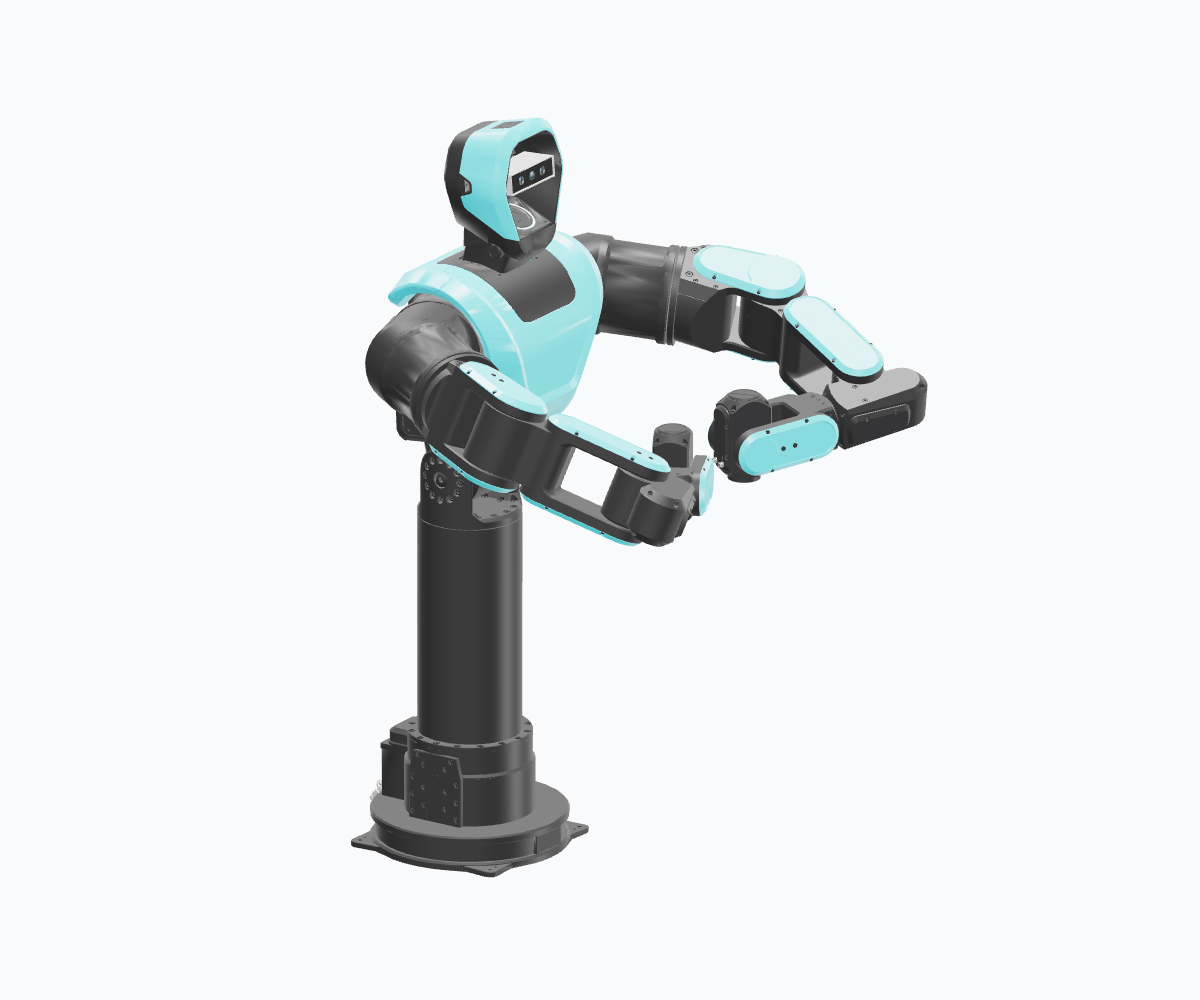
Workstations · machine tending
PLEXA One S1
A fixed working height with a rotating column. A starting point for manipulation at workstations and machines.
- Column module
- S3
- Robot axes
- 15
- Shown mounting
- OEM · NONE
PX1-H1-T1-S3-NONEOptional · loads the 3D model on request
Platform variants
| Family | Column | Axes | Use |
|---|---|---|---|
| PLEXA One S1 | Static; S3 in the shown reference | 15 | Fixed workstation / OEM mounting |
| PLEXA One L1 | Linear lift L1 | 15 | Changing working heights |
| PLEXA One X1 | Swivel lift SL1 | 17 | Additional upper-body positioning |
The configurator specifies hardware modules and axis counts. The robot model defines joint names, order and limits. Product family and column module are separate selections.
Mechanical modules
| Module | Selection | Define |
|---|---|---|
| Head | H1 cover / H2 vision option | Mounting and separate camera selection |
| Torso | T1 reference | Arm configuration, interfaces, asset revision |
| Column | S1 short / S3 long static; L1 / SL1 | Height, stroke, swept volume |
| Base | NONE / SB1 stationary; M1 / M2 mobile | Anchoring, docking, power; AMR integration |
| Tools | Gripper / hand, adapter, optional wrist sensor | Mass, centre of gravity, tool frame |
Example SKU: PX1-H1-T1-S3-NONE. The part number identifies the mechanical selection; tools, sensors and compute are specified separately.
Installation checks
- Structure and loads: mounting pattern, fasteners, stiffness and loaded-tool forces.
- Clearance and routing: both arms, objects, column travel, cable bends and service access; working envelopes.
- Mobility: base stability, floor, docking, navigation, DC supply and coordinated protective functions.
Use component-specific drawings and ratings: Robotic Solutions CAD · manuals.
Sensors
Select camera, position and capture host in perception and compute; wrist sensing and tooling in tools and hands.
Explore module and sensor combinations
Common control architecture
HORST Control
IPC and Embedded Mainboard form the common robot control base. Additional AI compute hosts perception and application logic; the control stack retains execution authority.
Applications submit requests through Runtime. Runtime coordinates admission and the motion lifecycle; the RT Module carries buffered execution paths.
Open technical guideGeometry and software identity
Keep the robot asset, joint order/limits, base/tool frames and collision model with the SKU. Module changes update calibration, reachability and cable travel. For mobile bases, specify the actual kinematics and interface.
Continue with Control and interfaces and safety and commissioning.