
Code & interfaces
Connect robot, gripper, camera and I/O through open interfaces. Start with the Python or Node.js examples; use ROS 2 for your robotics workflow.
YOUR KIT · QUICKSTART
Get to know your HORST600 system, open the prepared development environment and build your first workflow with cameras, tools and your own AI.
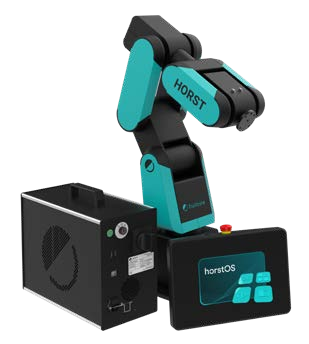
Explore the components using the markers or the list. The cell shows how robot, peripherals and optional extensions work together; your system documentation identifies your own configuration.
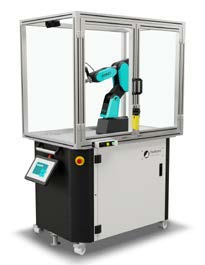
The robot executes the motion in your application. Connect your own logic through the robot APIs and use the model and tool configuration of your system.
Robot APIs & SDKsYOUR COMPUTE
Develop on the prepared workstation and connect AI models through provider APIs. Local tools handle cameras, application logic and the robot connection.
Use the installed software and capture configuration documented for your compute unit.
PERCEPTION & INTERACTION
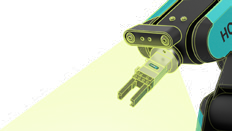
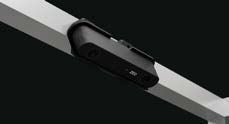
USB stereo with the Stereolabs ZED 2i or GMSL2 with ZED X Mini: choose the guide matching the cameras and capture hardware in your kit. Fixed and moving perspectives complement each other.
Open vision workflowsThe prepared PC brings the tools for code, perception and AI together. Open the examples for your installed software version and continue in the linked guides.
Connect robot, gripper, camera and I/O through open interfaces. Start with the Python or Node.js examples; use ROS 2 for your robotics workflow.
Codex, Claude Code and Claude Desktop support development. Explore the prepared local language and vision models, YOLO and TensorFlow on your compute configuration.
Use PLEXA OS Simulation Layer in Early Access for scene setup and simulation. Test client requests locally with the Runtime testkit and explore the simulator ecosystem.
Before physical operation
Complete installation, commissioning and handover using the instructions for your delivered system. The local fixture addresses in SDK examples belong to the testkit; use your system’s connection configuration for the robot.