
A visual tour of the integrations
Start with From task to the next improvement · Coming soon to place these applications in a shared workflow. The interactive journey connects the order, program, Runtime and feedback steps; return here to inspect the actual application windows.
Choose a task below and open its tool. Each view helps you locate inputs, model identity, time basis and results. The images show local simulators, synthetic replays and stored application workflows.
Conceptual illustration: status, preview and replay
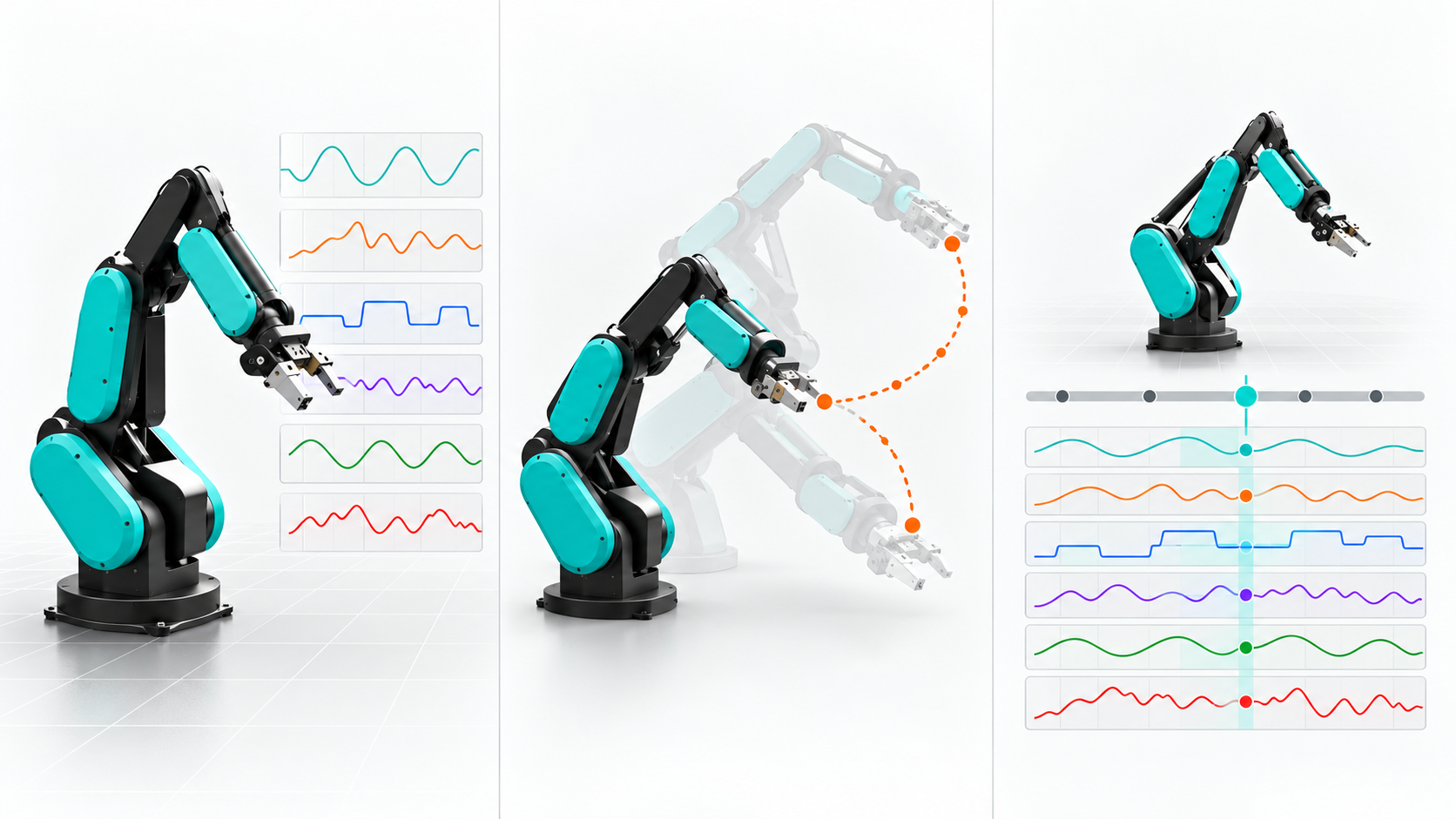
Choose a tool and expand its views. “Compare a second view” opens a second, separately described image in the newer captures. Date, source and boundaries stay beside each image.
1. Read status
1. Read status
Start with the robot identity, then its joints. A status display is useful when you can tell which source it belongs to and whether it is still fresh.
- Node: inspect the discovered name and joint values in the console; Runtime joints remain in degrees.
- Python / Viser: compare the exact model ID and ordered joint mapping, then identify measured status versus the labelled preview.
- ROS / RViz: check the fixed frame, six joint names and diagnostics before trusting a still or moving model. A frozen display can mean stale input.
Start here: Node status · Coming soon · Python status · Coming soon · Viser notebook · Coming soon · RViz view.
2. Inspect a local preview
2. Inspect a local preview
A ghost pose or path helps compare configurations. Read the source label before interpreting that picture as robot motion.
- A Runtime preview is a planning response for inspection.
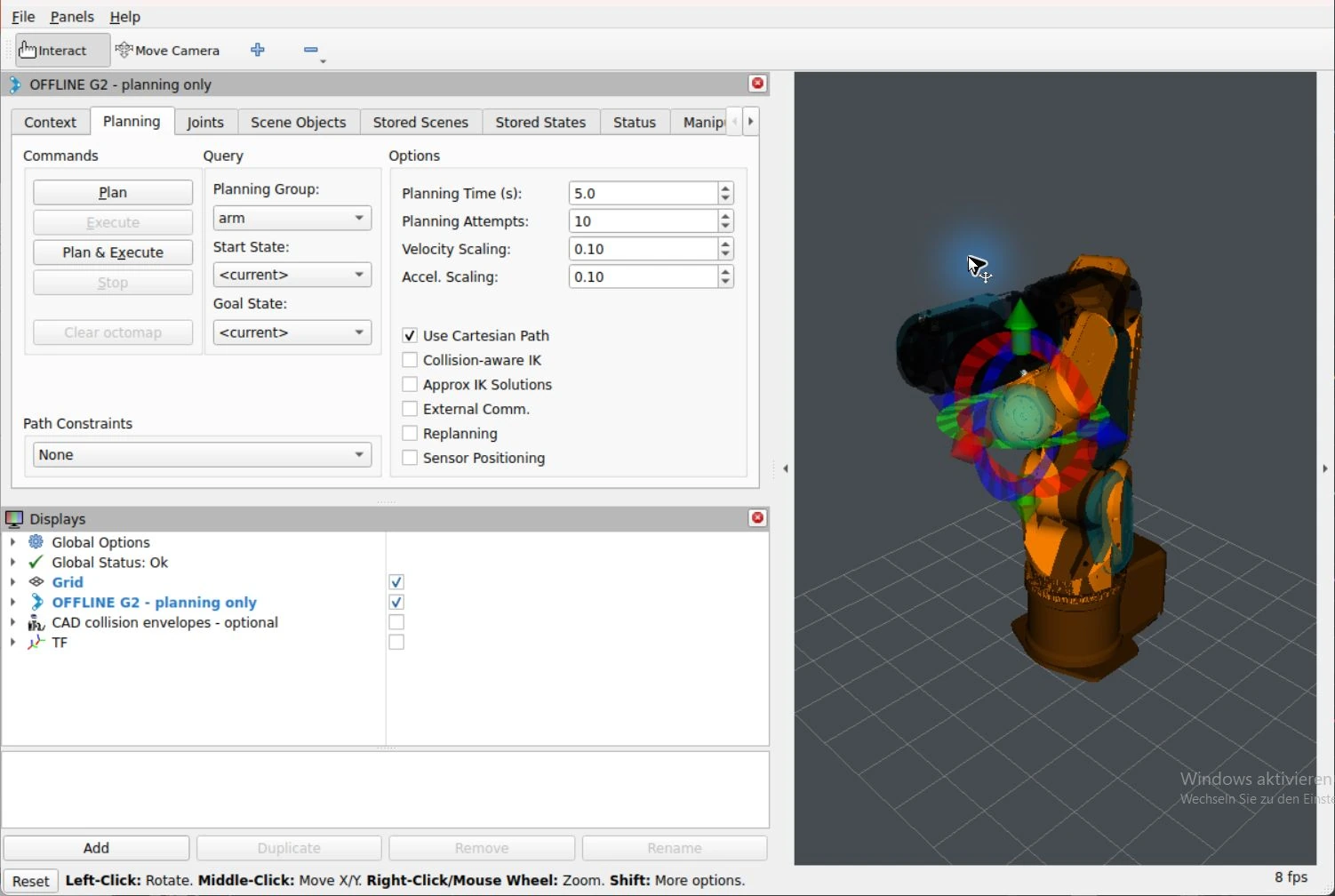
- The G2 MoveIt launch uses synthetic local joint state and a separate offline collision proposal. Its execution is disabled.
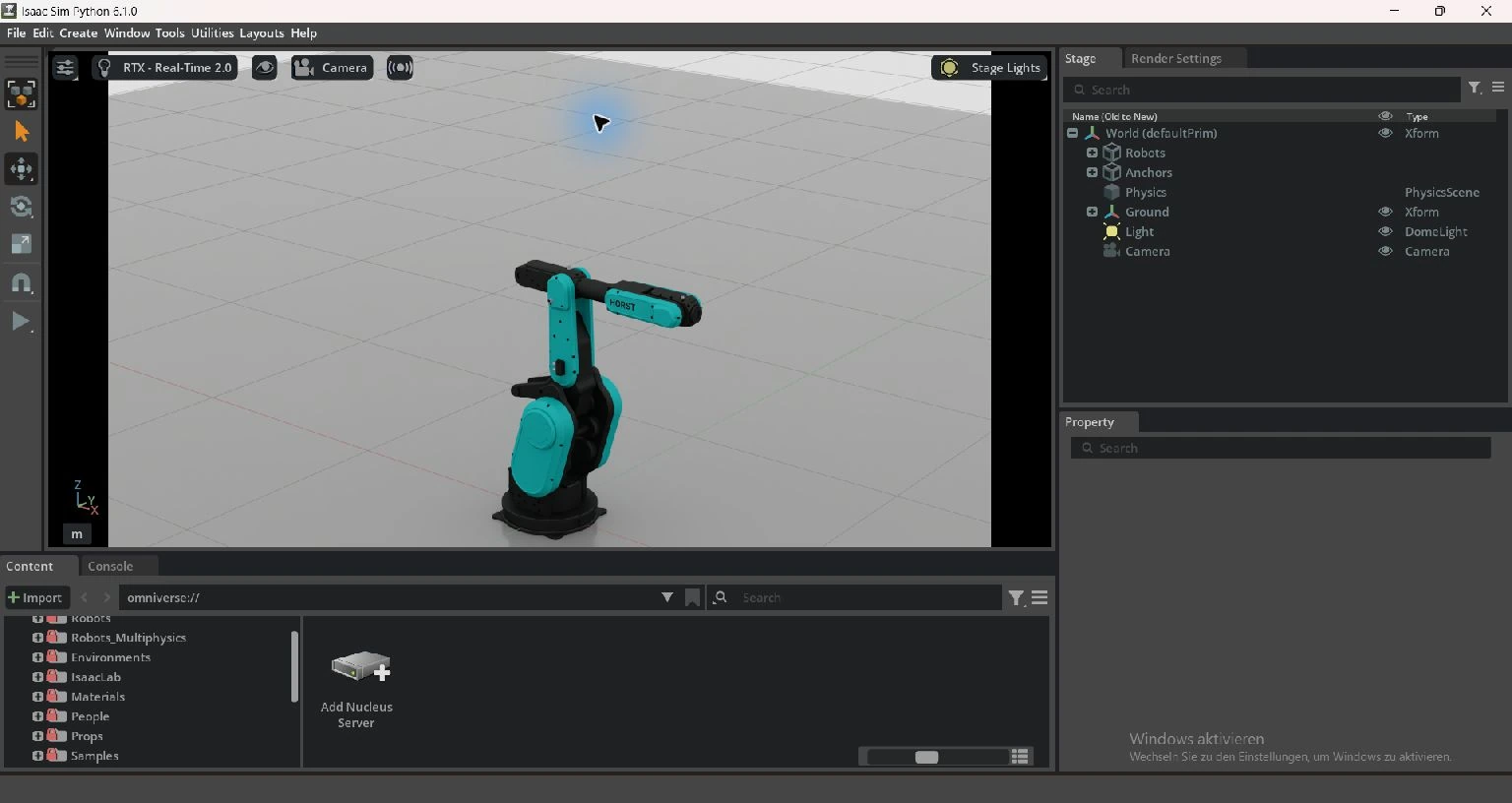
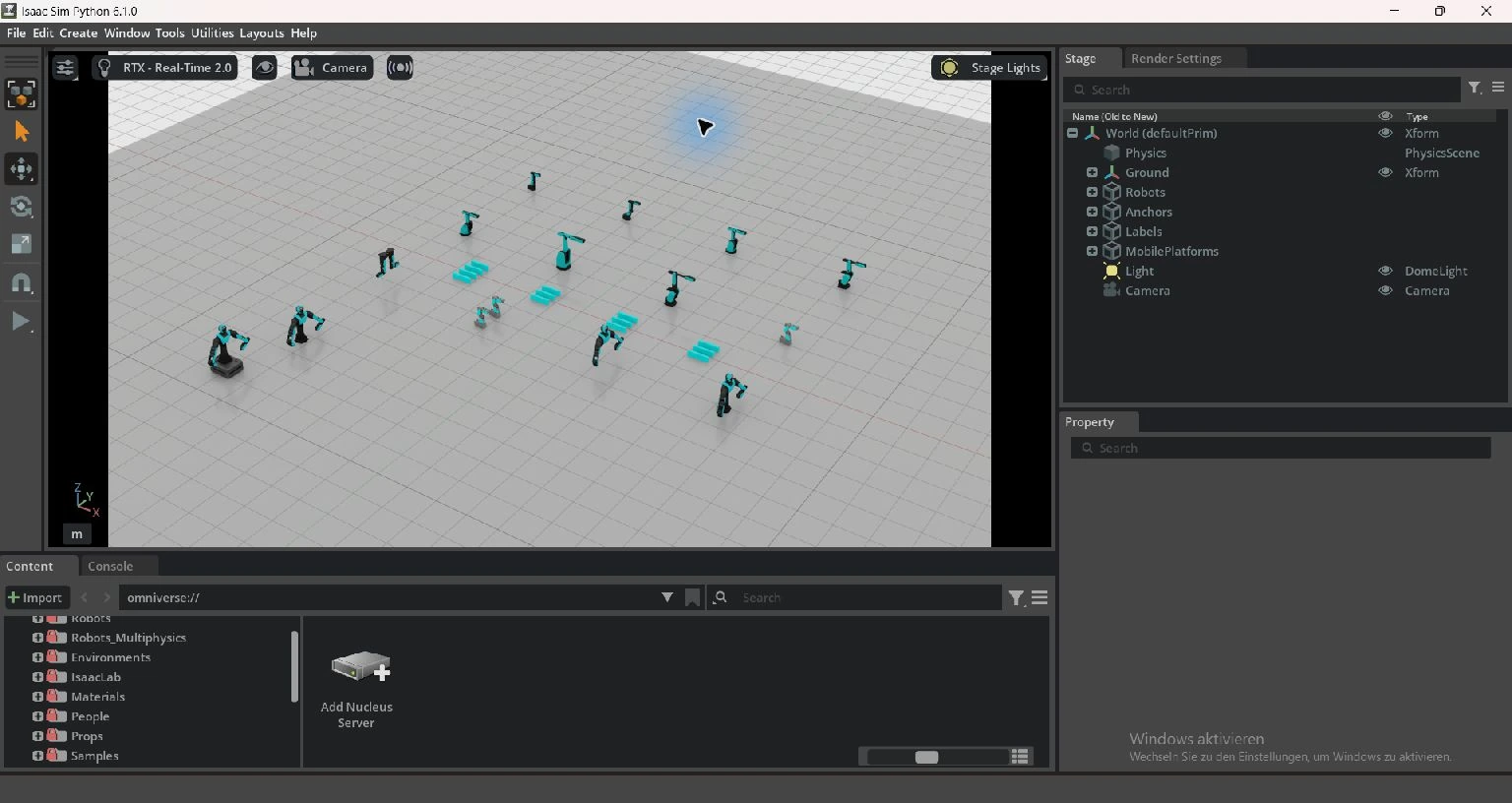
- Isaac's portfolio and scene motion are scripted simulator demonstrations. Opening a USD alone does not start those scripts.
Start here: Node preview · Coming soon · MoveIt planning · Isaac portfolio · Coming soon.
3. Review recorded data
3. Review recorded data
Move the playback cursor and compare the six joint traces at that time. The important questions are where the data came from, which units it uses and what its timestamps mean.
- A fixture recording has fixed test values and synthetic time.
- A simulator capture stores received Runtime responses; receipt time is not a sensor measurement timestamp.
- The showcase interpolates fixture poses and is explicitly synthetic. A still simulator should produce flat traces.
Start here: MCAP recording · Coming soon · Foxglove playback · Coming soon.
Find your way around Gazebo
Find your way around Gazebo
This is an unchanged upstream screenshot, not a PLEXA or HORST capture. It shows Gazebo's sample shapes world so you can locate the scene, Entity Tree and Component Inspector before opening the local G2 preview. Interface details may differ from the pinned local build.
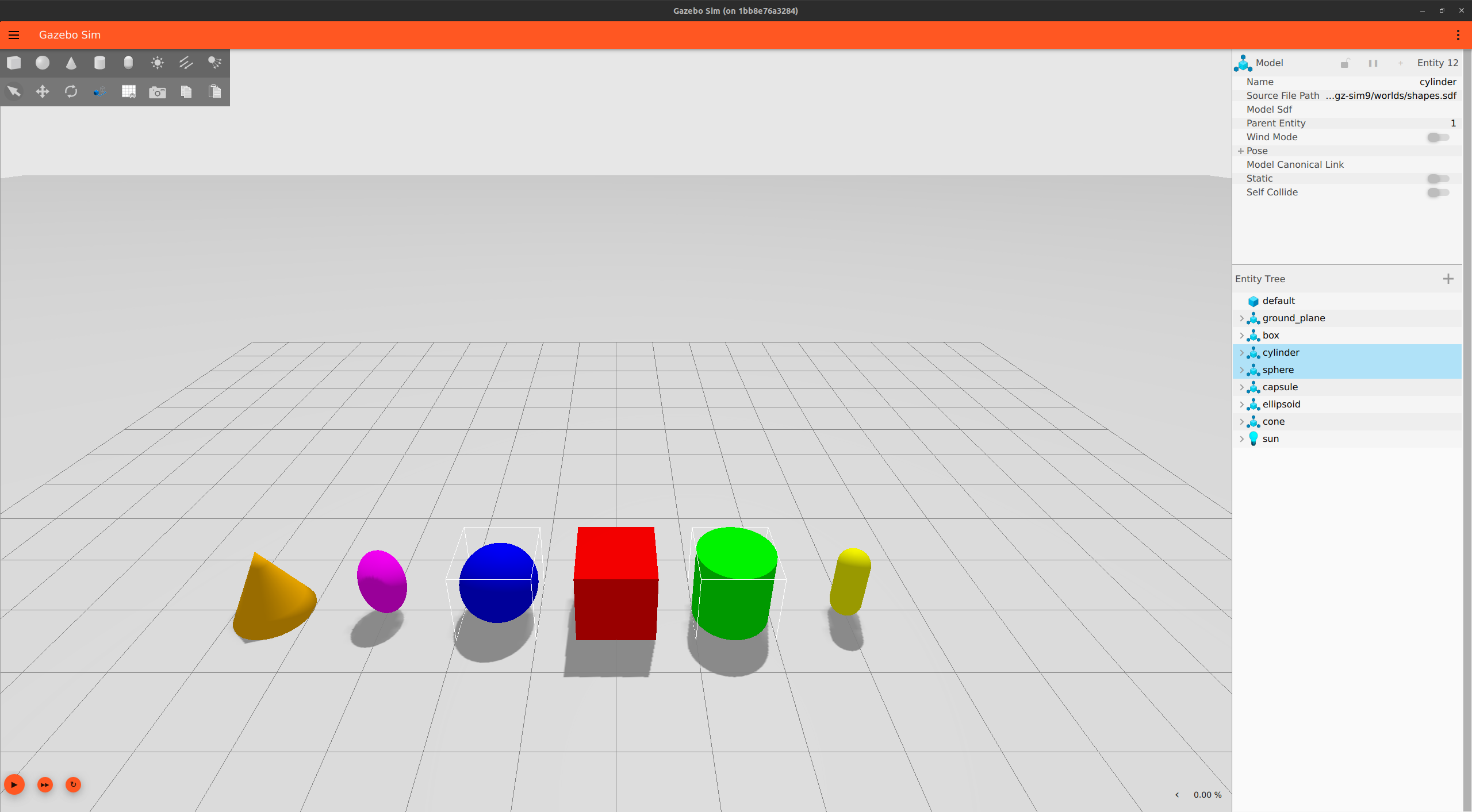
- Scene: inspect the model and use the grid to orient the camera.
- Entity Tree on the right: choose a model and expand its links and joints.
- Component Inspector above it: check the selected entity's properties.
Use the Gazebo tutorial for the actual Windows launcher, domain 79 and read-only ROS bridge. Its physics values remain placeholders.
Actual integration windows
These are real application captures, not generated UI illustrations. RViz uses light/dark scene backgrounds with its standard Qt controls. Isaac Sim retains its native dark interface and a bright stage. Theme differences do not imply different integration capabilities.
Additional views: simulator interfaces and S5 replay
Gazebo Sim
Gazebo Sim
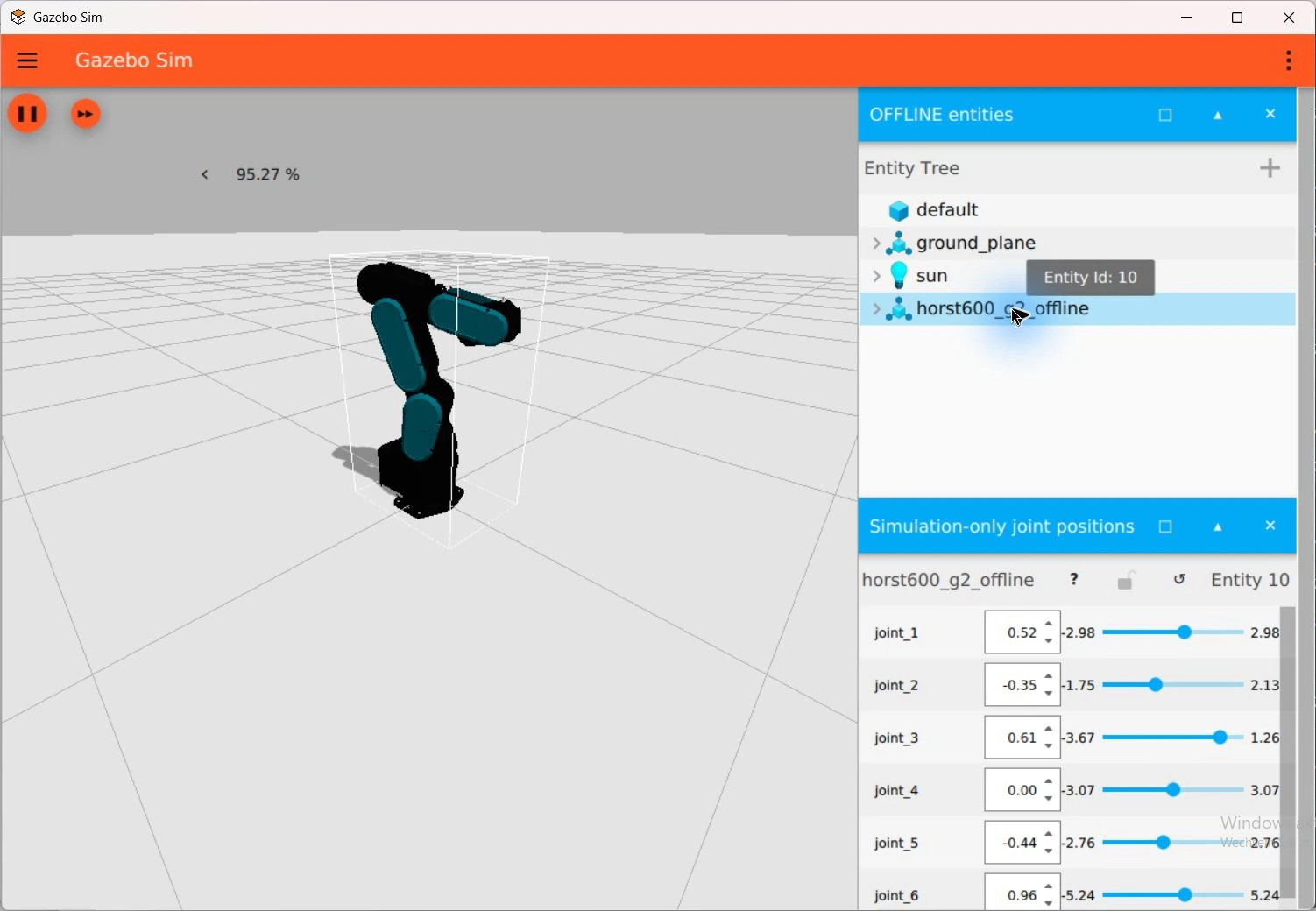
The 12 October Gazebo views show the model tree and a bent simulation pose.
RViz
RViz
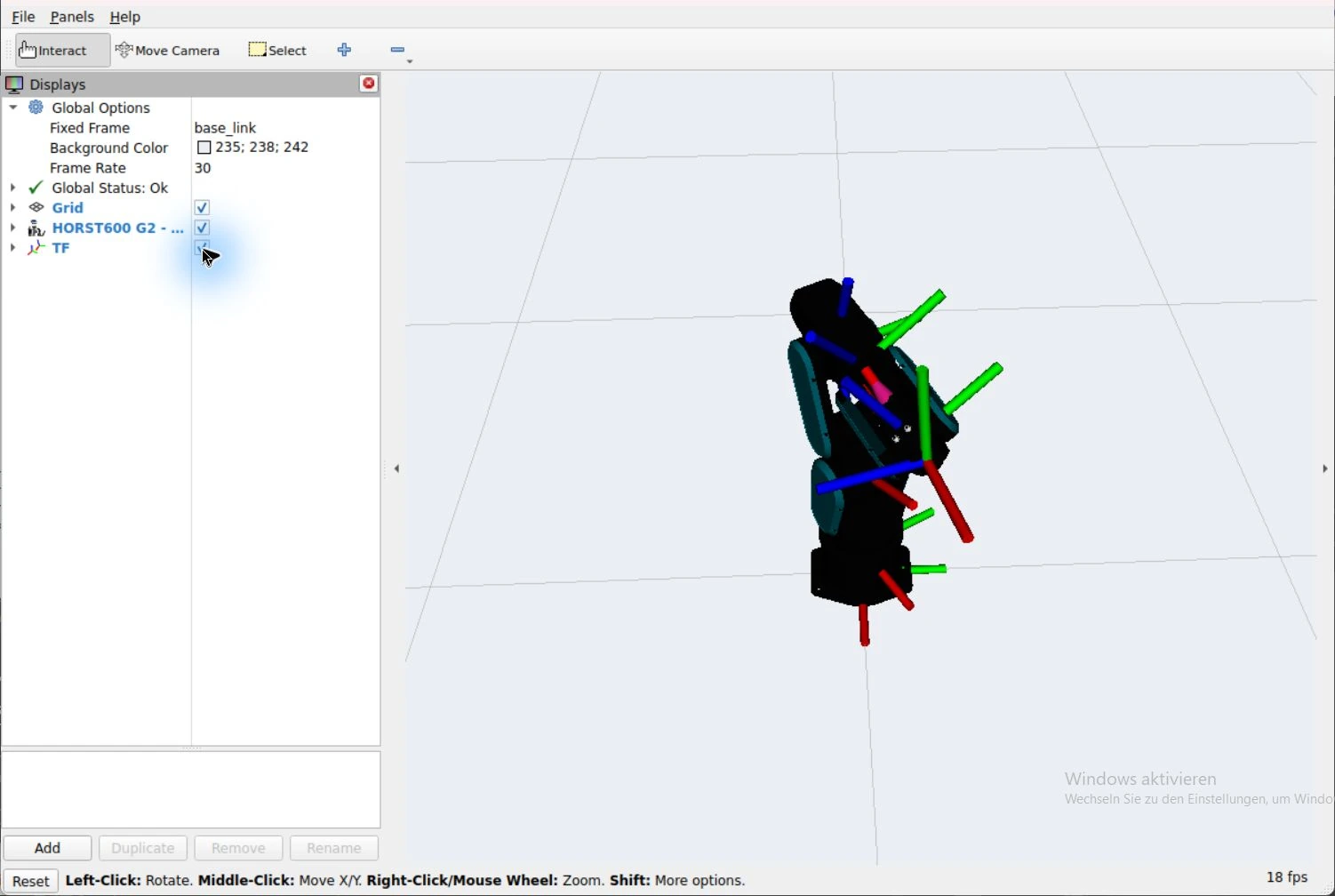
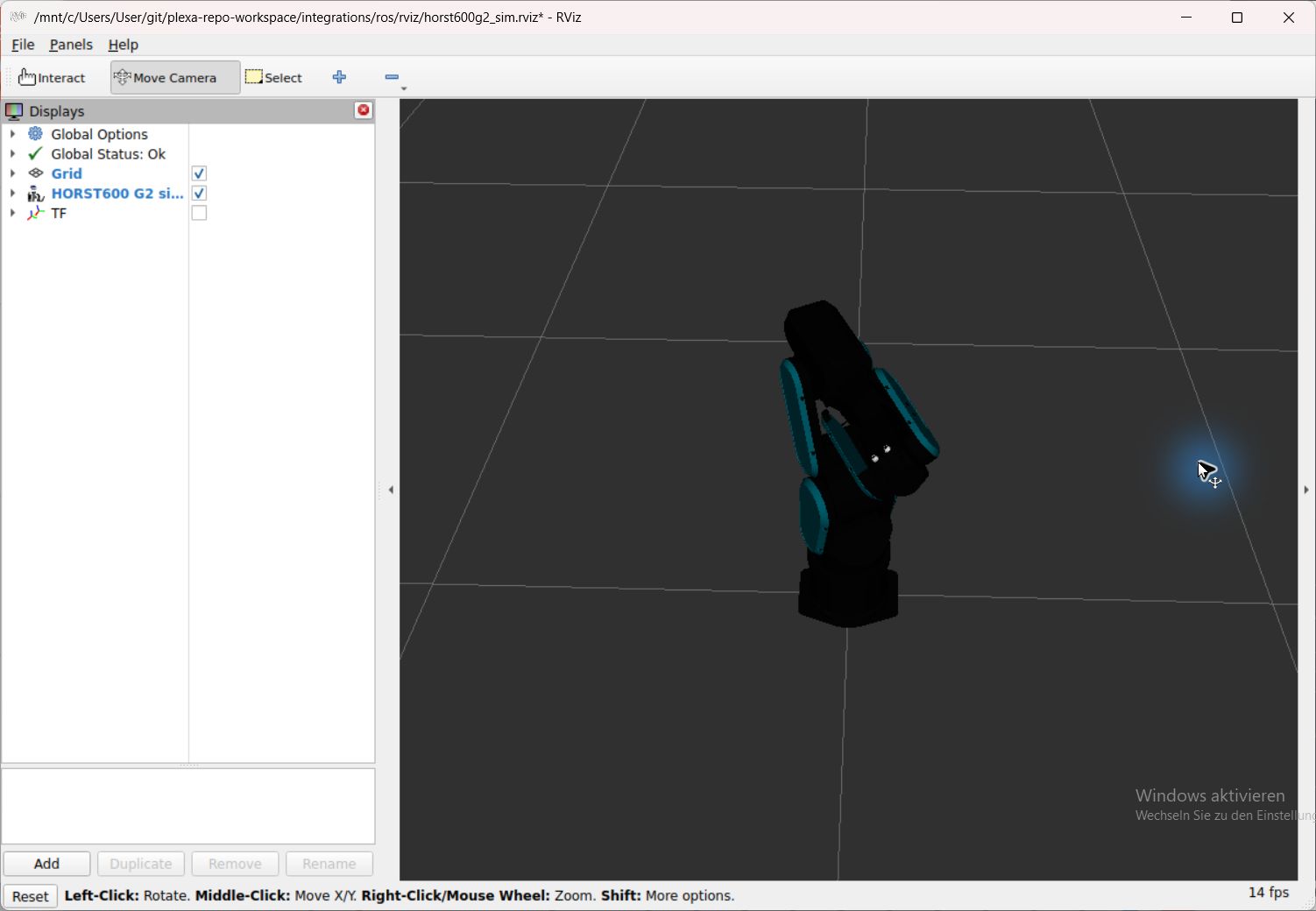
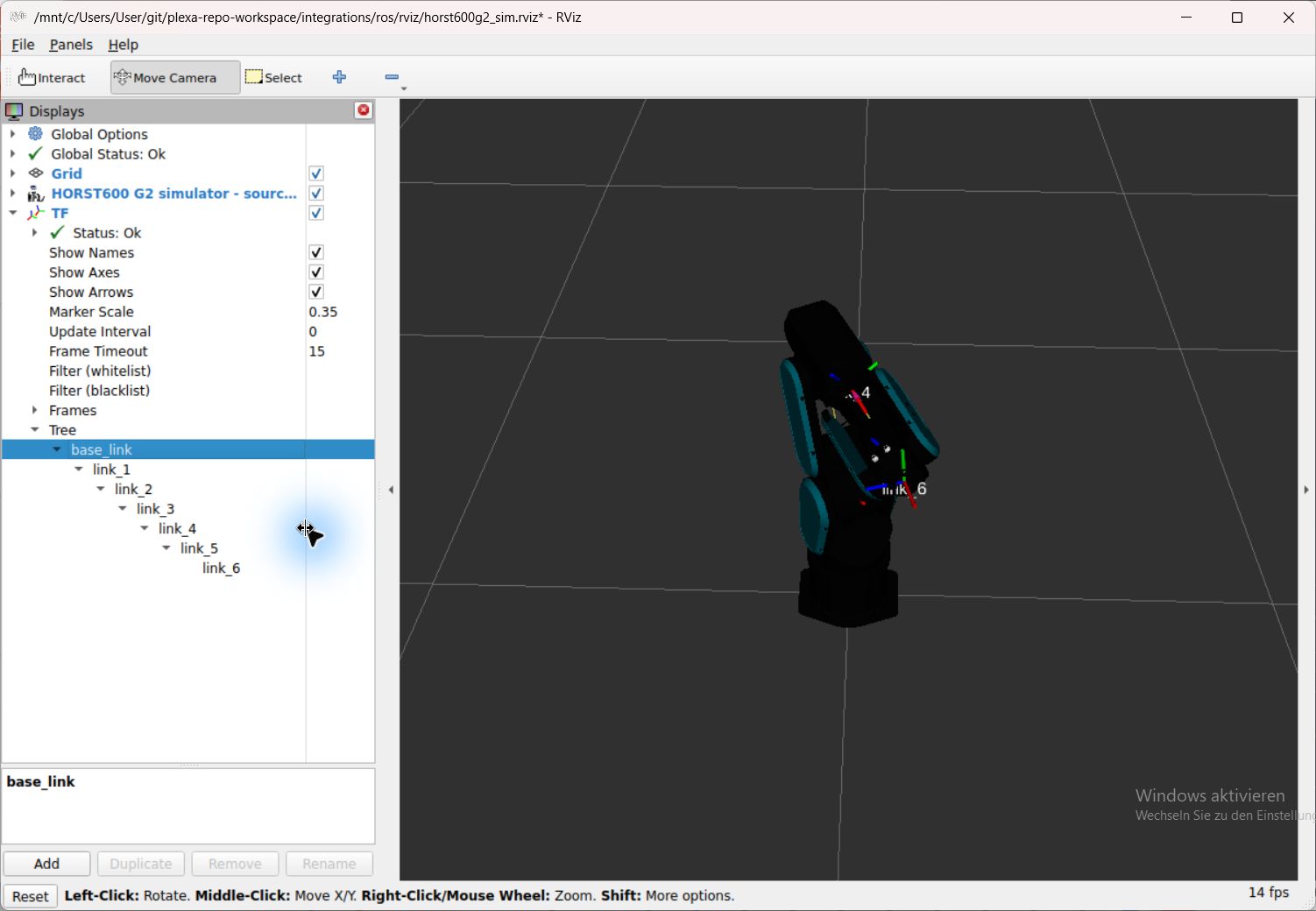
The 12 October RViz views show another camera and the full synthetic TF hierarchy.
Foxglove · HORST600 S5
Foxglove · HORST600 S5
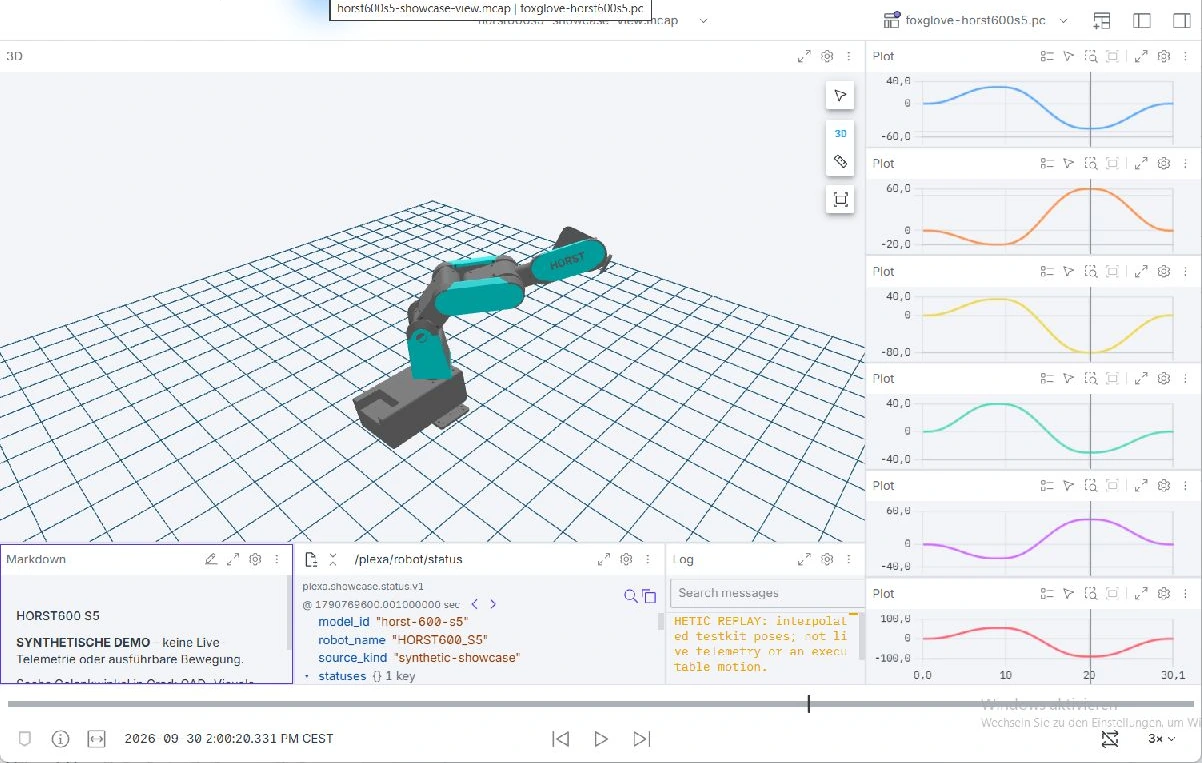
The 12 October PLEXA One views show its separate fifteen-axis showcase.
Explore local application workflows
Open the application for the task you want to understand. The main view shows its working context; the comparison view adds a second result or state. Follow the section link to the runnable tutorial.
Three.js
Three.js
Compare Inspection and Alternate in the actual responsive viewer. Selected joints, degrees and tool-frame coordinates remain tied to the source-derived HORST1000 G2 model and three synthetic recorded samples; no robot is connected.
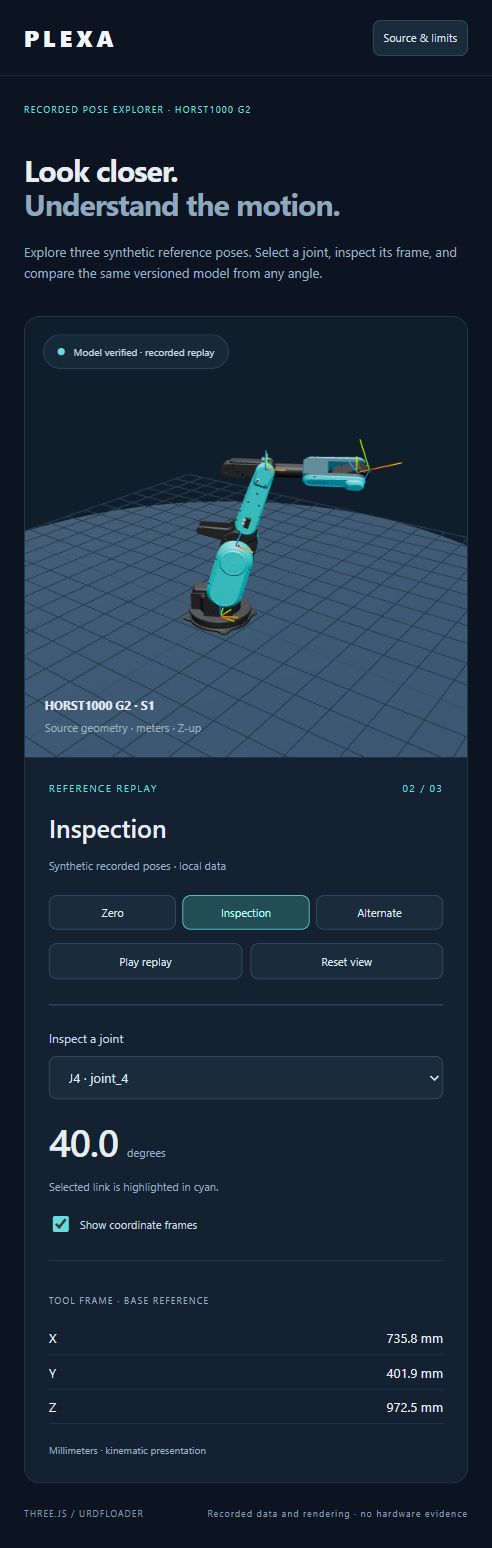
Compare a second view
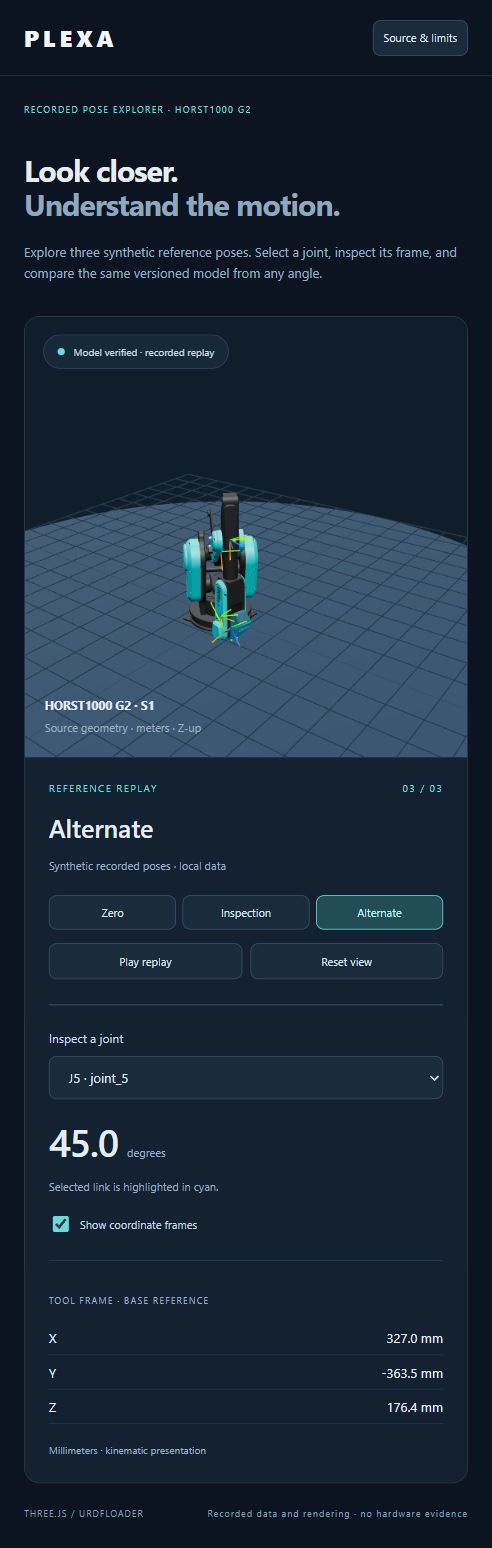
Explore poses, frames and responsive controls · Coming soon.
Blender
Blender
Inspect an intermediate timeline pose and the native Animation workspace. The editable generic G2 cell uses the shared pose packet and saved keyframes; the new views are kinematic illustrations, not new numerical validation of those intermediate frames.
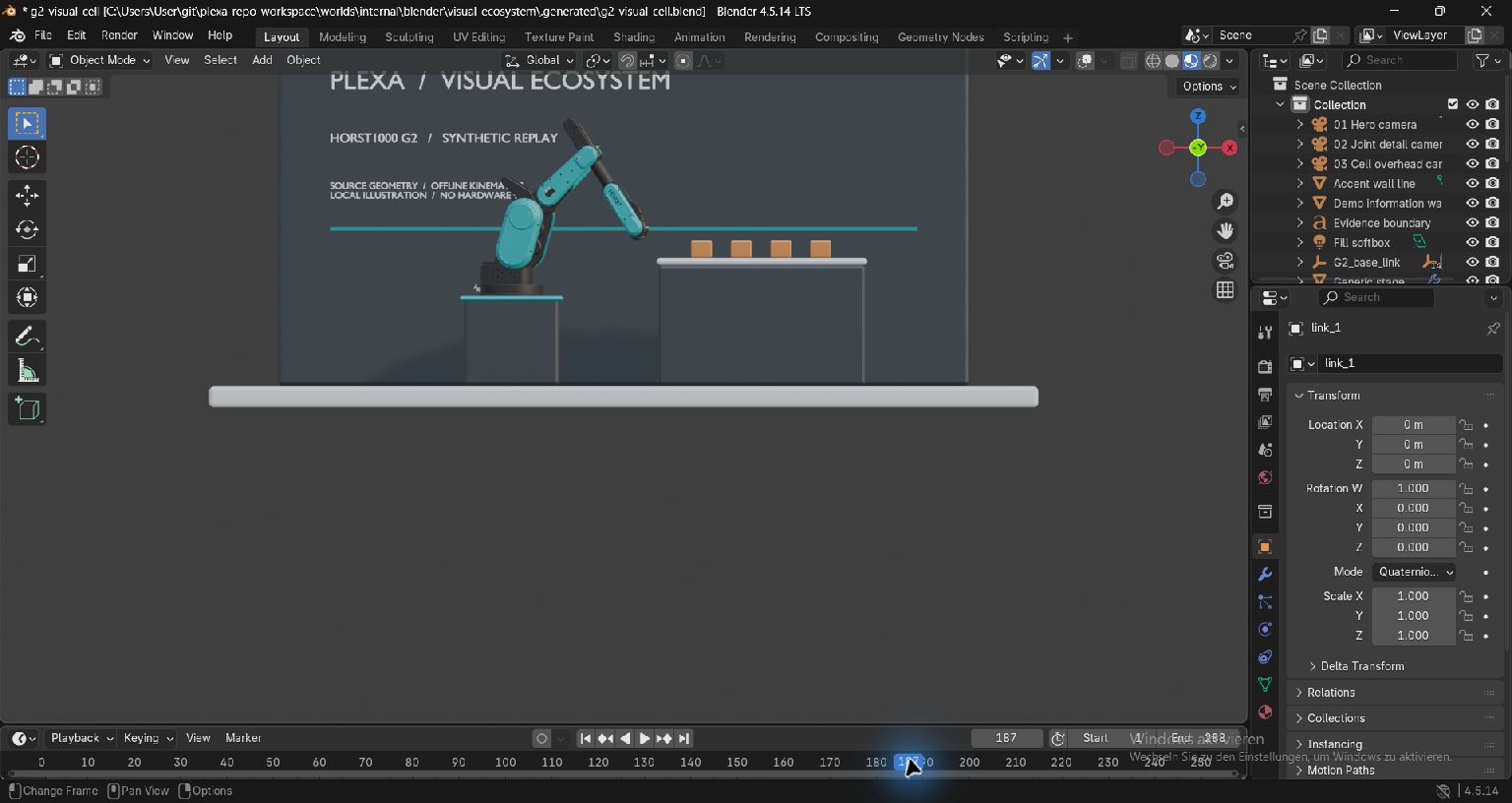
Compare a second view
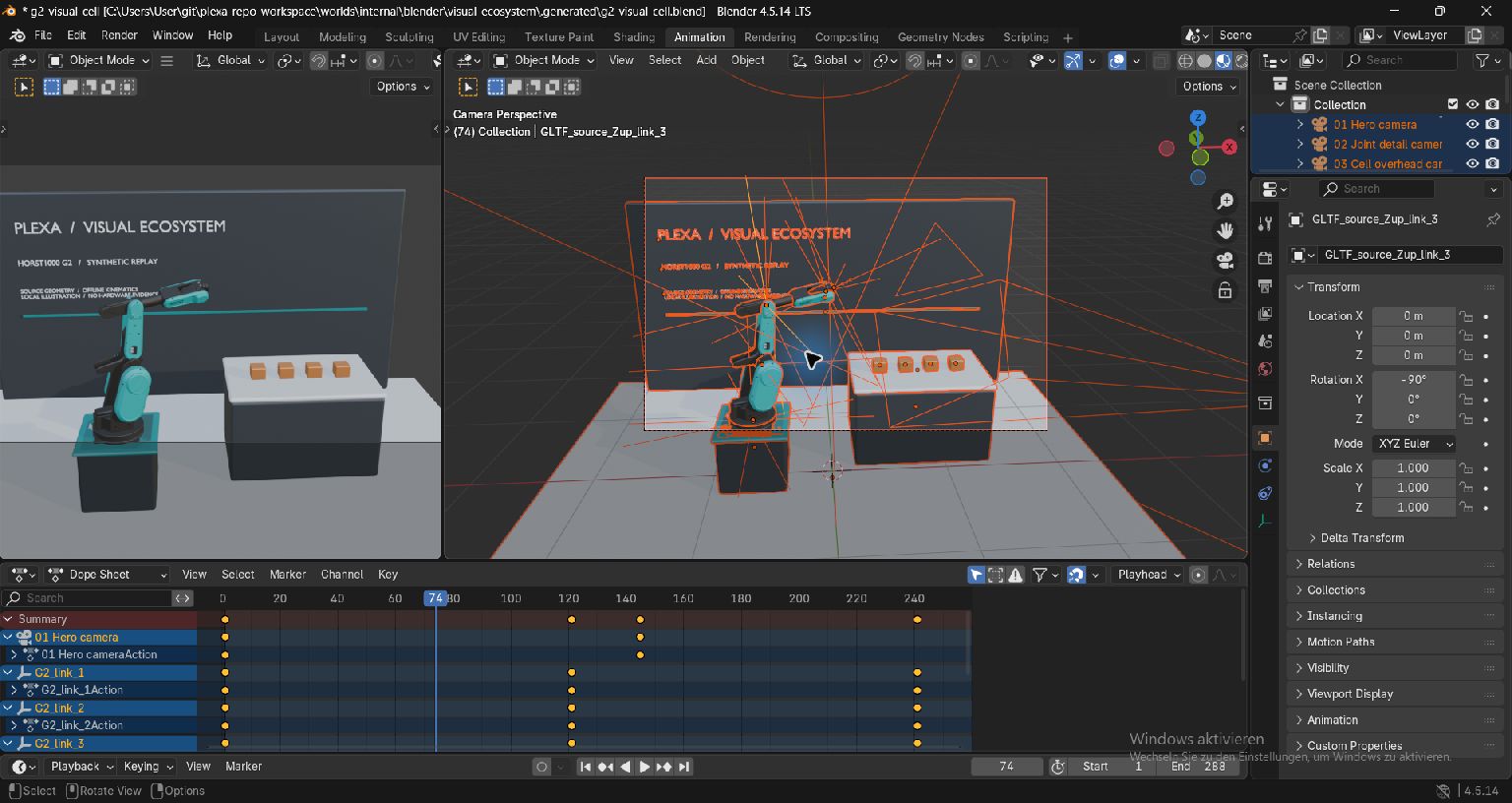
Open the source-bound native gallery and timeline tutorial · Coming soon.
Vision Studio
Vision Studio
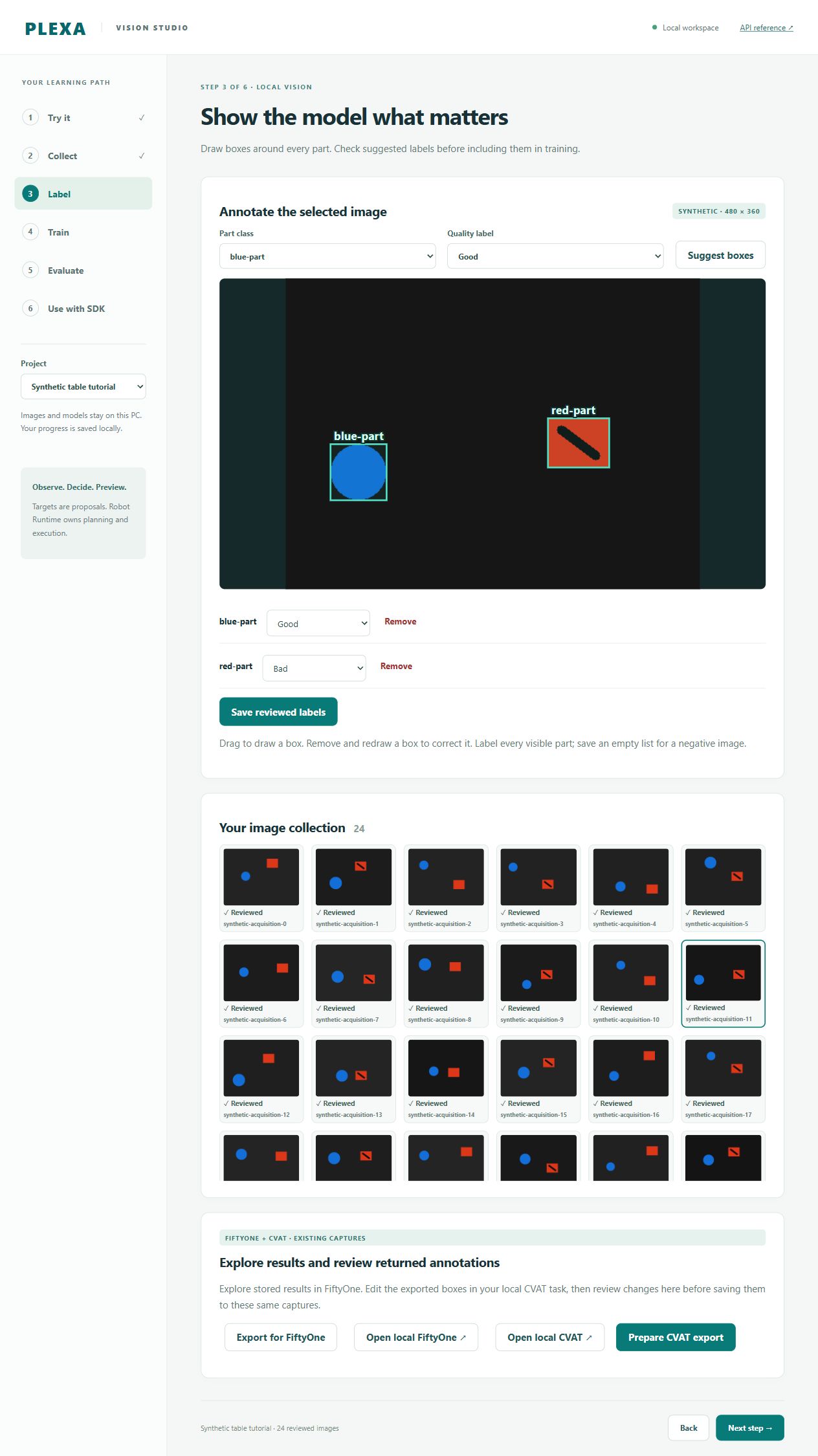
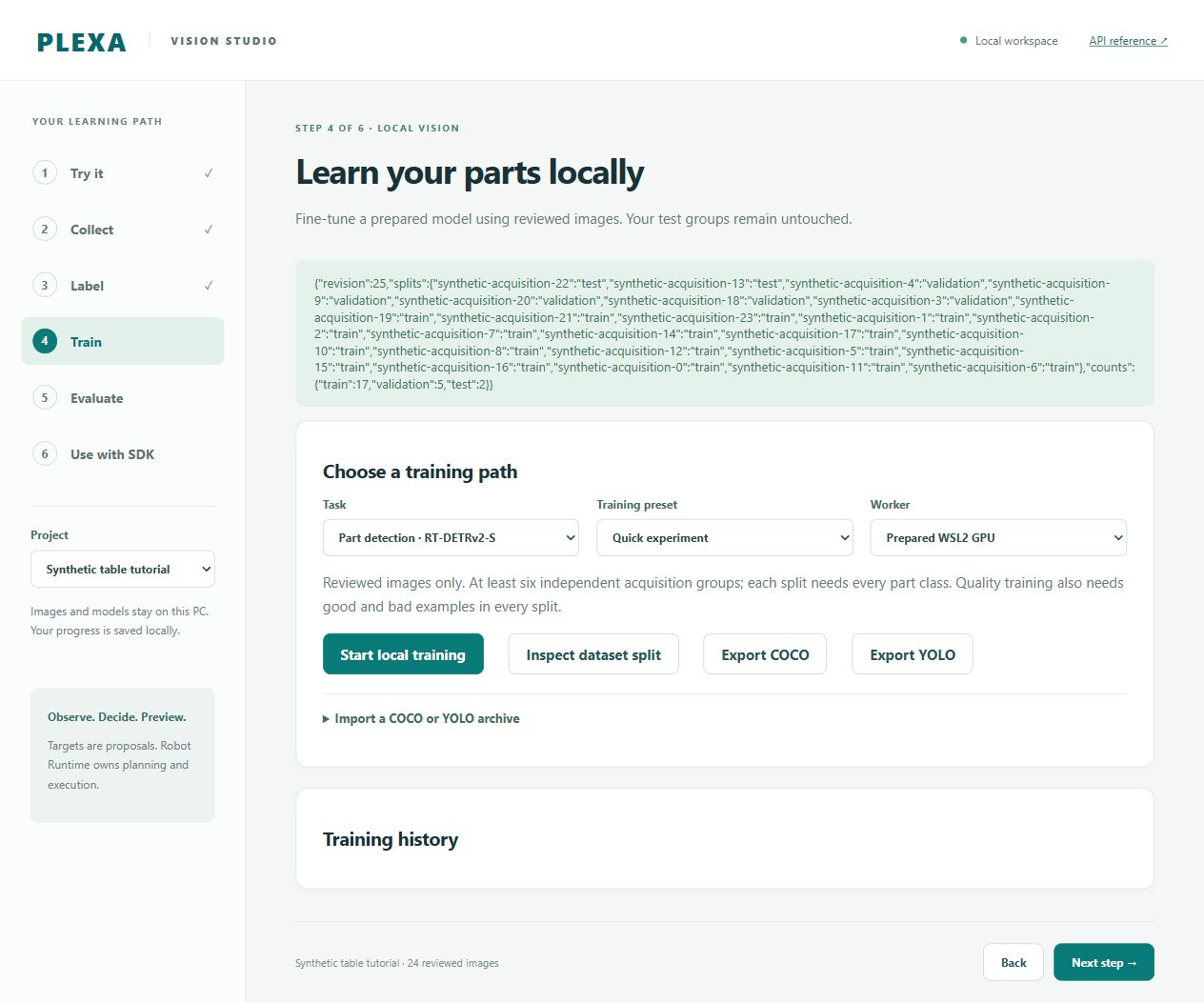
Review good/bad part labels and inspect the grouped dataset split in the original synthetic project: 24 images, revision 25, project e855. This is a separate saved project from the 25-image FiftyOne/CVAT analysis exercise shown below. No training was started for these views.
Compare a second view
FiftyOne
FiftyOne
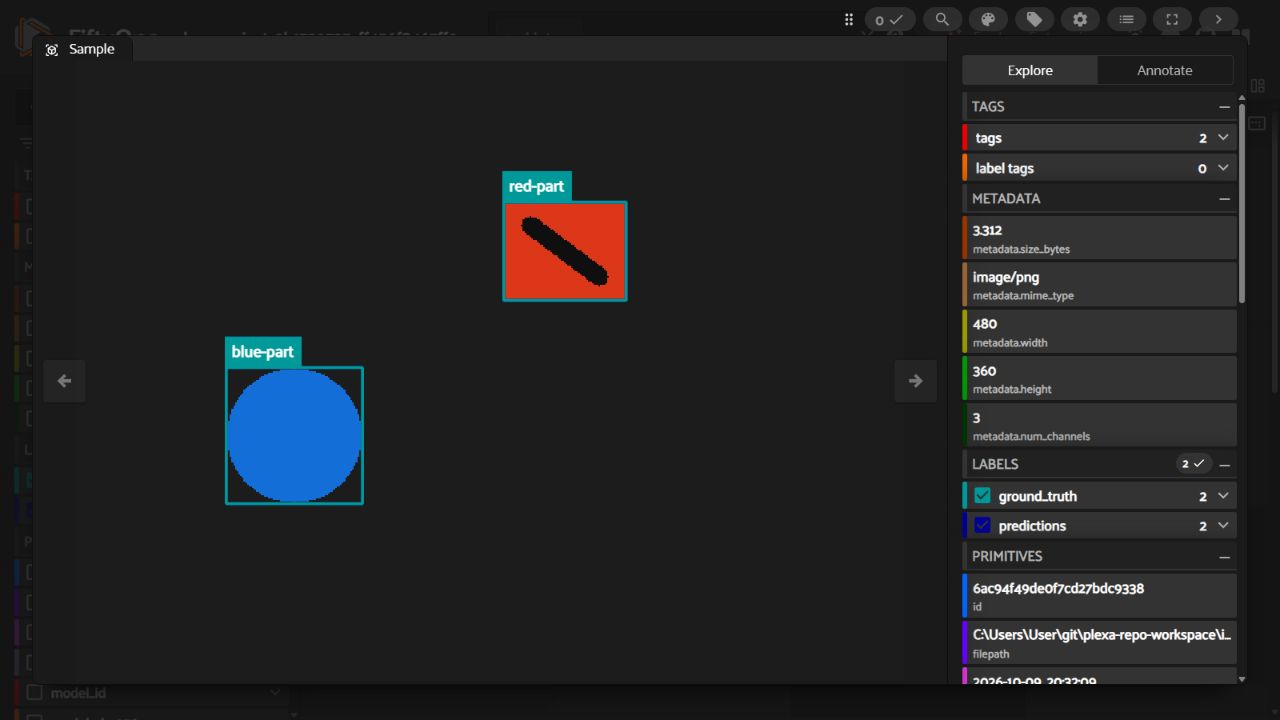
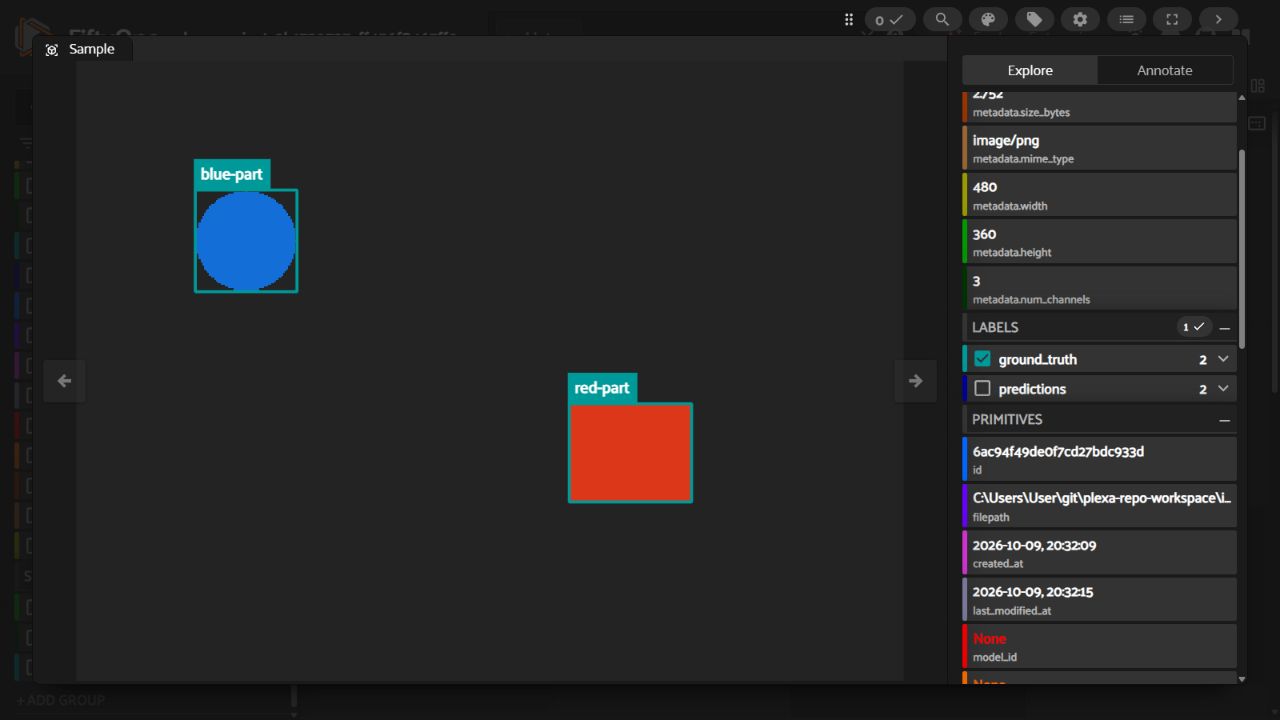
Compare a BAD synthetic sample with both reviewed labels and stored contour predictions enabled, then inspect a GOOD test-split sample with reference labels only. BAD/GOOD identify stored source quality; the visible overlay labels name part classes. These views belong to the existing 25-image analysis dataset, project 2b17 at revision 26. They are separate from Studio’s original 24-image project at revision 25, and do not show a newly trained model.
Compare a second view
Explore stored labels, grouped splits and persistent views · Coming soon.
CVAT
CVAT
Edit the original synthetic images in local CVAT, then inspect the returned changes in Studio. Review shows the source revision, saved annotations and returned annotations before an explicit apply.
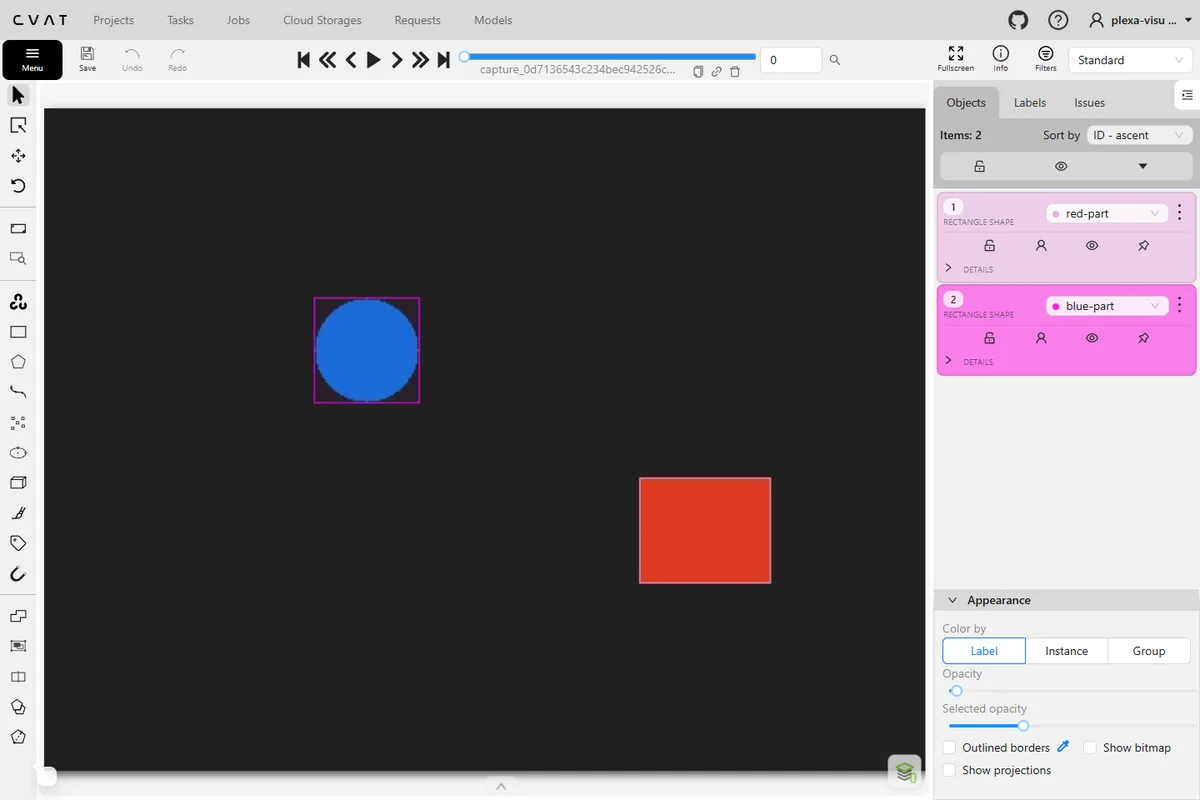
Compare a second view
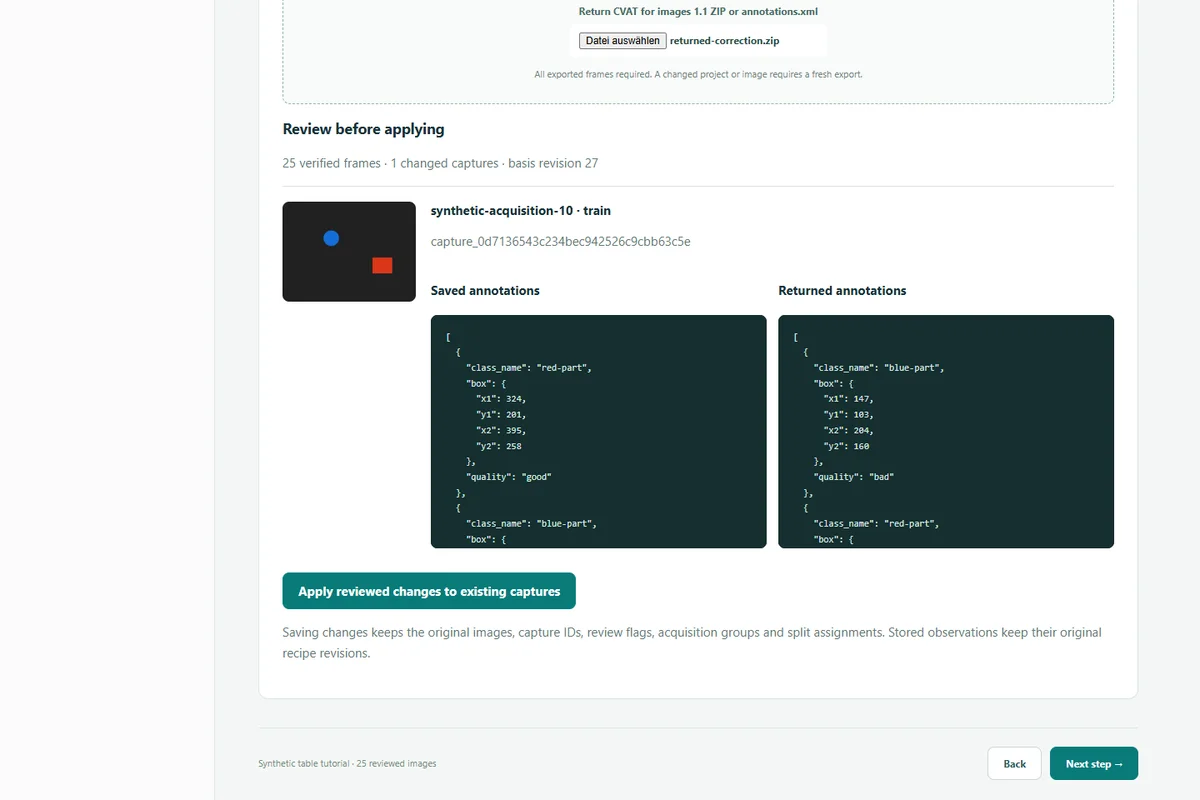
Follow the revision-bound edit, review and apply workflow · Coming soon.
n8n
n8n
Follow good, bad and uncertain quality branches from the checkpointed local journal to local report drafts. The native execution view makes the chosen route and stored outcome inspectable.
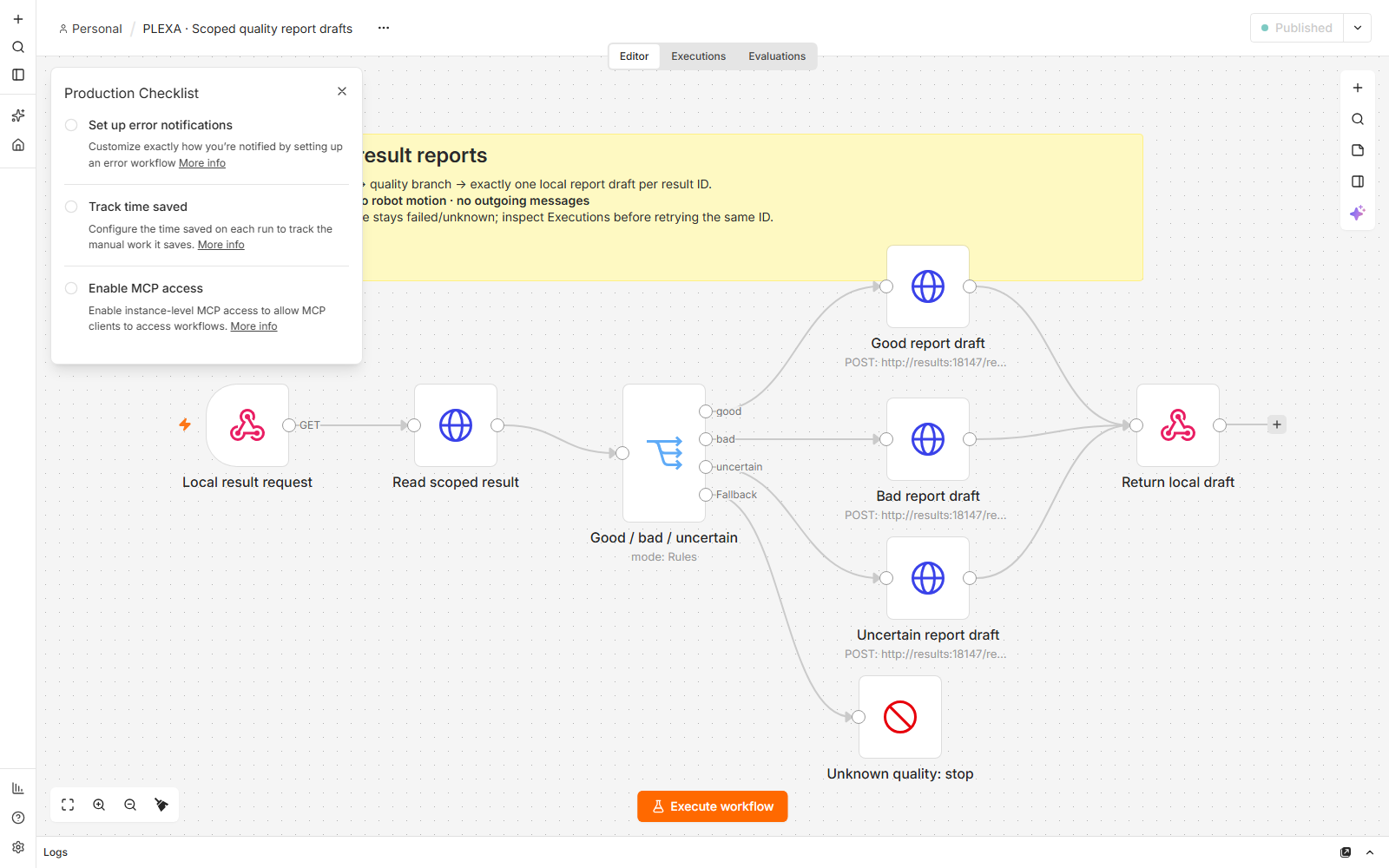
Compare a second view
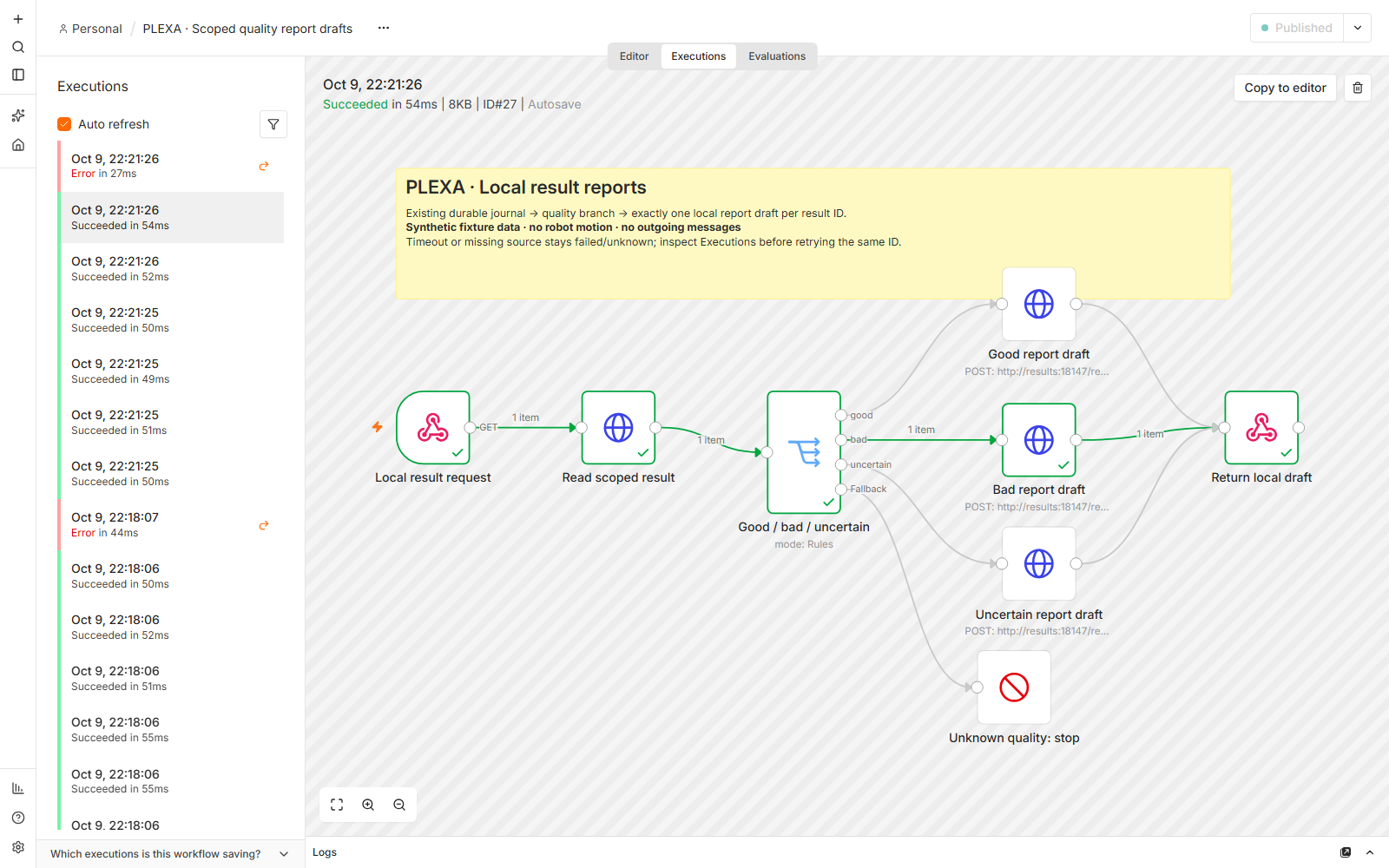
Inspect the workflow, duplicates and failure recovery · Coming soon.
ThingsBoard
ThingsBoard
Check two distinct device identities, six S5 axes and fifteen PLEXA axes. Compare fresh input with the stopped-source state: old good-quality observations can correctly carry a stale connection badge.
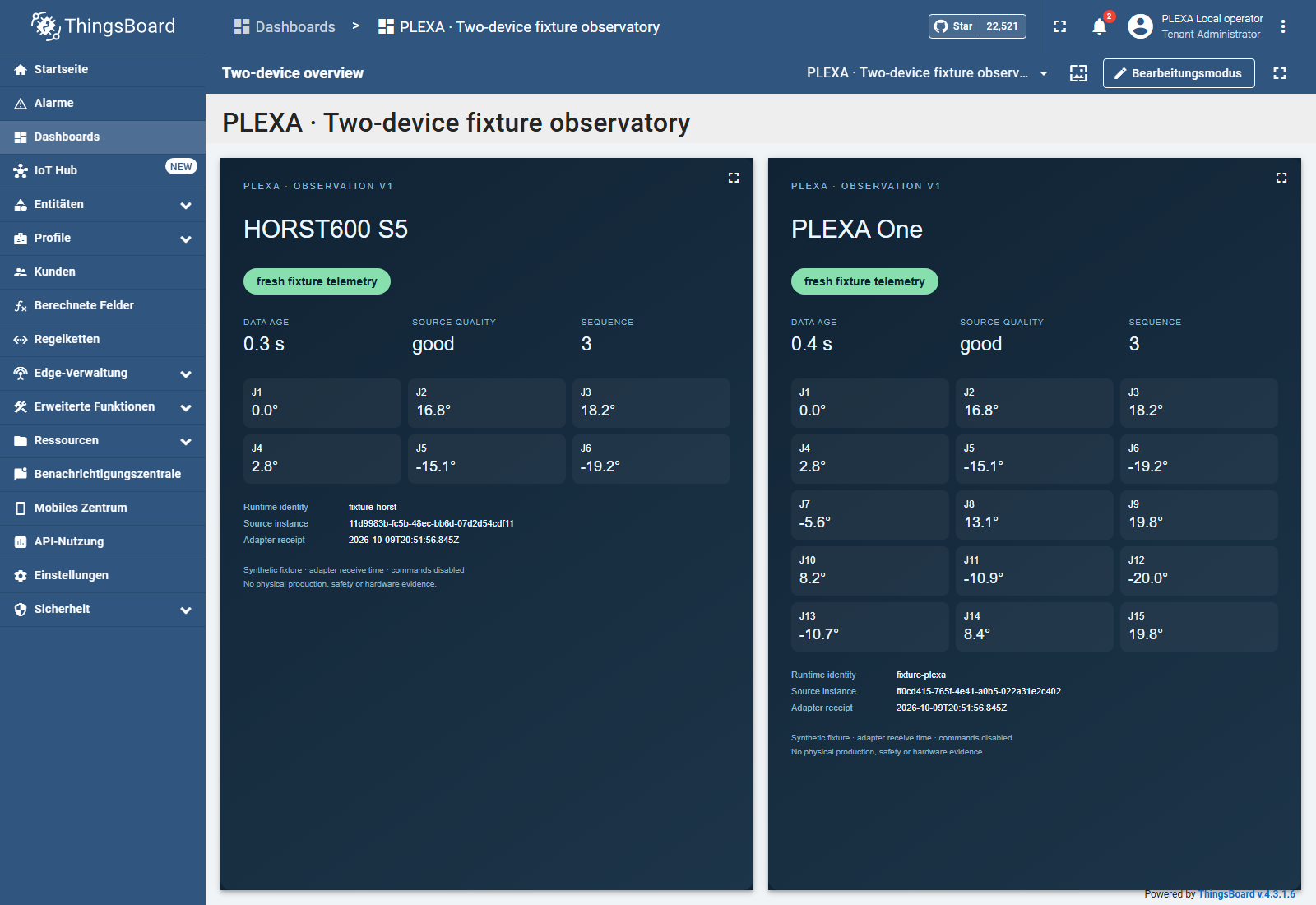
Compare a second view
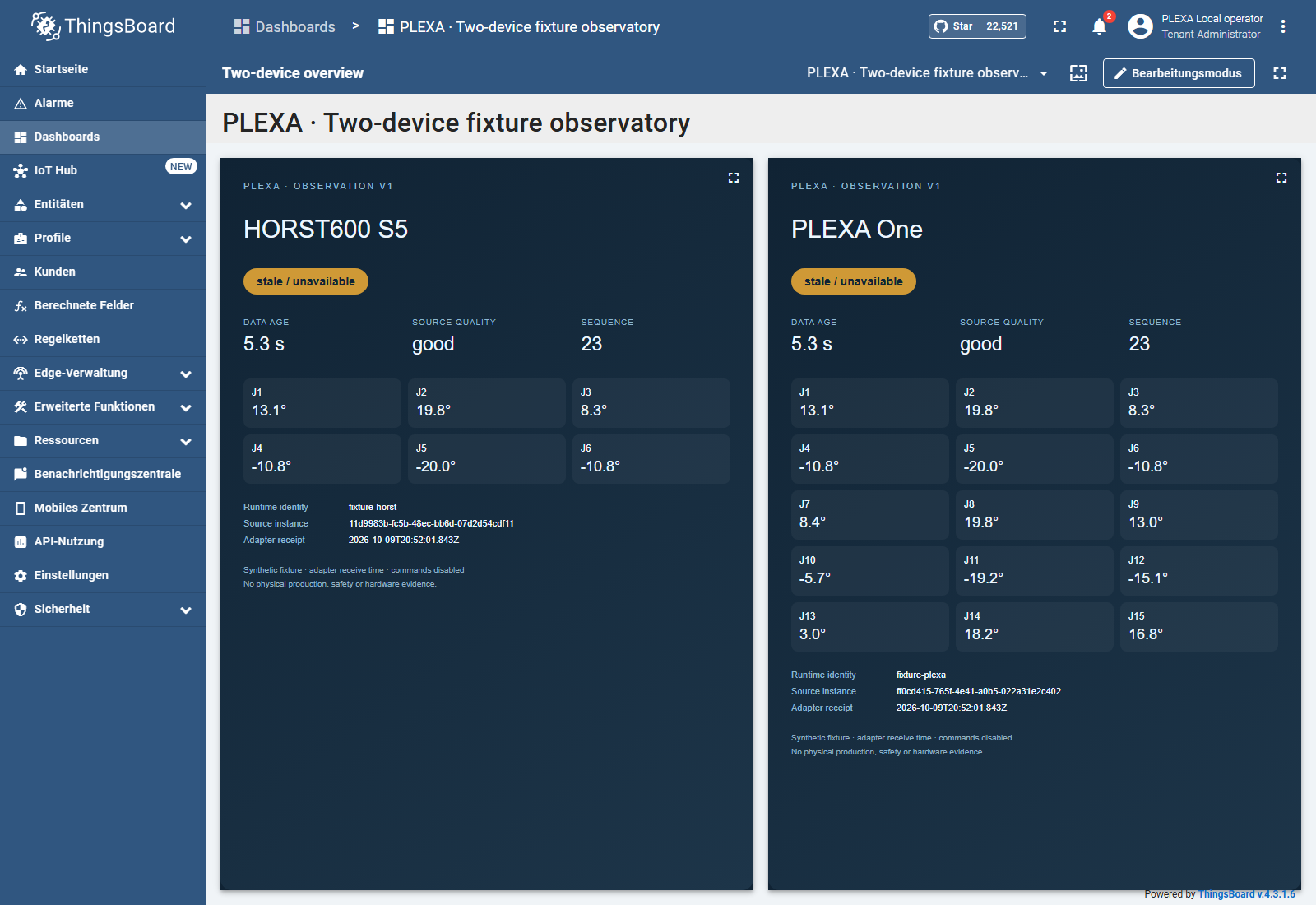
Inspect identity, receipt age and outage recovery · Coming soon.
Groot2
Groot2
Read the actual native transition log, then compare success and timeout paths. Groot2 replays recorded status, a stored synthetic Vision decision and a planning-only Preview; node colors do not report live motion.
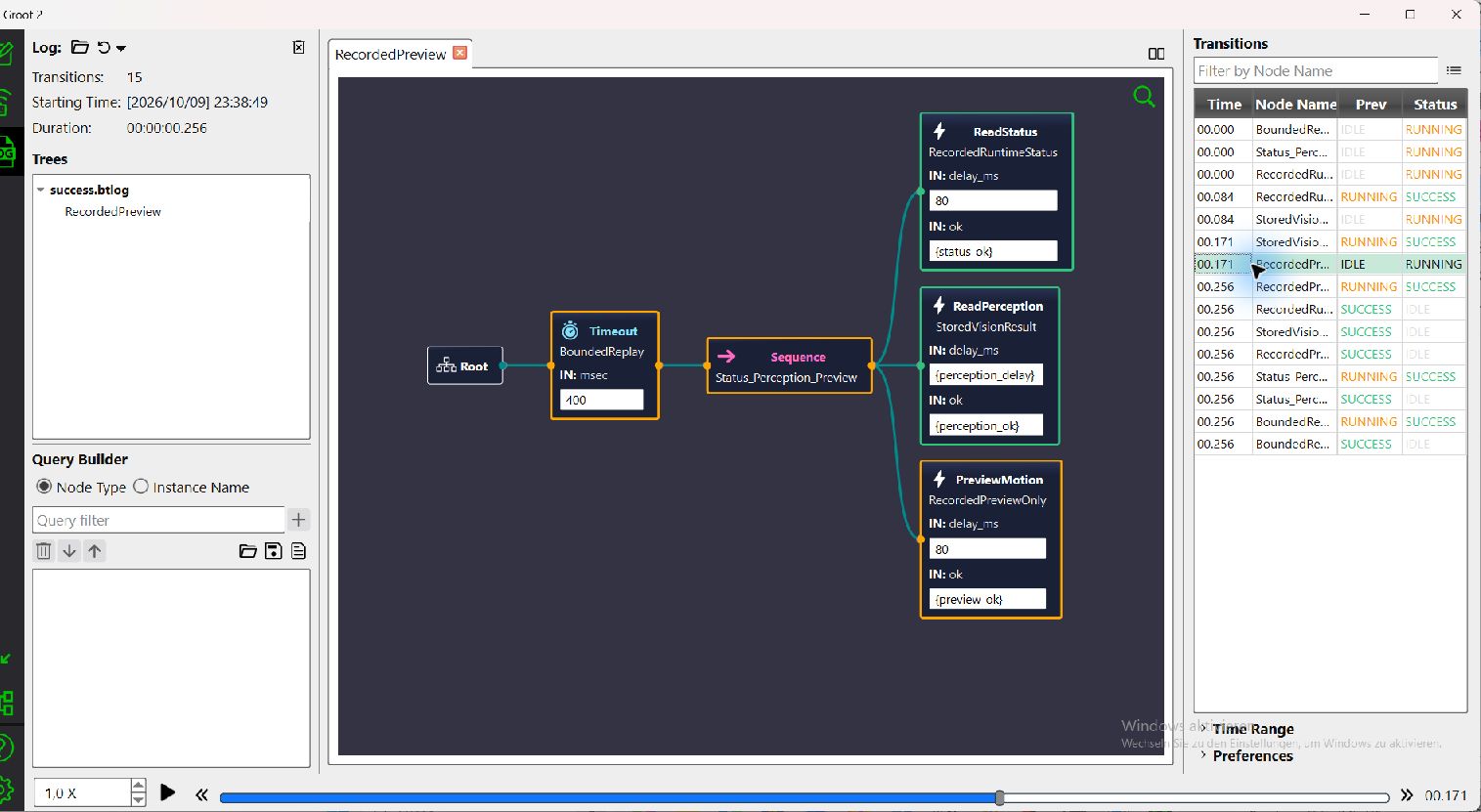
Compare a second view
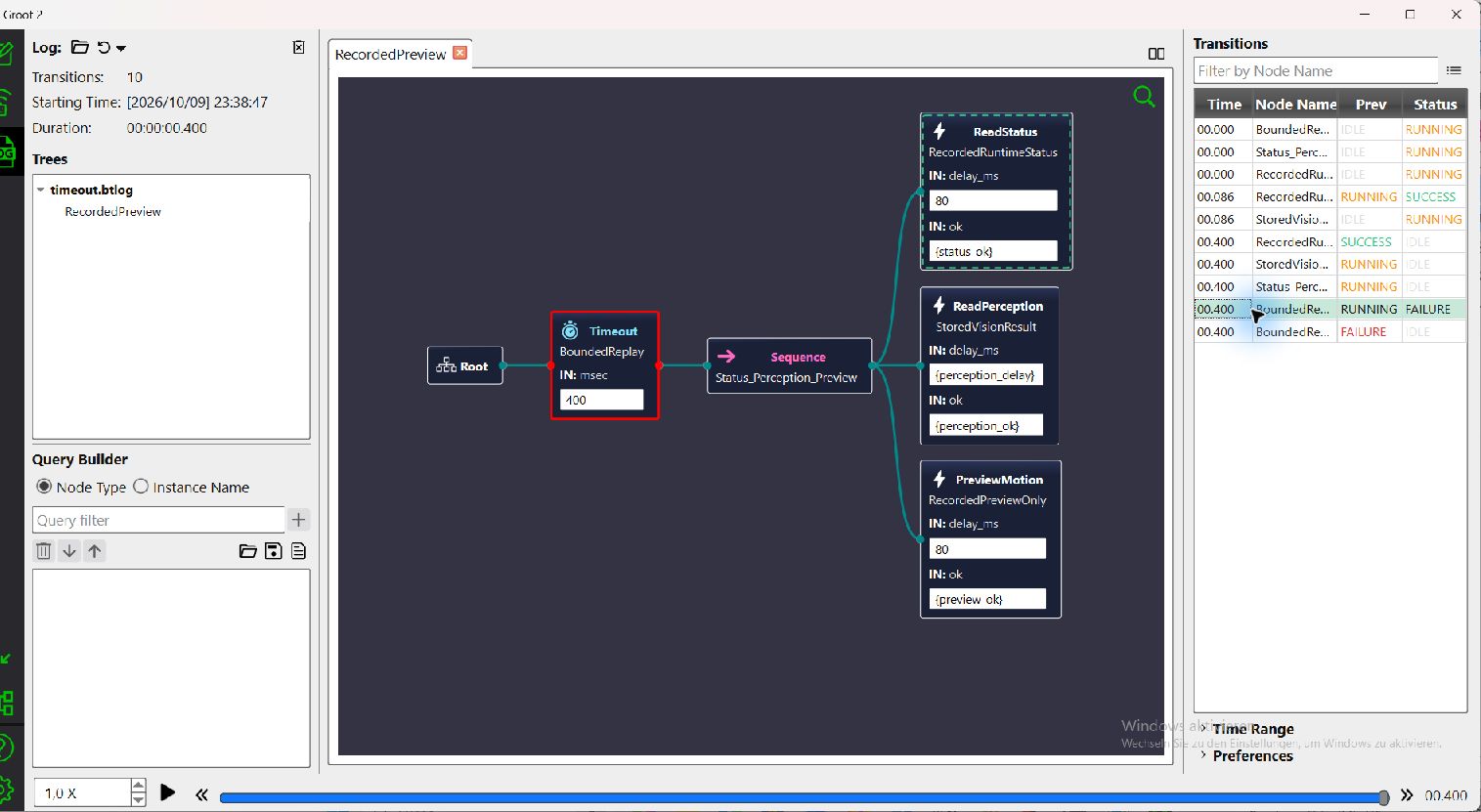
Open the editor, failure, timeout and cancellation gallery · Coming soon.
PlotJuggler
PlotJuggler
Inspect original Runtime-simulator observations recorded on 3 October 2026 in the actual native PlotJuggler 4.0.0 application. Both new views use the saved signals-v3 pack. These sources are stored simulator logs, not synthetic showcase interpolation or newly generated samples; independent receipt origins do not become synchronized sensor measurements.
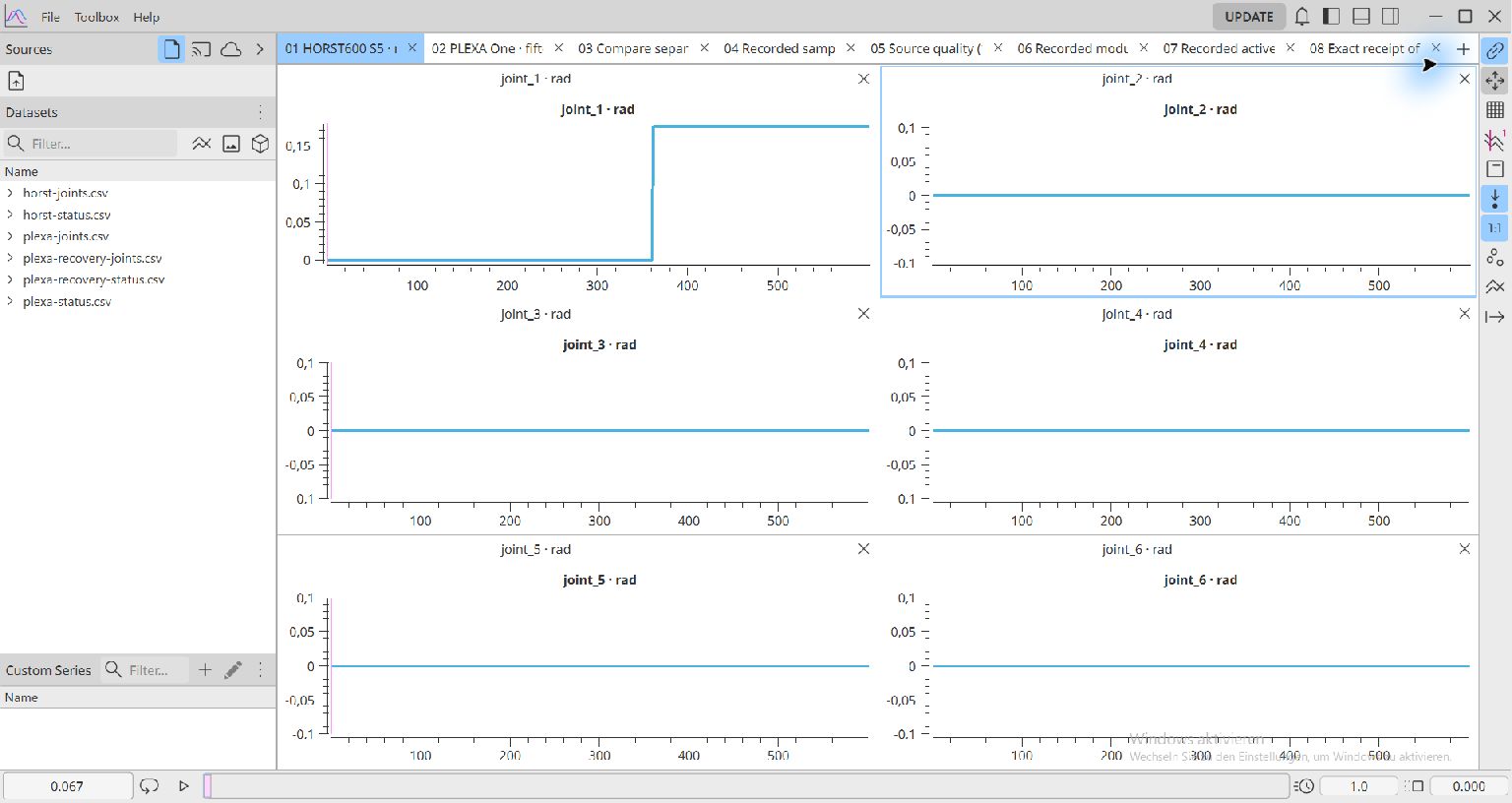
Compare a second view
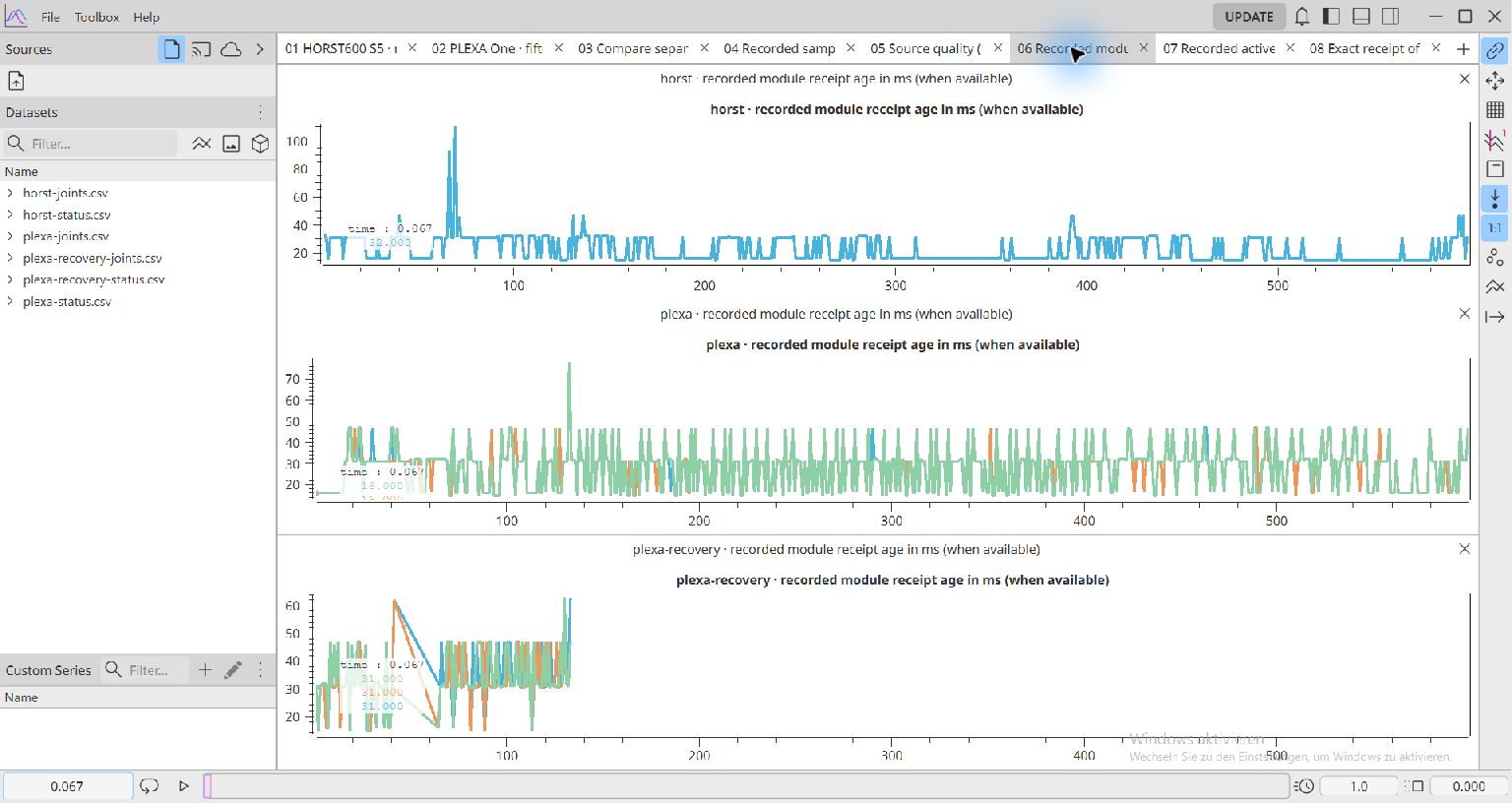
Read the eight tabs, exact saved values and recovery boundaries · Coming soon.
marimo
marimo
Select a canonical joint and inspect the original three samples from the HORST600 S5 fixture. Positions remain radians and recorded offsets remain source-relative; joining points does not add motion samples or establish sensor timing.
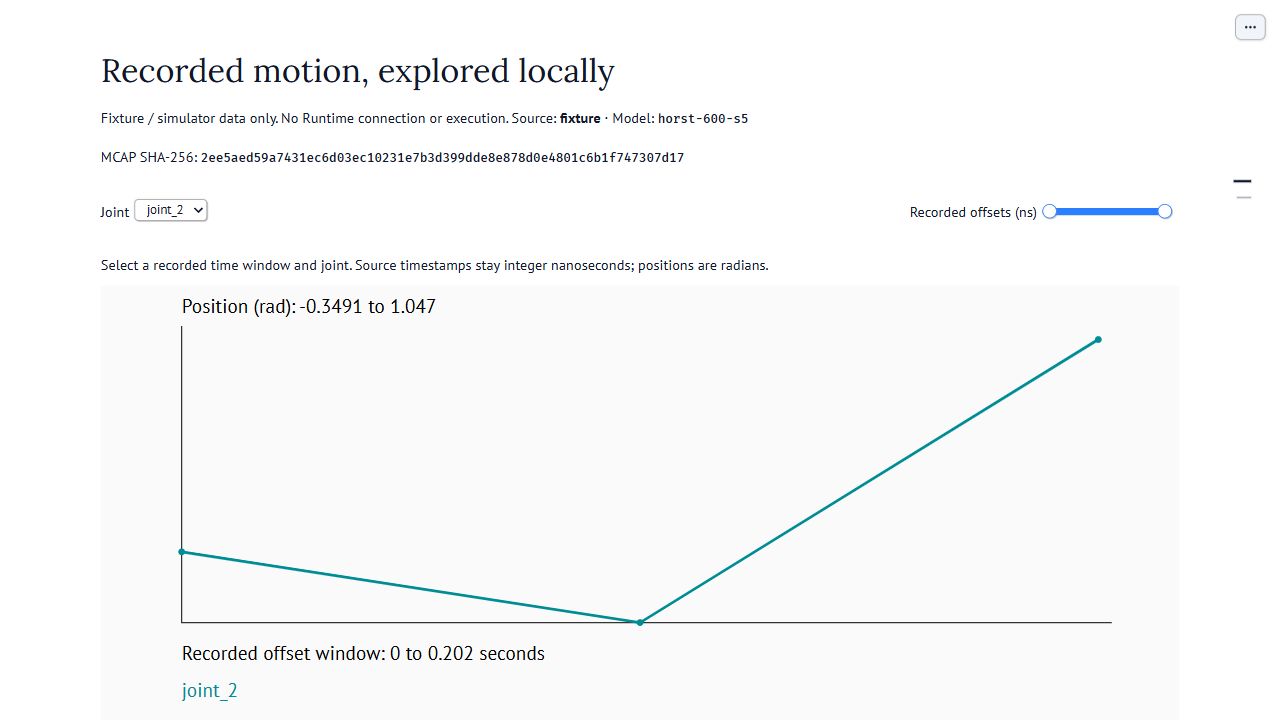
Compare a second view
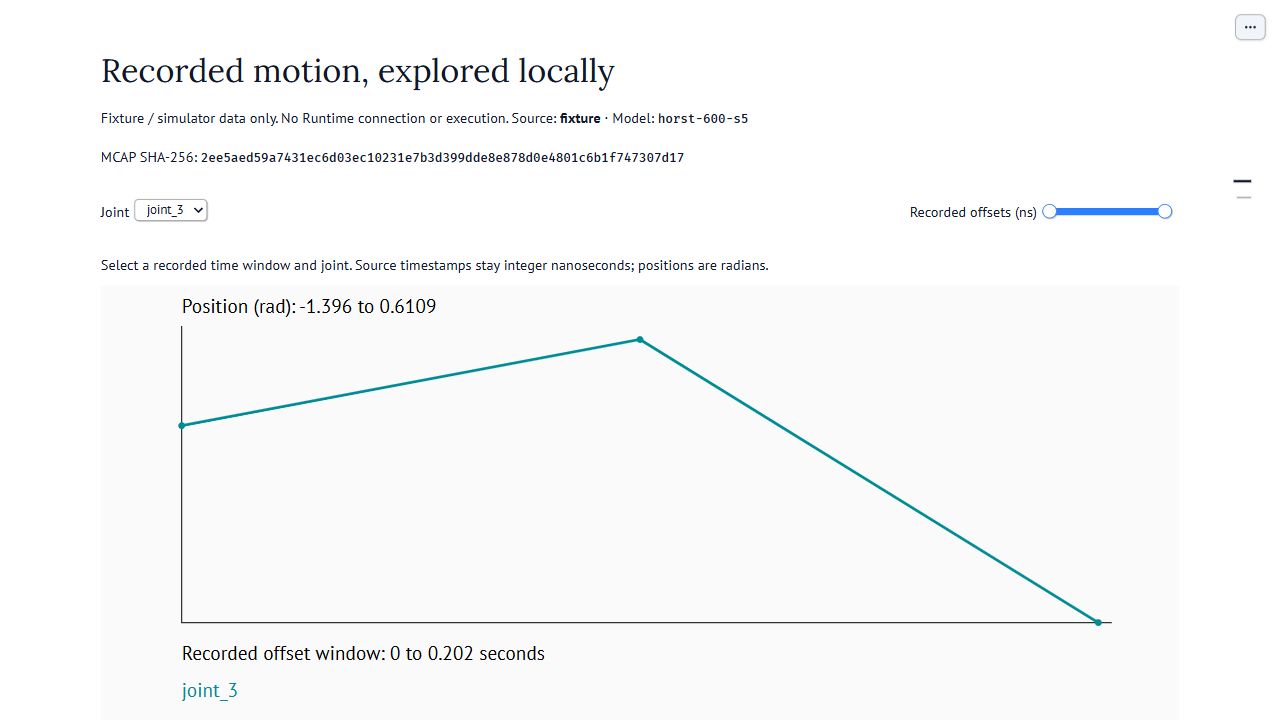
Review the MCAP/Parquet source and timing boundaries · Coming soon.
Viser
Viser
Compare the status-labelled reference state with sample 3 of a planning-only preview. This HORST600 S5 view reads the local Runtime fixture and uses the reference collision URDF. The interface’s “measured” label names the status channel; it does not establish physical measurement, a calibrated TCP or executed motion.
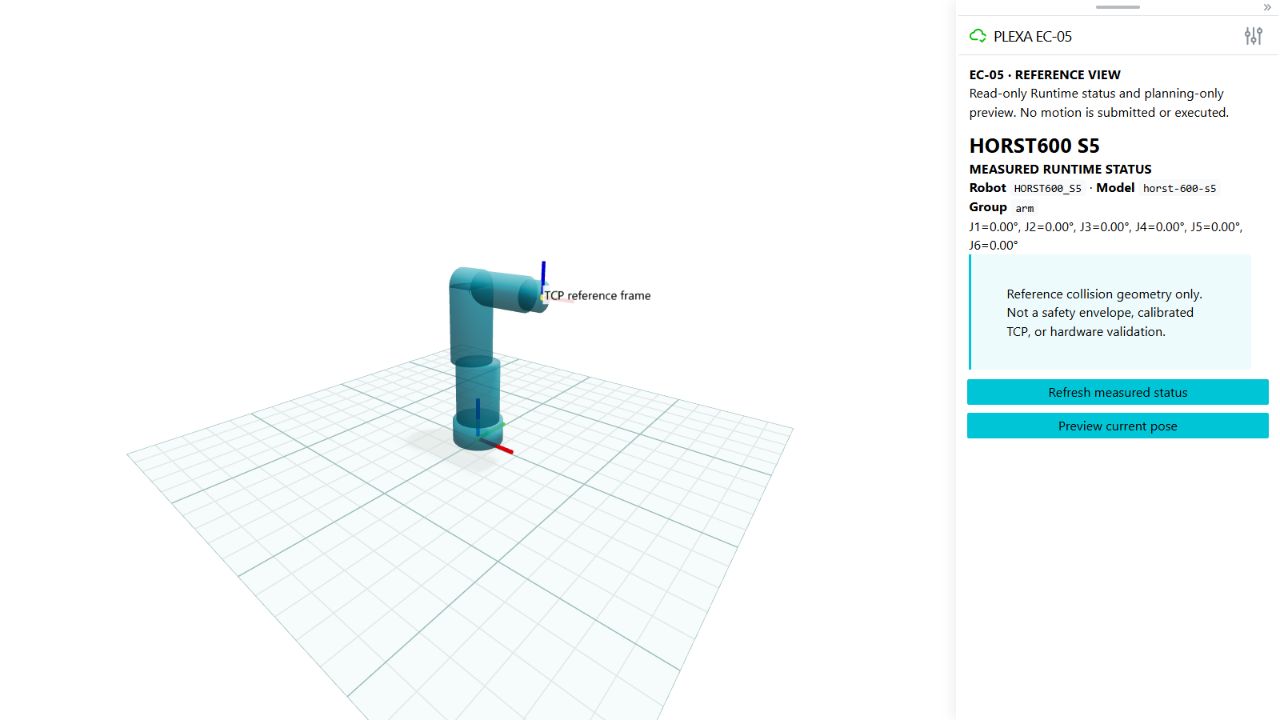
Compare a second view
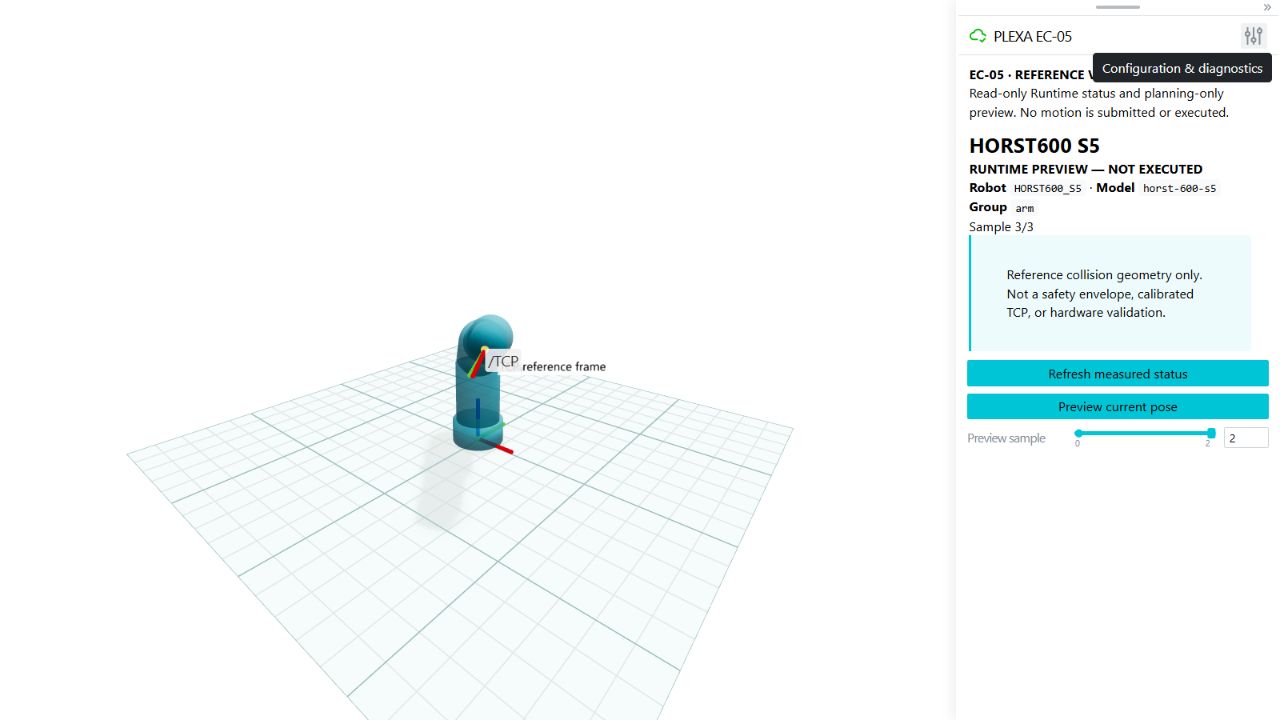
Inspect reference status and planning-only preview in Viser · Coming soon.
Node-RED
Node-RED
Follow the existing read-only observation flow from versioned telemetry through validation, deduplication and age recomputation to the complete six-widget dashboard. Both views belong to the local HORST600 S5 fixture; inspecting the editor did not change or deploy a flow.
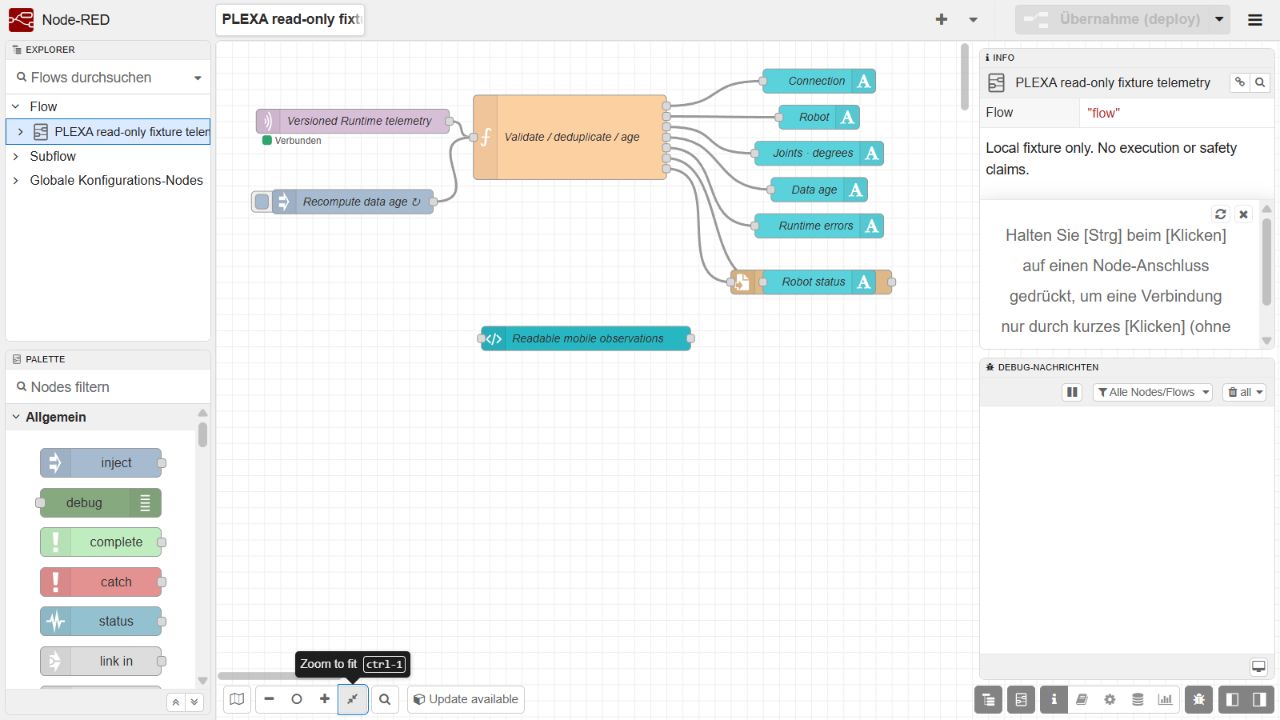
Compare a second view
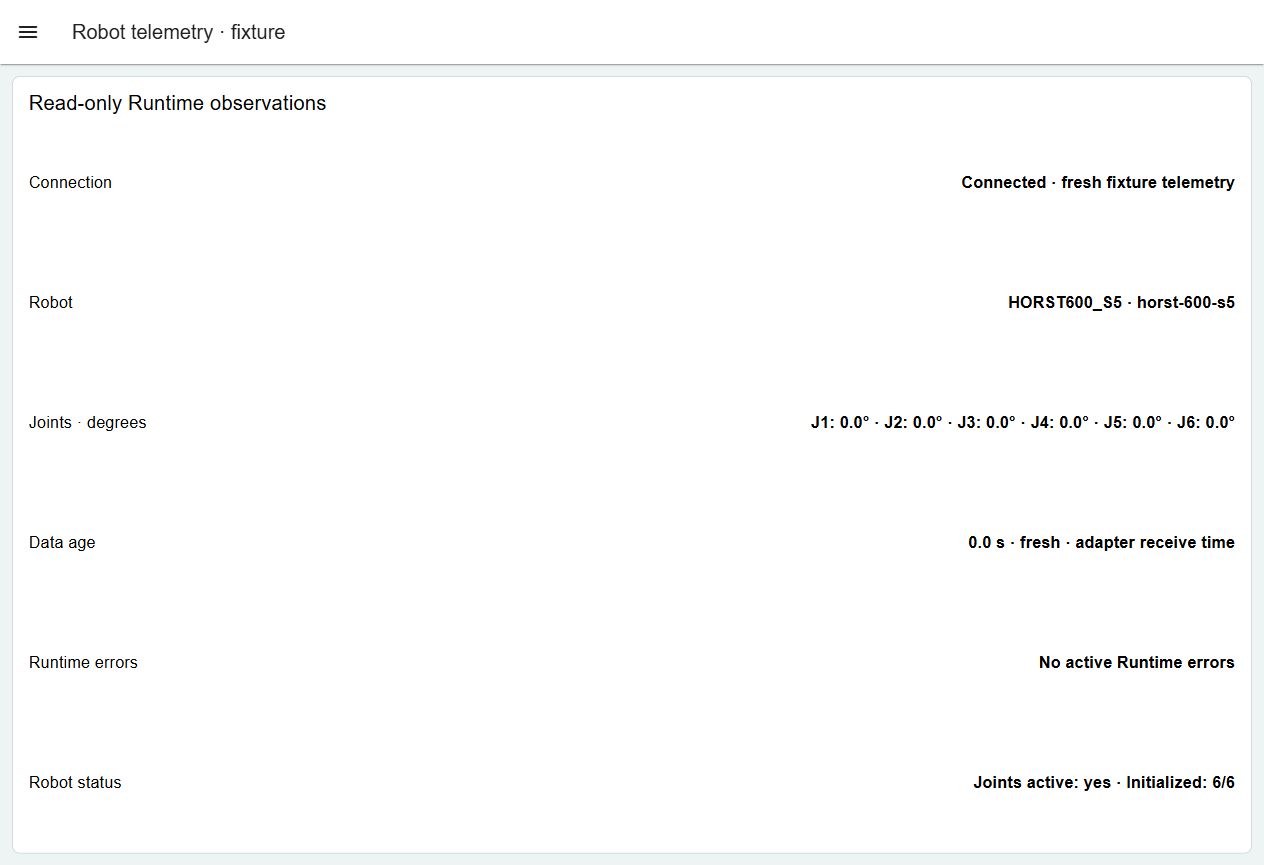
Read the Node-RED source, dashboard and outage boundaries · Coming soon.
Foxglove
Foxglove
Compare two poses in the native Foxglove 3.3.0 PLEXA One fifteen-axis showcase. The grouped Base1, left-arm and right-arm plots use degrees, and the native panels identify synthetic replay. This is a separate synthetic showcase from the stored simulator observations in PlotJuggler and Rerun; it contains no live telemetry or executable motion.
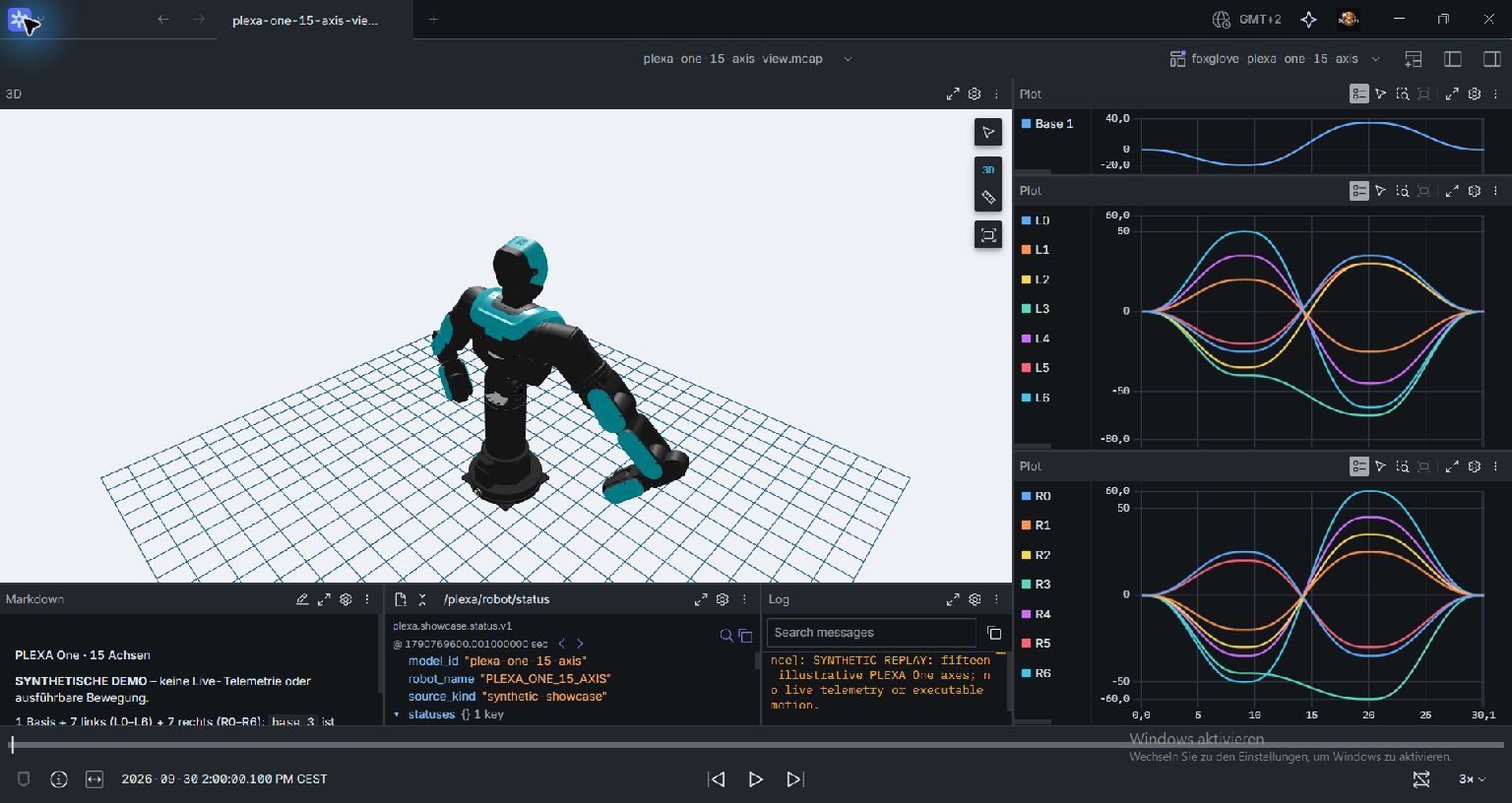
Compare a second view
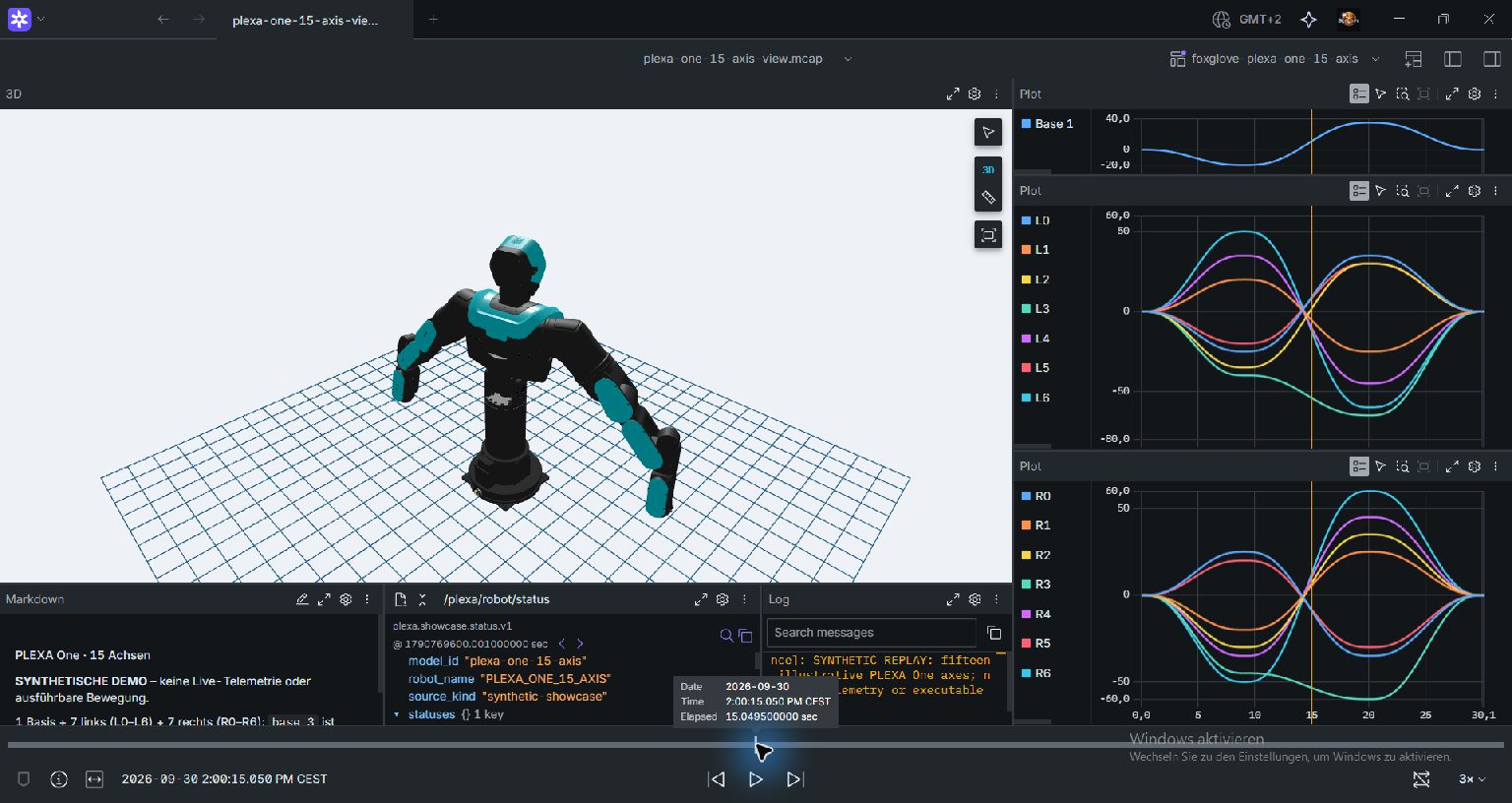
Read the replay layout, units and source boundaries · Coming soon.
Rerun
Rerun
Compare two distinct HORST600 S5 sources in the official Rerun WebViewer 0.38.1: a three-sample synthetic fixture and an earlier saved Runtime-simulator recording. Joint positions remain radians. Connecting plot points is a display operation, not an executable trajectory. This browser inspection does not close the separate native renderer acceptance boundary.
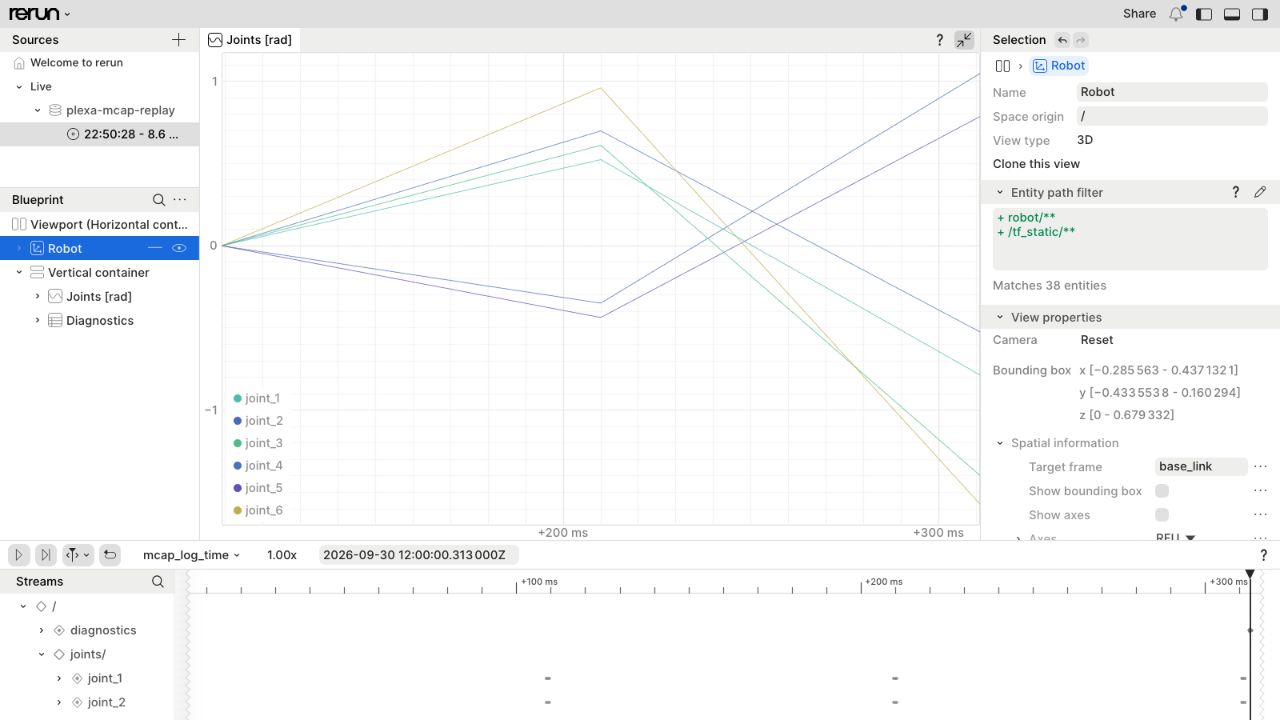
Compare a second view
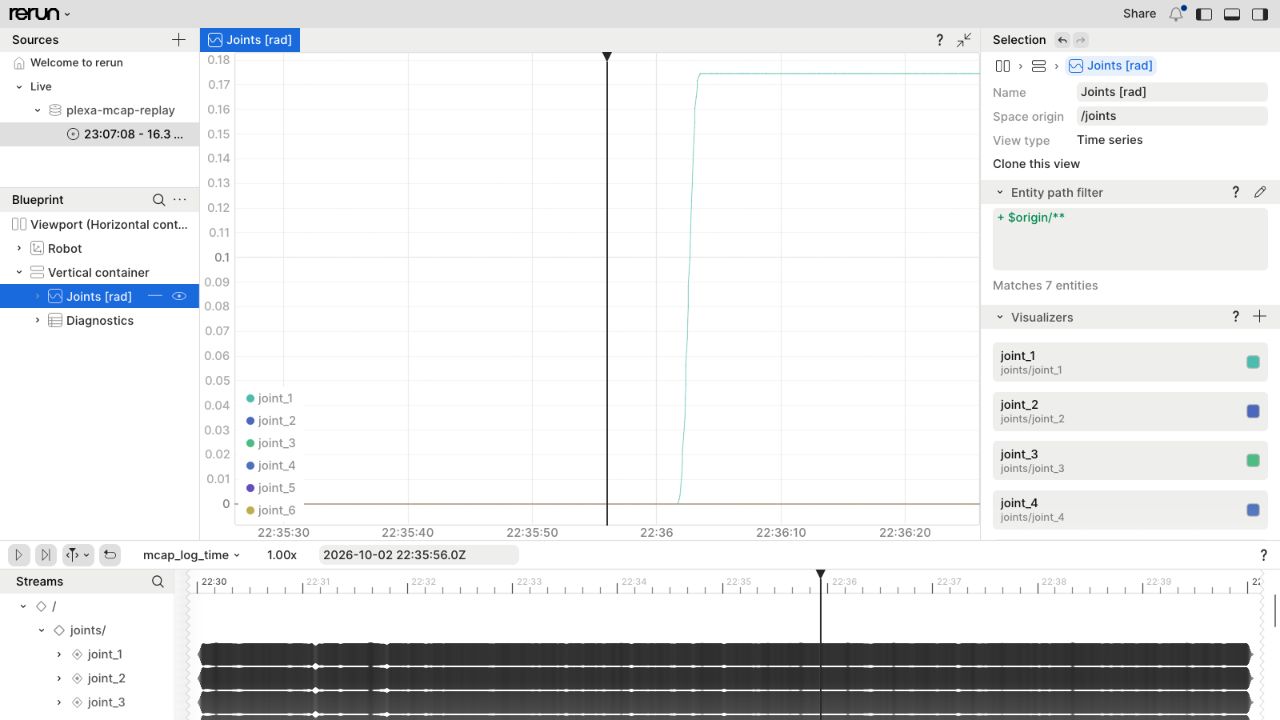
Review Rerun exports, source identity and renderer limits · Coming soon.
Gazebo Sim
Gazebo Sim
Inspect the local HORST600 G2 model tree and compare the visibly bent simulation pose. The native controls display radian targets; those target fields do not independently measure joint positions. These synthetic offline views do not validate placeholder physics or establish a Runtime or hardware connection.
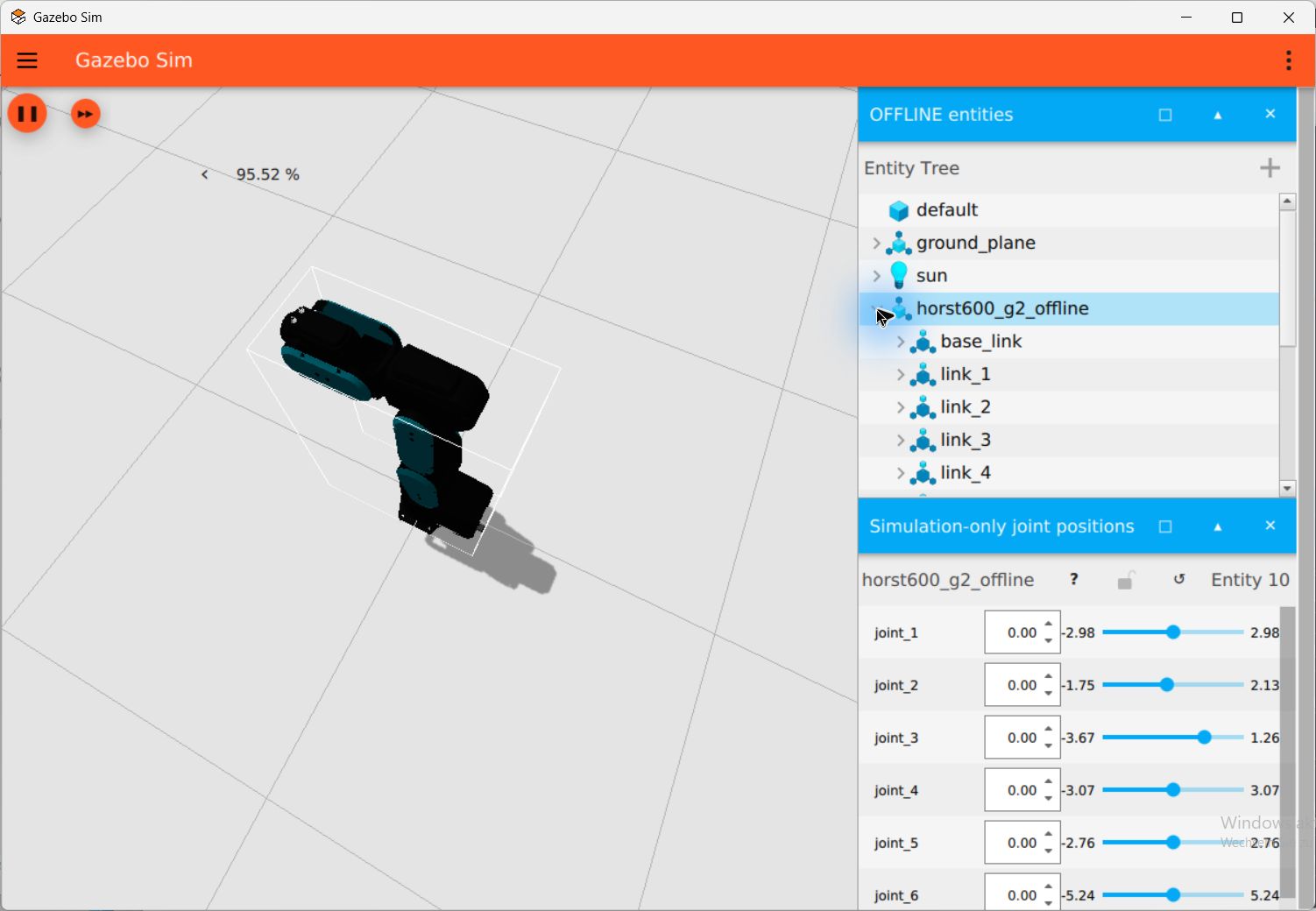
Compare a second view
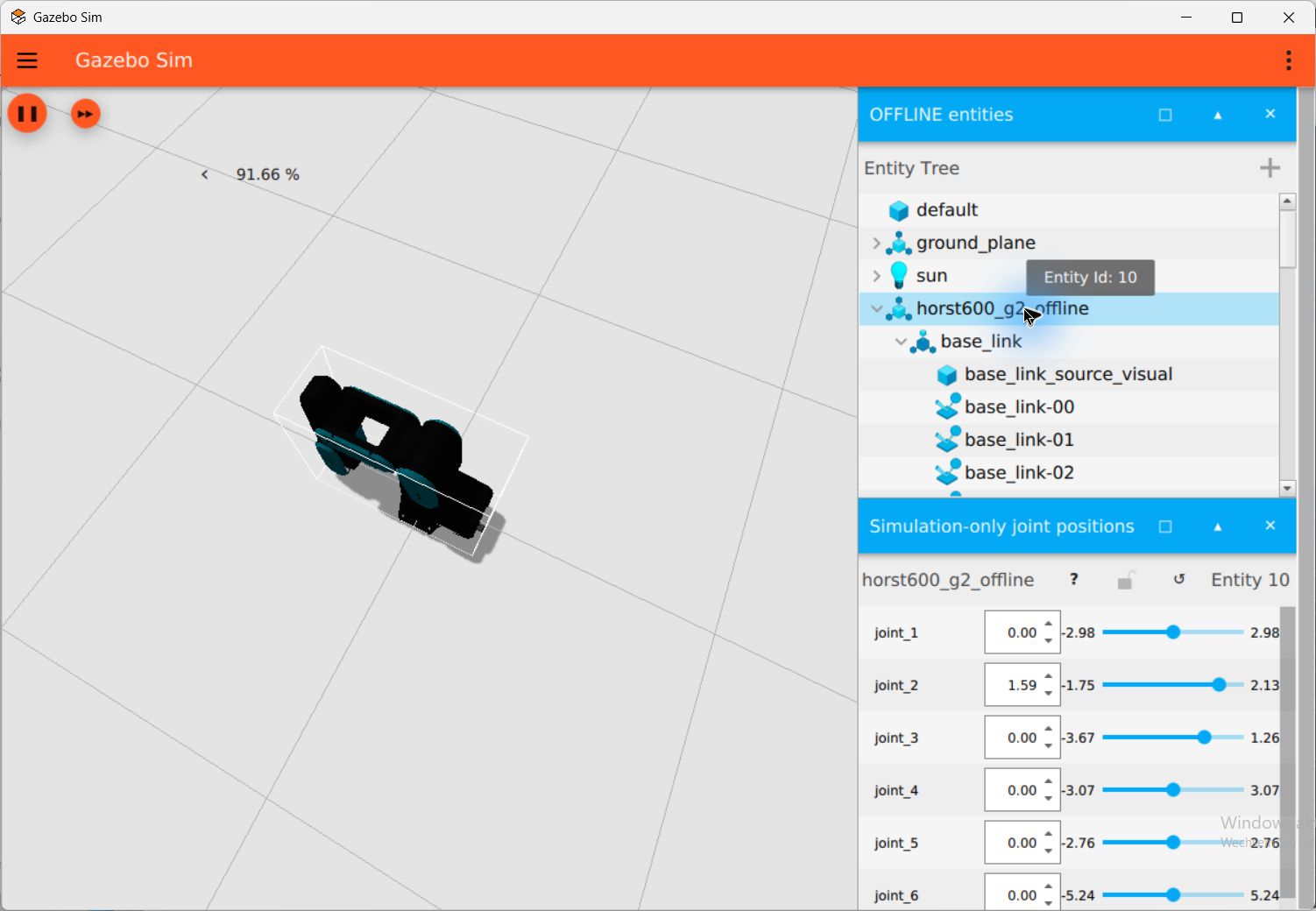
Explore the local model, controls and simulation boundaries.
MoveIt / RViz
MoveIt / RViz
Inspect the six initial bent_a goal angles, then compare a different bent_a-to-turned planning query. These synthetic HORST600 G2 views show the native RViz planning plugin. The backend disables trajectory execution; the recorder requested Plan only. Visible Execute controls do not establish execution, and no hardware or cell-collision acceptance follows from these images.
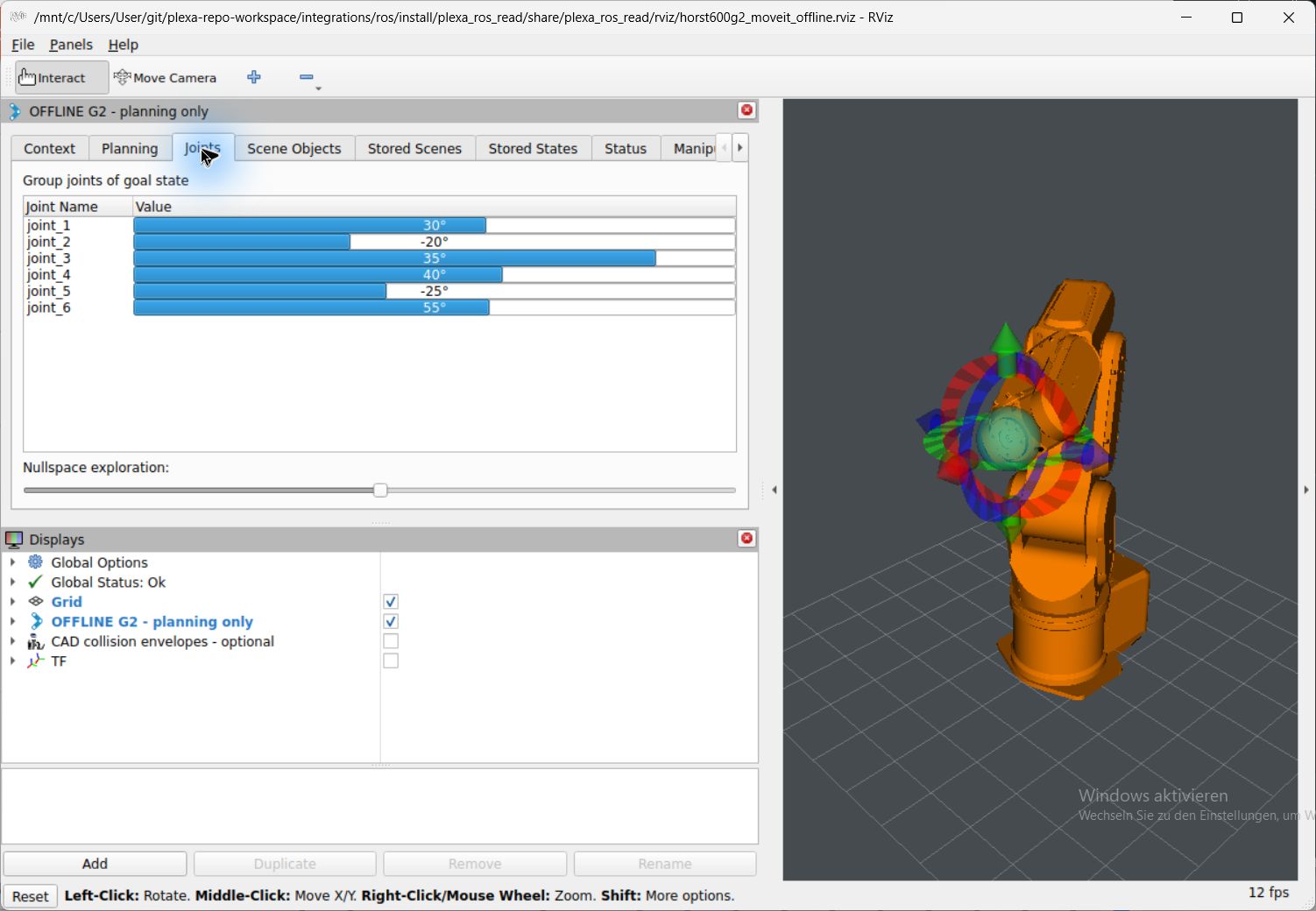
Compare a second view
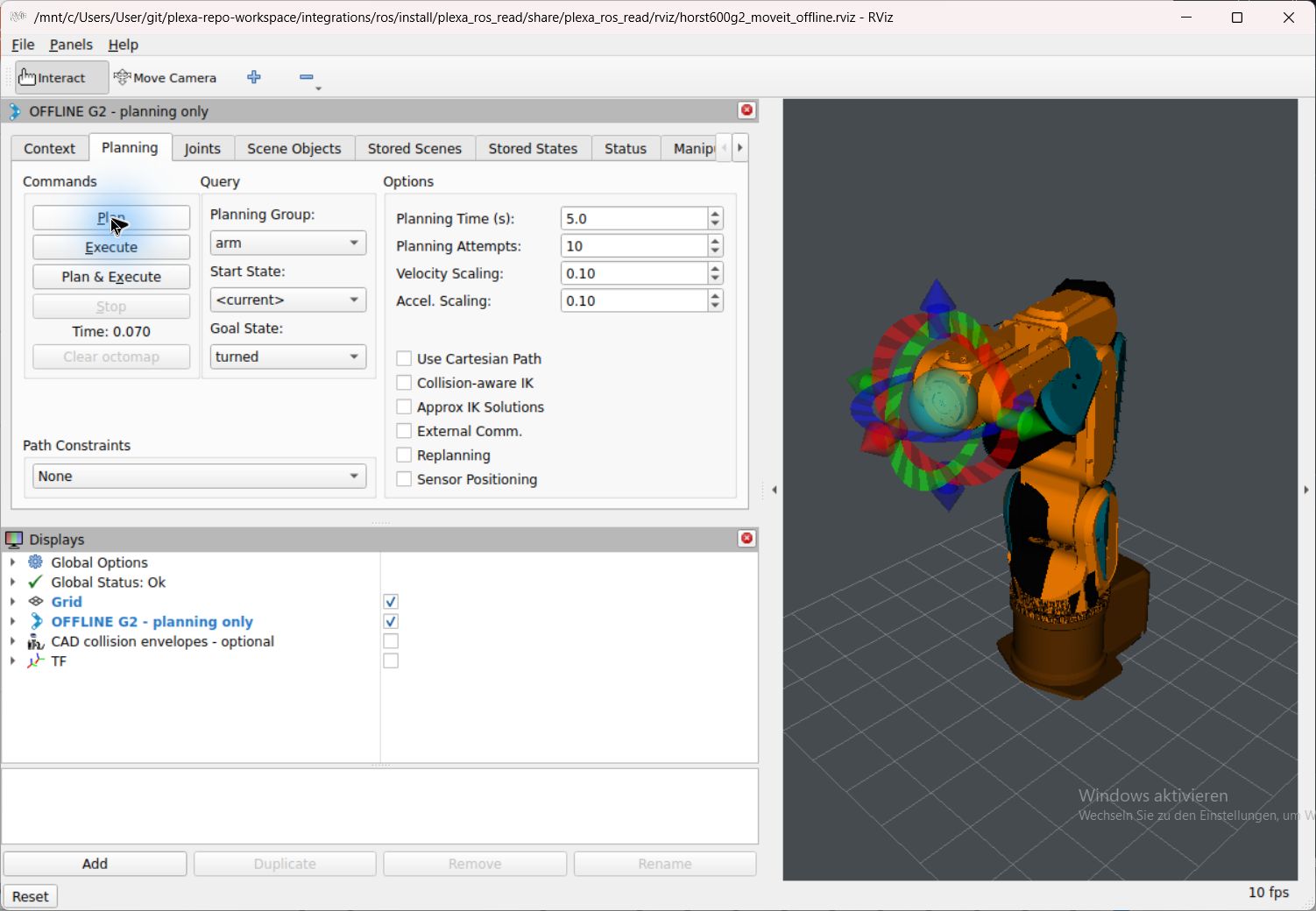
Read the offline planning configuration and execution boundary.
RViz
RViz
Compare another camera on the same synthetic bent_a G2 state with its full TF hierarchy. This separate RobotModel/TF window reads the offline source on Domain 78. The historical display name contains “simulator”; it does not identify a live Runtime connection. link_6 is a model frame, not a calibrated TCP.
Compare a second view
Additional tools: installation and native views
Native views awaiting acceptance
The following guides have prepared or numerically checked adapters, but no accepted GUI image set in this recorded milestone.
- Webots · Coming soon: Native mesh, frame and camera readbacks are recorded; interactive poses, camera controls and GUI captures remain pending.
- Unreal · Coming soon: The signed Epic Launcher is installed; Engine installation, eligible licensing and native Editor acceptance remain pending. The SDK USD check is not an Editor capture.
- RoboDK · Coming soon: The recorded API probe reports an expired license and rejects station persistence; reopening and native GUI acceptance remain pending.
- CoppeliaSim · Coming soon: Native execution and GUI require an activated eligible commercial license.
Additional captures stay in their owning Component or internal reserve. This tour reuses only the reviewed selection and does not publish a complete capture archive.
Image sources
Capture series and concept illustrations
Use these pictures as a quick orientation before opening a tutorial. The software screenshots show local simulator views, explicitly synthetic replays and stored application workflows, with their real panels visible. The first collection was captured on 7 October 2026; the application selection below is dated separately.
The conceptual HORST illustrations are generated from the user-provided fruitcore robot-cell reference; they explain concepts rather than reproduce an exact model or working software UI.
This selection complements the 7 October simulator views with actual application captures from 9 and 12 October 2026. Two selected views per program show a task and an inspectable boundary. Each new image states its date and source revision; new UI captures do not extend earlier numerical or hardware acceptance. The guides open additional already reviewed views.
The HORST concept illustration uses the built-in ImageGen tool and a user-provided robot reference. It is labelled as generated. The diagrams, source limits and commands remain in page text, which can be reviewed separately.
The Gazebo image is copied from gazebosim/docs at a5ff08e. Its license text is included locally. All images are bundled, so page rendering does not depend on remote image hosts.
The application captures use the local robot CAD/URDF/USD sources and prepared replay layouts. The 7 October public WebP copies omit profile chrome and local title-bar paths where applicable; panels and scene content retain their captured appearance. The selected 12 October JPEGs retain their original captured frames. Isaac images show stopped stages, Gazebo remains a placeholder-physics preview, and MoveIt remains an offline planner with execution disabled.
The 9 October application images are reused from the commit-pinned Docs projections. Their guides identify the source revision, actual image origin and open boundaries. Existing projections retain their documented image formats and transformations. The 12 October images are selected byte-identical JPEG originals from the internal capture archive. All other new originals remain in the private reserve; no images were generated, edited or newly converted.